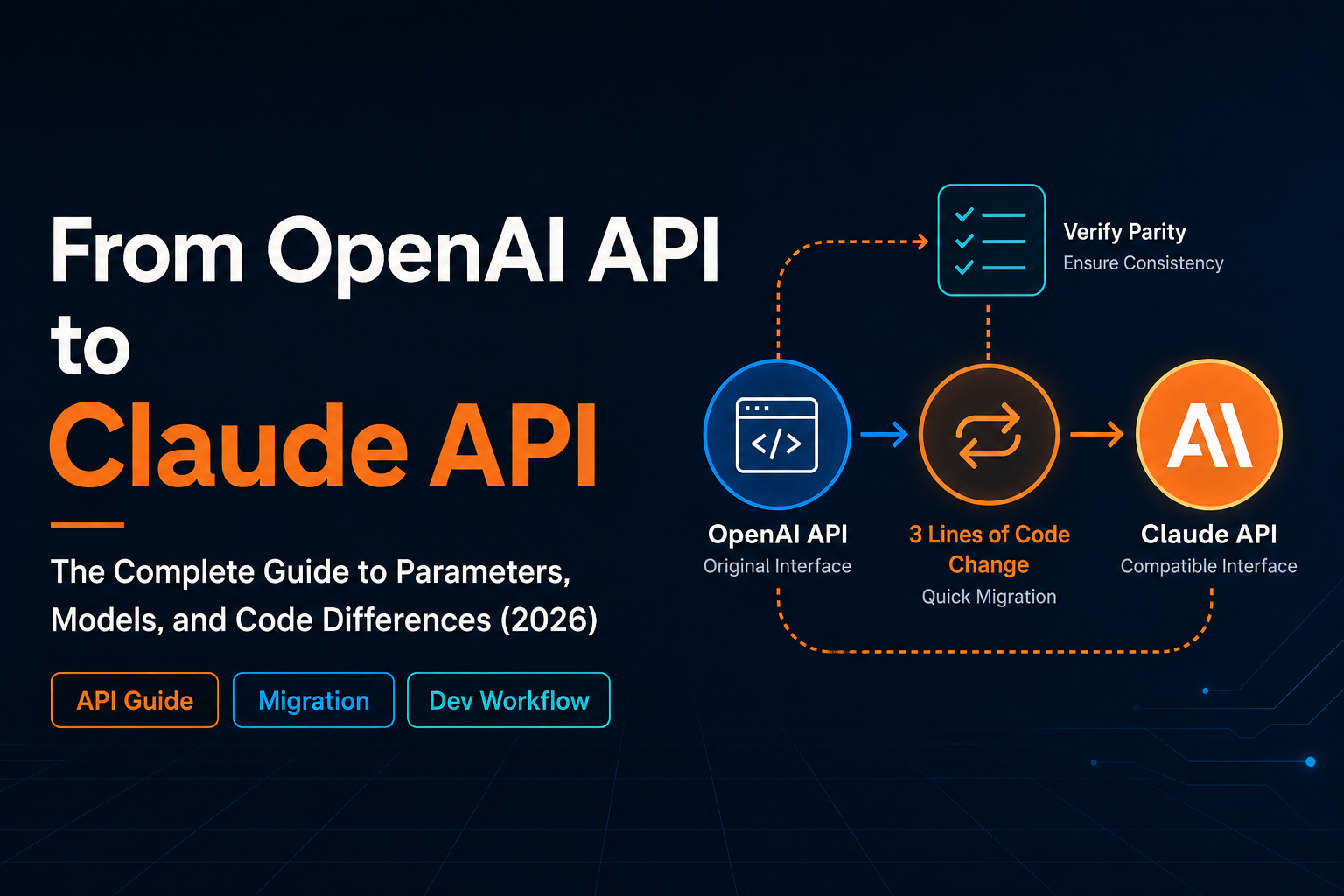
If your project already uses the OpenAI SDK, migrating a typical chat-completions workflow to Claude API can be surprisingly small. In many cases, the core change is only three fields:
base_urlorbaseURLapi_keymodel
claudeapi.com provides an OpenAI-compatible endpoint, so you can keep using the existing openai Python package or openai Node.js package while routing requests to Claude models.
This guide walks through the migration in Python, Node.js, curl, streaming, and tool calling. It also lists the OpenAI parameters you should remove or replace before shipping.
The three-line migration
For most existing OpenAI SDK projects, start with this mapping:
| Field | Before | After |
|---|---|---|
base_url / baseURL |
https://api.openai.com/v1 |
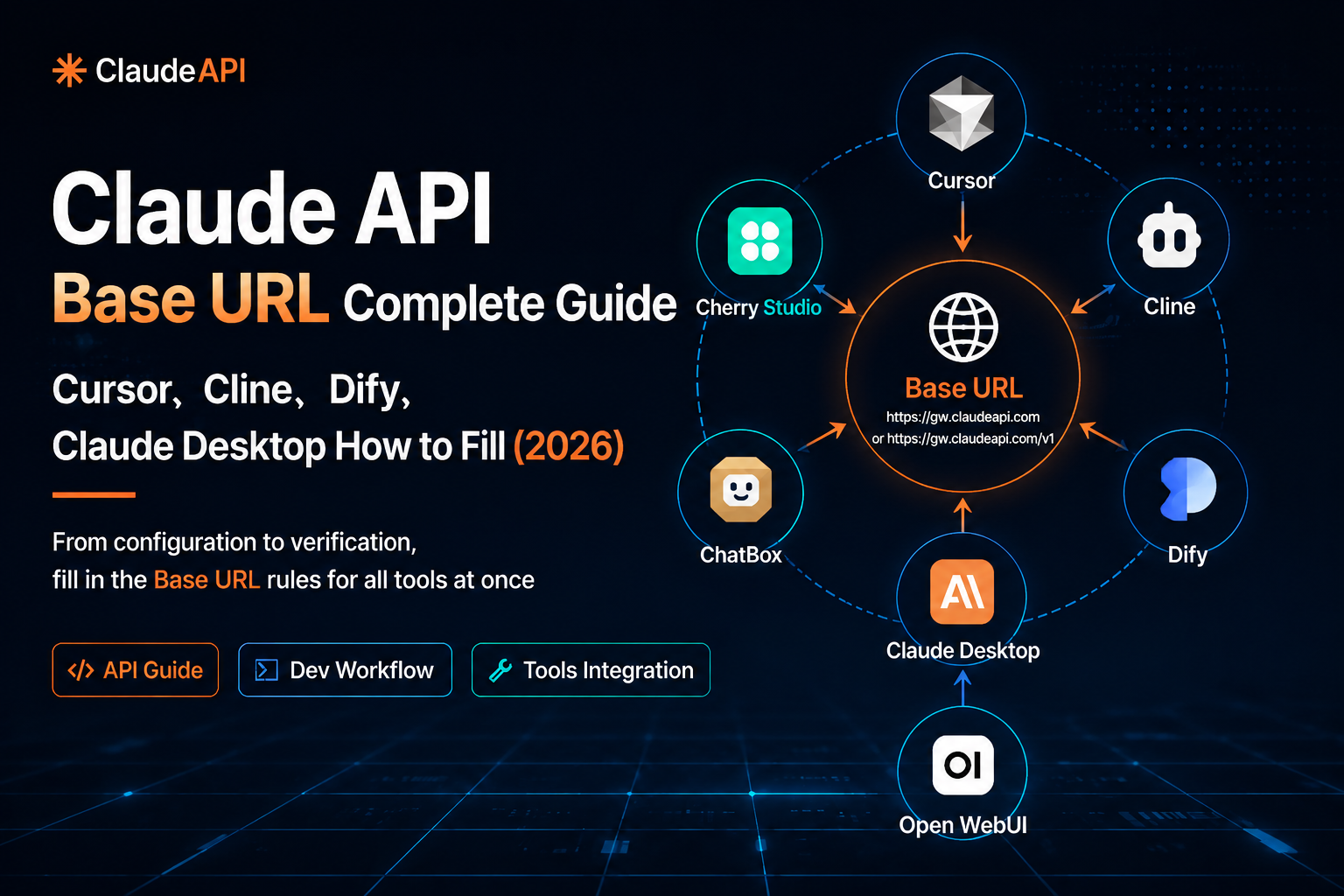
https://gw.claudeapi.com/v1 |
api_key / apiKey |
Your OpenAI API key | Your ClaudeAPI key |
model |
gpt-4o, gpt-4-turbo, gpt-3.5-turbo, etc. |
claude-sonnet-4-6, claude-opus-4-8, claude-haiku-4-5-20251001, etc. |
Common chat-completions fields such as messages, max_tokens, temperature, stream, and the system role can usually stay the same when using ClaudeAPI’s OpenAI-compatible endpoint.
That said, do not treat every OpenAI-specific option as portable. Some parameters, especially legacy function calling and logprob-related fields, should be removed or replaced. Those are covered later in this guide.
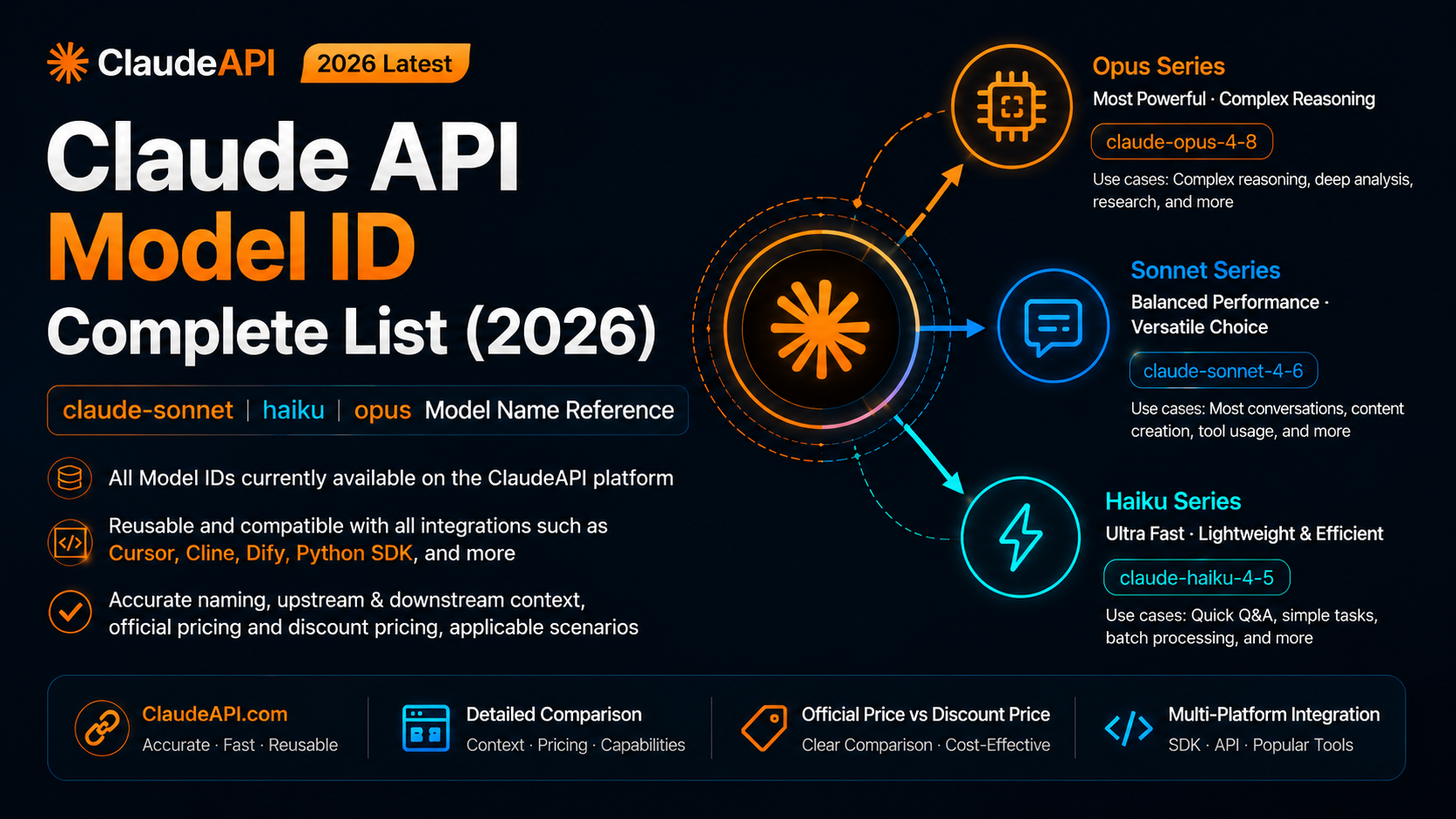
Model mapping
Use model mapping as a starting point, not a strict rule:
| Existing OpenAI model | Suggested Claude model | Good fit |
|---|---|---|
gpt-4o |
claude-sonnet-4-6 |
General chat, coding, writing, review |
gpt-4-turbo |
claude-opus-4-8 |
Complex reasoning, long-context analysis, difficult refactors |
gpt-3.5-turbo |
claude-haiku-4-5-20251001 |
Lightweight tasks, extraction, routing, simple Q&A |
The source article lists ClaudeAPI prices as:
| Model | ClaudeAPI input / output price |
|---|---|
claude-haiku-4-5-20251001 |
$0.8 / $4 per MTok |
claude-sonnet-4-6 |
$2.4 / $12 per MTok |
claude-opus-4-8 |
$4 / $20 per MTok |
Model names and prices can change, so copy the exact model ID from the ClaudeAPI console before deploying.
How the request path changes
After migration, your application still runs the same local script or service. The difference is the API endpoint:
Your app or server
        |
        | HTTPS request using the OpenAI SDK
        v
gw.claudeapi.com
        |
        | OpenAI-compatible relay
        v
Claude model
        |
        v
Response returned to your app
Your app or server
        |
        | HTTPS request using the OpenAI SDK
        v
gw.claudeapi.com
        |
        | OpenAI-compatible relay
        v
Claude model
        |
        v
Response returned to your app
This means your runtime stays familiar:
- Python scripts still run with
python demo.py - Node.js scripts still run with
node demo.mjs - existing OpenAI SDK imports can stay in place
- error handling can usually keep the same HTTP-oriented shape
Install dependencies
Python
Use Python 3.8 or later, then install the OpenAI SDK:
python --version
pip install openai
python --version
pip install openai
Node.js
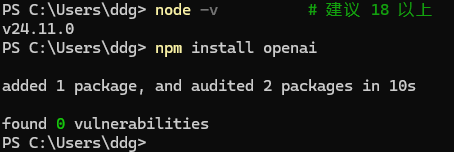
Use Node.js 18 or later:
node -v
npm install openai
node -v
npm install openai
Store your API key safely
Do not hard-code API keys in source files. If a key is committed to Git, assume it is leaked and rotate it.
For quick local testing, set an environment variable.
macOS / Linux:
export CLAUDE_API_KEY="your-key-here"
export CLAUDE_API_KEY="your-key-here"
Windows PowerShell:
$env:CLAUDE_API_KEY="your-key-here"
$env:CLAUDE_API_KEY="your-key-here"
Windows cmd:
set CLAUDE_API_KEY=your-key-here
set CLAUDE_API_KEY=your-key-here
Environment variables are scoped to the terminal session. If you open a new terminal, set the variable again.
For longer-term local development, use a .env file and keep it out of Git:
CLAUDE_API_KEY=your-key-here
CLAUDE_API_KEY=your-key-here
Python example with python-dotenv:
pip install python-dotenv
pip install python-dotenv
from dotenv import load_dotenv
import os

load_dotenv()
api_key = os.environ["CLAUDE_API_KEY"]
from dotenv import load_dotenv
import os

load_dotenv()
api_key = os.environ["CLAUDE_API_KEY"]
Add this to .gitignore:
.env
.env
Python migration example
Before:
from openai import OpenAI

client = OpenAI(api_key="sk-openai-xxx")

response = client.chat.completions.create(
    model="gpt-4o",
    messages=[
        {"role": "system", "content": "You are a coding assistant."},
        {"role": "user", "content": "Write a quicksort implementation."},
    ],
    max_tokens=1024,
    temperature=0.7,
)

print(response.choices[0].message.content)
from openai import OpenAI

client = OpenAI(api_key="sk-openai-xxx")

response = client.chat.completions.create(
    model="gpt-4o",
    messages=[
        {"role": "system", "content": "You are a coding assistant."},
        {"role": "user", "content": "Write a quicksort implementation."},
    ],
    max_tokens=1024,
    temperature=0.7,
)

print(response.choices[0].message.content)
After:
import os
from openai import OpenAI

client = OpenAI(
    api_key=os.environ["CLAUDE_API_KEY"],
    base_url="https://gw.claudeapi.com/v1",
)

response = client.chat.completions.create(
    model="claude-sonnet-4-6",
    messages=[
        {"role": "system", "content": "You are a coding assistant."},
        {"role": "user", "content": "Write a quicksort implementation."},
    ],
    max_tokens=1024,
    temperature=0.7,
)

print(response.choices[0].message.content)
import os
from openai import OpenAI

client = OpenAI(
    api_key=os.environ["CLAUDE_API_KEY"],
    base_url="https://gw.claudeapi.com/v1",
)

response = client.chat.completions.create(
    model="claude-sonnet-4-6",
    messages=[
        {"role": "system", "content": "You are a coding assistant."},
        {"role": "user", "content": "Write a quicksort implementation."},
    ],
    max_tokens=1024,
    temperature=0.7,
)

print(response.choices[0].message.content)
Run it:
python demo.py
python demo.py
Node.js migration example
Before:
import OpenAI from "openai";

const openai = new OpenAI({ apiKey: "sk-openai-xxx" });

const response = await openai.chat.completions.create({
  model: "gpt-4o",
  messages: [{ role: "user", content: "Write a quicksort implementation." }],
});

console.log(response.choices[0].message.content);
import OpenAI from "openai";

const openai = new OpenAI({ apiKey: "sk-openai-xxx" });

const response = await openai.chat.completions.create({
  model: "gpt-4o",
  messages: [{ role: "user", content: "Write a quicksort implementation." }],
});

console.log(response.choices[0].message.content);
After:
import OpenAI from "openai";

const openai = new OpenAI({
  apiKey: process.env.CLAUDE_API_KEY,
  baseURL: "https://gw.claudeapi.com/v1",
});

const response = await openai.chat.completions.create({
  model: "claude-sonnet-4-6",
  messages: [{ role: "user", content: "Write a quicksort implementation." }],
});

console.log(response.choices[0].message.content);
import OpenAI from "openai";

const openai = new OpenAI({
  apiKey: process.env.CLAUDE_API_KEY,
  baseURL: "https://gw.claudeapi.com/v1",
});

const response = await openai.chat.completions.create({
  model: "claude-sonnet-4-6",
  messages: [{ role: "user", content: "Write a quicksort implementation." }],
});

console.log(response.choices[0].message.content);
Run it:
node demo.mjs
node demo.mjs
Verify the endpoint with curl
If you want to test the key and endpoint before changing application code, use curl.
macOS / Linux:
curl -s https://gw.claudeapi.com/v1/chat/completions \
  -H "Content-Type: application/json" \
  -H "Authorization: Bearer $CLAUDE_API_KEY" \
  -d '{
    "model": "claude-sonnet-4-6",
    "messages": [{"role": "user", "content": "Reply with OK only."}],
    "max_tokens": 16
  }'
curl -s https://gw.claudeapi.com/v1/chat/completions \
  -H "Content-Type: application/json" \
  -H "Authorization: Bearer $CLAUDE_API_KEY" \
  -d '{
    "model": "claude-sonnet-4-6",
    "messages": [{"role": "user", "content": "Reply with OK only."}],
    "max_tokens": 16
  }'
Windows PowerShell:
$body = '{"model":"claude-sonnet-4-6","messages":[{"role":"user","content":"Reply with OK only."}],"max_tokens":16}'

Invoke-RestMethod -Uri "https://gw.claudeapi.com/v1/chat/completions" `
  -Method POST `
  -Headers @{"Authorization"="Bearer $env:CLAUDE_API_KEY"; "Content-Type"="application/json"} `
  -Body $body
$body = '{"model":"claude-sonnet-4-6","messages":[{"role":"user","content":"Reply with OK only."}],"max_tokens":16}'

Invoke-RestMethod -Uri "https://gw.claudeapi.com/v1/chat/completions" `
  -Method POST `
  -Headers @{"Authorization"="Bearer $env:CLAUDE_API_KEY"; "Content-Type"="application/json"} `
  -Body $body
If the returned JSON includes choices[0].message.content, your API key, model name, and endpoint are working.
Streaming
Streaming works with the same OpenAI SDK pattern.
Python:
import os
from openai import OpenAI

client = OpenAI(
    api_key=os.environ["CLAUDE_API_KEY"],
    base_url="https://gw.claudeapi.com/v1",
)

stream = client.chat.completions.create(
    model="claude-sonnet-4-6",
    messages=[{"role": "user", "content": "Explain quicksort step by step."}],
    stream=True,
    max_tokens=1024,
)

for chunk in stream:
    delta = chunk.choices[0].delta.content
    if delta:
        print(delta, end="", flush=True)

print()
import os
from openai import OpenAI

client = OpenAI(
    api_key=os.environ["CLAUDE_API_KEY"],
    base_url="https://gw.claudeapi.com/v1",
)

stream = client.chat.completions.create(
    model="claude-sonnet-4-6",
    messages=[{"role": "user", "content": "Explain quicksort step by step."}],
    stream=True,
    max_tokens=1024,
)

for chunk in stream:
    delta = chunk.choices[0].delta.content
    if delta:
        print(delta, end="", flush=True)

print()
Node.js:
import OpenAI from "openai";

const openai = new OpenAI({
  apiKey: process.env.CLAUDE_API_KEY,
  baseURL: "https://gw.claudeapi.com/v1",
});

const stream = await openai.chat.completions.create({
  model: "claude-sonnet-4-6",
  messages: [{ role: "user", content: "Explain quicksort step by step." }],
  stream: true,
  max_tokens: 1024,
});

for await (const chunk of stream) {
  const delta = chunk.choices[0]?.delta?.content;
  if (delta) process.stdout.write(delta);
}

console.log();
import OpenAI from "openai";

const openai = new OpenAI({
  apiKey: process.env.CLAUDE_API_KEY,
  baseURL: "https://gw.claudeapi.com/v1",
});

const stream = await openai.chat.completions.create({
  model: "claude-sonnet-4-6",
  messages: [{ role: "user", content: "Explain quicksort step by step." }],
  stream: true,
  max_tokens: 1024,
});

for await (const chunk of stream) {
  const delta = chunk.choices[0]?.delta?.content;
  if (delta) process.stdout.write(delta);
}

console.log();
Tool calling
If your OpenAI code already uses the newer tools and tool_choice format, the migration is usually straightforward. If it still uses the older function_call format, update it.
Here is a complete Python example:
import json
import os
from openai import OpenAI

client = OpenAI(
    api_key=os.environ["CLAUDE_API_KEY"],
    base_url="https://gw.claudeapi.com/v1",
)

tools = [
    {
        "type": "function",
        "function": {
            "name": "get_weather",
            "description": "Get the current weather for a city.",
            "parameters": {
                "type": "object",
                "properties": {
                    "city": {
                        "type": "string",
                        "description": "City name, for example Beijing",
                    }
                },
                "required": ["city"],
            },
        },
    }
]

messages = [{"role": "user", "content": "What is the weather in Beijing today?"}]

response = client.chat.completions.create(
    model="claude-sonnet-4-6",
    messages=messages,
    tools=tools,
    tool_choice="auto",
)

tool_call = response.choices[0].message.tool_calls[0]
args = json.loads(tool_call.function.arguments)

def get_weather(city: str) -> str:
    return f"{city}: sunny, 28°C, north wind level 3"

weather_result = get_weather(args["city"])

messages.append(response.choices[0].message)
messages.append(
    {
        "role": "tool",
        "tool_call_id": tool_call.id,
        "content": weather_result,
    }
)

final_response = client.chat.completions.create(
    model="claude-sonnet-4-6",
    messages=messages,
    tools=tools,
)

print(final_response.choices[0].message.content)
import json
import os
from openai import OpenAI

client = OpenAI(
    api_key=os.environ["CLAUDE_API_KEY"],
    base_url="https://gw.claudeapi.com/v1",
)

tools = [
    {
        "type": "function",
        "function": {
            "name": "get_weather",
            "description": "Get the current weather for a city.",
            "parameters": {
                "type": "object",
                "properties": {
                    "city": {
                        "type": "string",
                        "description": "City name, for example Beijing",
                    }
                },
                "required": ["city"],
            },
        },
    }
]

messages = [{"role": "user", "content": "What is the weather in Beijing today?"}]

response = client.chat.completions.create(
    model="claude-sonnet-4-6",
    messages=messages,
    tools=tools,
    tool_choice="auto",
)

tool_call = response.choices[0].message.tool_calls[0]
args = json.loads(tool_call.function.arguments)

def get_weather(city: str) -> str:
    return f"{city}: sunny, 28°C, north wind level 3"

weather_result = get_weather(args["city"])

messages.append(response.choices[0].message)
messages.append(
    {
        "role": "tool",
        "tool_call_id": tool_call.id,
        "content": weather_result,
    }
)

final_response = client.chat.completions.create(
    model="claude-sonnet-4-6",
    messages=messages,
    tools=tools,
)

print(final_response.choices[0].message.content)
And the same flow in Node.js:
import OpenAI from "openai";

const openai = new OpenAI({
  apiKey: process.env.CLAUDE_API_KEY,
  baseURL: "https://gw.claudeapi.com/v1",
});

const tools = [
  {
    type: "function",
    function: {
      name: "get_weather",
      description: "Get the current weather for a city.",
      parameters: {
        type: "object",
        properties: {
          city: { type: "string", description: "City name" },
        },
        required: ["city"],
      },
    },
  },
];

const messages = [
  { role: "user", content: "What is the weather in Beijing today?" },
];

const response = await openai.chat.completions.create({
  model: "claude-sonnet-4-6",
  messages,
  tools,
  tool_choice: "auto",
});

const toolCall = response.choices[0].message.tool_calls[0];
const args = JSON.parse(toolCall.function.arguments);

const weatherResult = `${args.city}: sunny, 28°C, north wind level 3`;

messages.push(response.choices[0].message);
messages.push({
  role: "tool",
  tool_call_id: toolCall.id,
  content: weatherResult,
});

const finalResponse = await openai.chat.completions.create({
  model: "claude-sonnet-4-6",
  messages,
  tools,
});

console.log(finalResponse.choices[0].message.content);
import OpenAI from "openai";

const openai = new OpenAI({
  apiKey: process.env.CLAUDE_API_KEY,
  baseURL: "https://gw.claudeapi.com/v1",
});

const tools = [
  {
    type: "function",
    function: {
      name: "get_weather",
      description: "Get the current weather for a city.",
      parameters: {
        type: "object",
        properties: {
          city: { type: "string", description: "City name" },
        },
        required: ["city"],
      },
    },
  },
];

const messages = [
  { role: "user", content: "What is the weather in Beijing today?" },
];

const response = await openai.chat.completions.create({
  model: "claude-sonnet-4-6",
  messages,
  tools,
  tool_choice: "auto",
});

const toolCall = response.choices[0].message.tool_calls[0];
const args = JSON.parse(toolCall.function.arguments);

const weatherResult = `${args.city}: sunny, 28°C, north wind level 3`;

messages.push(response.choices[0].message);
messages.push({
  role: "tool",
  tool_call_id: toolCall.id,
  content: weatherResult,
});

const finalResponse = await openai.chat.completions.create({
  model: "claude-sonnet-4-6",
  messages,
  tools,
});

console.log(finalResponse.choices[0].message.content);
Parameters to remove or replace
Some OpenAI-specific parameters should not be carried over blindly.
| Parameter | Why to change it | What to do |
|---|---|---|
n > 1 |
Claude-style APIs typically do not return multiple candidates from one request | Make multiple independent calls if needed |
logprobs |
Log probability output is not supported in this compatibility path | Remove it |
presence_penalty |
Not supported in this path | Remove it |
frequency_penalty |
Not supported in this path | Remove it |
seed |
Do not rely on deterministic seed behavior | Remove it |
function_call |
Legacy function-calling format | Use tools and tool_choice |
response_format: {"type": "json_object"} |
Not portable here | Ask for JSON in the system prompt, or validate and retry in code |
For JSON output, use a strict system instruction and validate the result:
response = client.chat.completions.create(
    model="claude-sonnet-4-6",
    messages=[
        {
            "role": "system",
            "content": (
                "Return valid JSON only. Do not include Markdown, prose, "
                'or extra keys. Example: {"name": "Alice", "age": 25}'
            ),
        },
        {"role": "user", "content": "Return a sample user profile."},
    ],
)
response = client.chat.completions.create(
    model="claude-sonnet-4-6",
    messages=[
        {
            "role": "system",
            "content": (
                "Return valid JSON only. Do not include Markdown, prose, "
                'or extra keys. Example: {"name": "Alice", "age": 25}'
            ),
        },
        {"role": "user", "content": "Return a sample user profile."},
    ],
)
For production, pair this with JSON parsing, schema validation, and a retry path. Prompts are helpful; validators are calmer under pressure.
Migration checklist
Before deploying, confirm:
- [ ]
base_urlorbaseURLis set tohttps://gw.claudeapi.com/v1 - [ ] the API key comes from ClaudeAPI, not OpenAI
- [ ] the API key is read from an environment variable or secret store
- [ ] the
modelvalue is a valid ClaudeAPI model ID - [ ] unsupported parameters have been removed
- [ ] legacy
function_callhas been replaced withtoolsandtool_choice - [ ] JSON output flows have validation and retry logic
- [ ] streaming still emits
delta.content - [ ] tool calling works end to end
- [ ] error handling is tested for 400, 401, 404, 429, and 5xx responses
Troubleshooting
| Error | Common cause | Fix |
|---|---|---|
ModuleNotFoundError: No module named 'openai' |
Python SDK is not installed | Run pip install openai |
KeyError: 'CLAUDE_API_KEY' |
Environment variable is missing in the current terminal | Set it again in the same terminal session |
401 Unauthorized |
Wrong key, expired key, or OpenAI key used by mistake | Copy or regenerate the key in the ClaudeAPI console |
404 Not Found |
API base is wrong or missing /v1 |
Use https://gw.claudeapi.com/v1 |
400 Bad Request: model not found |
Model ID is misspelled or unavailable | Copy the full model name from the console |
Connection refused / Timeout |
Network issue or wrong endpoint | Check local network and endpoint spelling |
| Unexpected output after migration | Unsupported OpenAI parameter still present | Compare your request with the parameter table above |
AttributeError around tool_calls |
The model did not choose a tool call | Make the user request clearer or use tool_choice intentionally |
FAQ
Do I need to replace the OpenAI SDK?
No. For the OpenAI-compatible ClaudeAPI endpoint, you can keep using the OpenAI Python or Node.js SDK. Change the base URL, API key, and model name.
Does the system role still work?
Yes. In this compatibility path, keep the familiar message format:
{"role": "system", "content": "You are a helpful coding assistant."}
{"role": "system", "content": "You are a helpful coding assistant."}
Does streaming still work?
Yes. Keep using stream=True in Python or stream: true in Node.js, then read chunk.choices[0].delta.content.
Can I still use function calling?
Use the modern tools and tool_choice format. If your code still uses the older function_call field, migrate that part first.
What should replace response_format: json_object?
Use a system prompt that requires JSON, then validate the output in code. If the JSON is invalid, retry with the validation error included.
Can I keep OpenAI and Claude in the same project?
Yes. Create two client instances:
import os
from openai import OpenAI

openai_client = OpenAI(api_key=os.environ["OPENAI_API_KEY"])

claude_client = OpenAI(
    api_key=os.environ["CLAUDE_API_KEY"],
    base_url="https://gw.claudeapi.com/v1",
)
import os
from openai import OpenAI

openai_client = OpenAI(api_key=os.environ["OPENAI_API_KEY"])

claude_client = OpenAI(
    api_key=os.environ["CLAUDE_API_KEY"],
    base_url="https://gw.claudeapi.com/v1",
)
This is useful for A/B tests, staged migration, or routing different task types to different providers.
Related guides
- Claude API pricing and model selection guide
- Continue VS Code Claude API setup guide
- Claude API cost estimation and budget guide
Start the migration
Create an API key at claudeapi.com, replace the base URL, API key, and model name, then run a minimal request before touching the rest of your application.
Once the minimal request works, migrate streaming, tool calling, JSON-output paths, and unsupported parameters one by one. Small changes, tested in order, beat one heroic Friday-night migration every time.