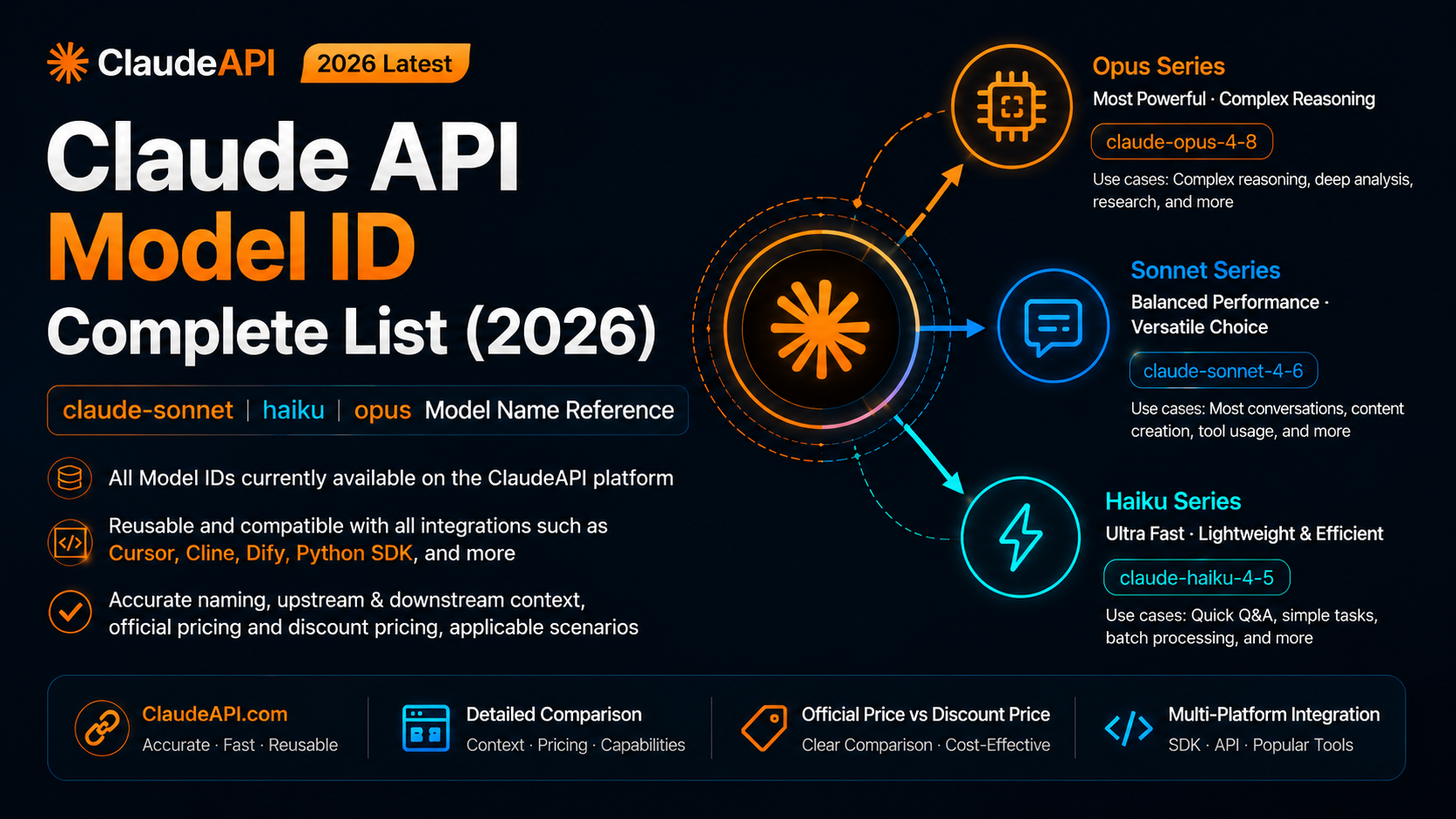
When you call Claude API, the model field must be an exact model ID string. Display names such as Claude Sonnet, shorthand names such as haiku, or malformed IDs such as claude-sonnet4.6 will fail.
This guide lists the Claude model IDs currently referenced by ClaudeAPI, explains how the naming pattern works, and shows how to route tasks across Opus, Sonnet, and Haiku in real applications.
Model availability can change. For production, always confirm the final list in the ClaudeAPI console or through the /v1/models endpoint before deploying.
Connection parameters
These values apply across most ClaudeAPI integrations:
| Parameter | Value |
|---|---|
| OpenAI-compatible Base URL | https://gw.claudeapi.com/v1 |
| Anthropic-style Base URL | https://gw.claudeapi.com |
| API key format | sk-..., created in the ClaudeAPI console |
For OpenAI-compatible SDKs and tools, pass the model ID directly in the model field:
{
  "model": "claude-sonnet-4-6"
}
{
  "model": "claude-sonnet-4-6"
}
Copy-ready model ID list
Use this section when you just need the string.
# Opus 4 family
claude-opus-4-8
claude-opus-4-7
claude-opus-4-6
claude-opus-4-5-20251101

# Sonnet 4 family
claude-sonnet-4-6
claude-sonnet-4-5-20250929

# Haiku 4 family
claude-haiku-4-5-20251001
# Opus 4 family
claude-opus-4-8
claude-opus-4-7
claude-opus-4-6
claude-opus-4-5-20251101

# Sonnet 4 family
claude-sonnet-4-6
claude-sonnet-4-5-20250929

# Haiku 4 family
claude-haiku-4-5-20251001
The Haiku ID is the one people mistype most often. The date suffix is part of the model ID:
Correct: claude-haiku-4-5-20251001
Wrong:   claude-haiku-4-5
Correct: claude-haiku-4-5-20251001
Wrong:   claude-haiku-4-5
Opus 4 models
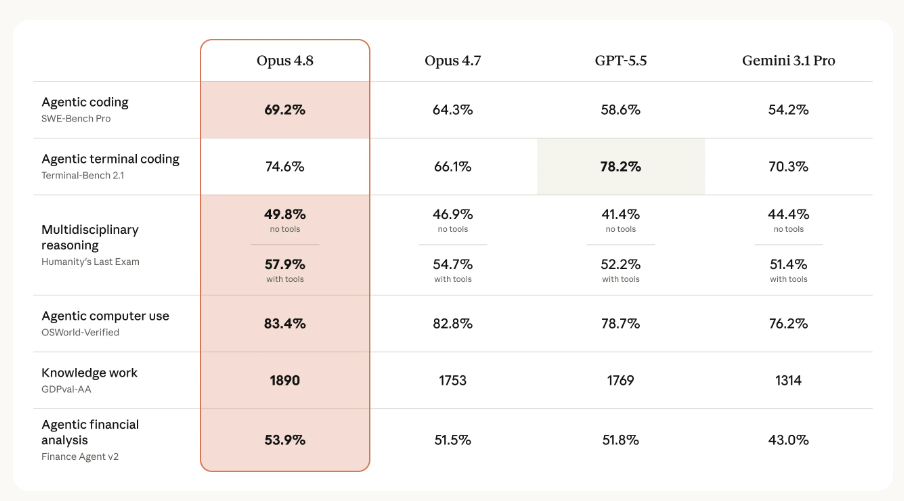
Opus is the flagship family for the hardest work: complex refactoring, multi-step reasoning, long-document analysis, agent coordination, and high-quality generation.
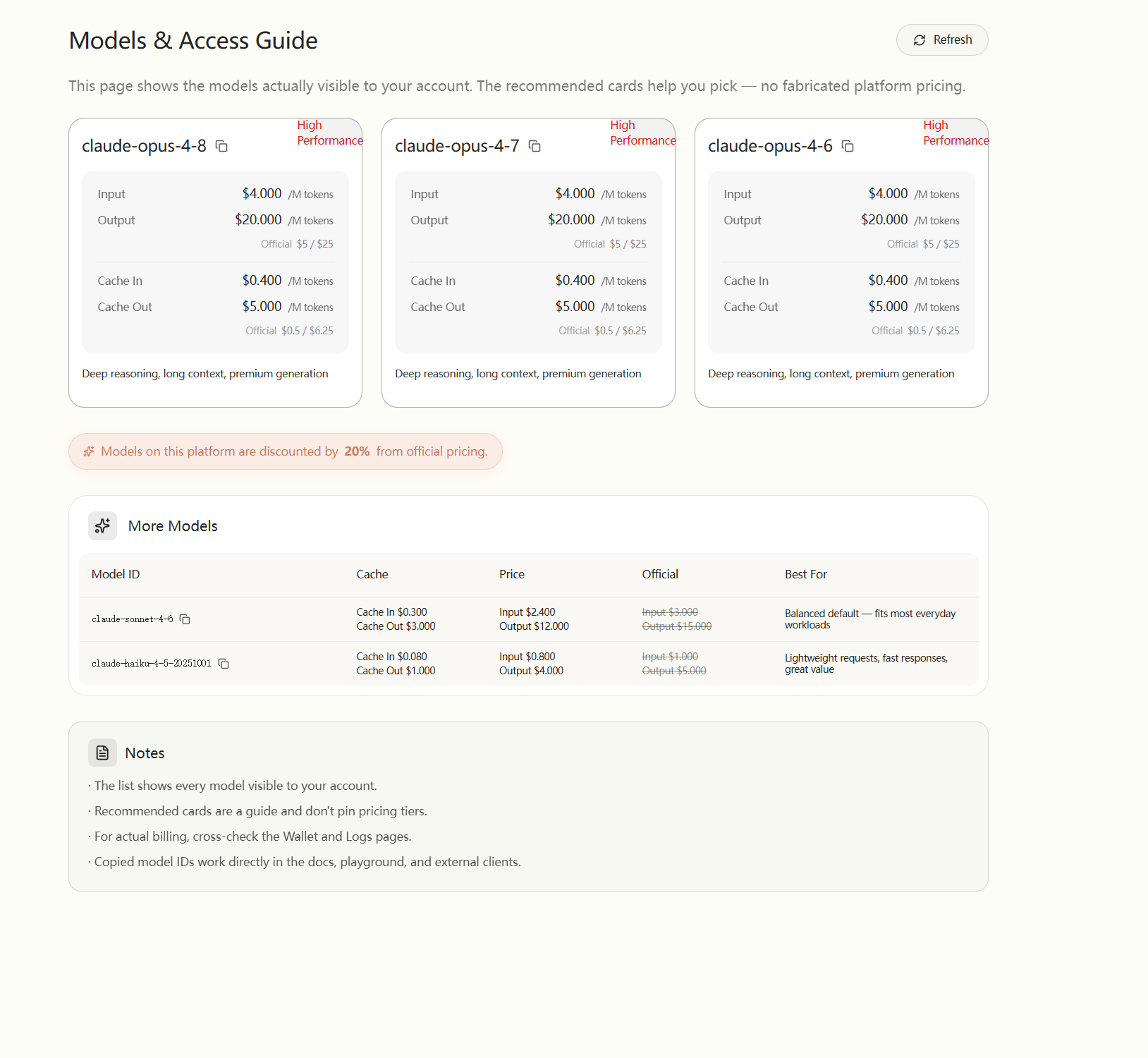
| Model ID | Context | Anthropic reference price | ClaudeAPI price from source article | Status |
|---|---|---|---|---|
claude-opus-4-8 |
1M | $5 / $25 per MTok | $4 / $20 per MTok | Available |
claude-opus-4-7 |
1M | $5 / $25 per MTok | $4 / $20 per MTok | Available |
claude-opus-4-6 |
1M | $5 / $25 per MTok | $4 / $20 per MTok | Available |
claude-opus-4-5-20251101 |
200K | $5 / $25 per MTok | $4 / $20 per MTok | Available |
Use claude-opus-4-8 for new projects when you need the strongest model in this list. Use older stable IDs only when you have already tuned prompts against them and want to reduce behavior changes.
Sonnet 4 models
Sonnet is the default choice for most production applications. It is strong enough for coding, content generation, RAG answers, data analysis, workflow automation, and general chat while staying more cost-efficient than Opus.
| Model ID | Context | Anthropic reference price | ClaudeAPI price from source article | Status |
|---|---|---|---|---|
claude-sonnet-4-6 |
1M | $3 / $15 per MTok | $2.4 / $12 per MTok | Available |
claude-sonnet-4-5-20250929 |
200K | $3 / $15 per MTok | $2.4 / $12 per MTok | Available |
If you are not sure where to start, use:
claude-sonnet-4-6
claude-sonnet-4-6
Then move specific high-volume lightweight tasks to Haiku, or move only the hardest tasks to Opus.
Haiku 4 models
Haiku is best for high-frequency, lightweight, and latency-sensitive work.
| Model ID | Context | Anthropic reference price | ClaudeAPI price from source article | Status |
|---|---|---|---|---|
claude-haiku-4-5-20251001 |
200K | $1 / $5 per MTok | $0.8 / $4 per MTok | Available |
Good Haiku use cases:
- routing decisions
- classification
- formatting
- short extraction
- lightweight Q&A
- background autocomplete in coding tools
The full ID matters:
claude-haiku-4-5-20251001
claude-haiku-4-5-20251001
Do not shorten it to:
claude-haiku-4-5
claude-haiku-4-5
Model selection table
| Dimension | Opus 4 | Sonnet 4 | Haiku 4 |
|---|---|---|---|
| Recommended ID | claude-opus-4-8 |
claude-sonnet-4-6 |
claude-haiku-4-5-20251001 |
| Best for | Hard reasoning, long documents, complex code | Daily coding, RAG, content, chat | Routing, formatting, high-volume simple tasks |
| Cost profile | Highest | Middle | Lowest |
| Latency profile | Slowest of the three | Balanced | Fastest of the three |
| Default recommendation | Use selectively | Start here | Use for volume |
A simple rule:
Not sure? Use Sonnet.
Need the highest quality? Use Opus.
Need speed and low cost at scale? Use Haiku.
Not sure? Use Sonnet.
Need the highest quality? Use Opus.
Need speed and low cost at scale? Use Haiku.
Where to enter the model ID
| Tool or SDK | Where the ID goes | Recommended starting ID |
|---|---|---|
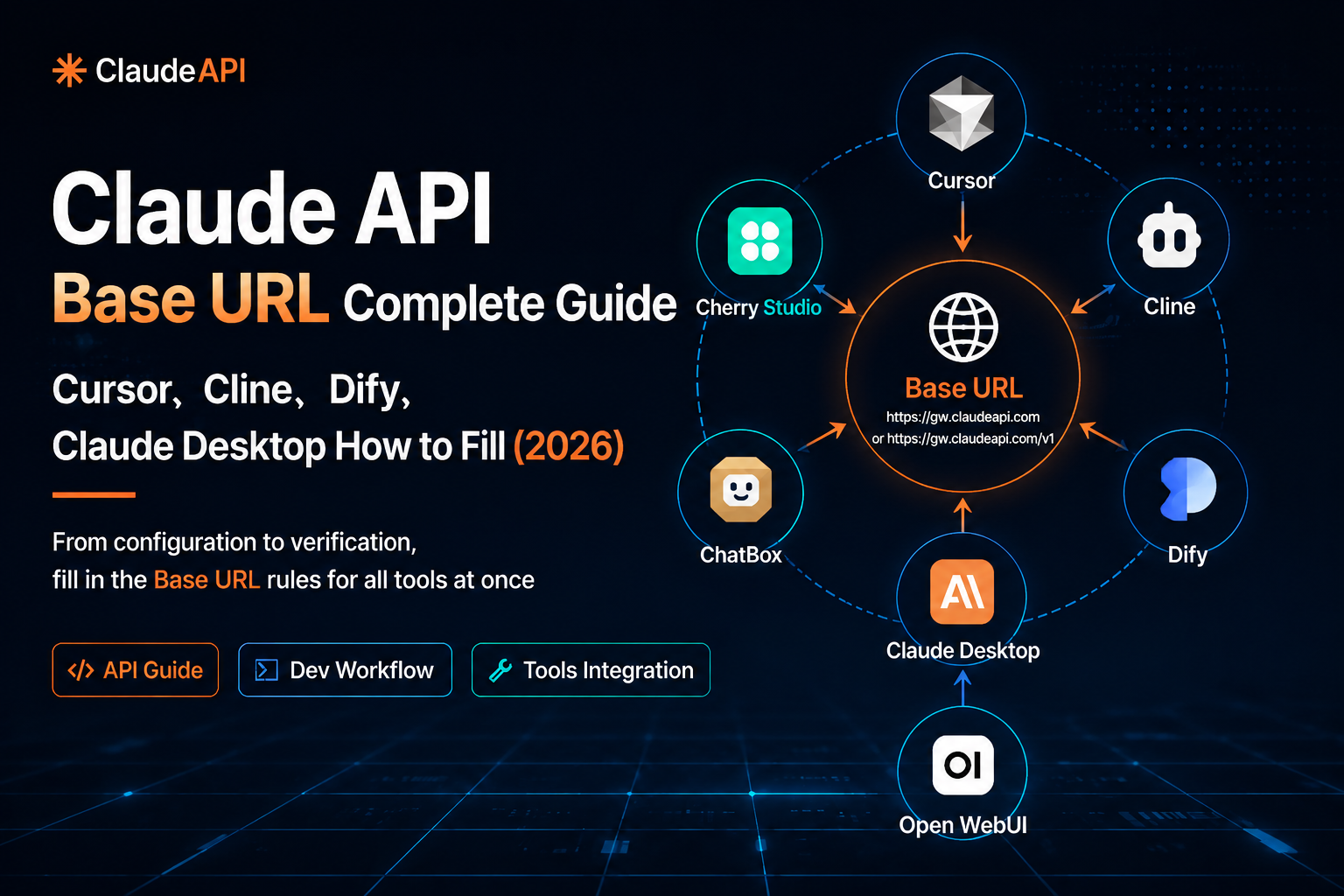
| Cursor | Settings → Models → model name / ID | claude-sonnet-4-6 |
| Cline | Settings → API Provider → Model ID | claude-haiku-4-5-20251001 |
| Dify | Model provider → add model → model name | claude-sonnet-4-6 |
| Continue for VS Code | ~/.continue/config.yaml → model |
claude-sonnet-4-6 |
| Open WebUI | Admin settings or model configuration | claude-sonnet-4-6 |
| Python OpenAI-compatible SDK | client.chat.completions.create(model=...) |
claude-sonnet-4-6 |
| curl | JSON body "model" field |
claude-haiku-4-5-20251001 |
For Base URL configuration across these tools, see the Claude API Base URL configuration guide.
Model ID naming pattern
Claude model IDs follow a predictable structure:
claude - {family} - {version} [- {YYYYMMDD}]
  |        |          |            |
  |        |          |            optional date suffix
  |        |          version, written with hyphens
  |        opus / sonnet / haiku
  fixed prefix
claude - {family} - {version} [- {YYYYMMDD}]
  |        |          |            |
  |        |          |            optional date suffix
  |        |          version, written with hyphens
  |        opus / sonnet / haiku
  fixed prefix
Examples:
claude-opus-4-8
claude-sonnet-4-6
claude-haiku-4-5-20251001
claude-opus-4-8
claude-sonnet-4-6
claude-haiku-4-5-20251001
Three rules prevent most mistakes:
- Use hyphens, not dots:
claude-sonnet-4-6, notclaude-sonnet-4.6. - If a date suffix exists, include the whole suffix.
- Use the API ID, not the display name.
Common model ID mistakes
| Wrong value | Correct value | Likely error |
|---|---|---|
claude-haiku-4-5 |
claude-haiku-4-5-20251001 |
model not found |
claude-sonnet-4.6 |
claude-sonnet-4-6 |
model not found |
claude-opus-4.8 |
claude-opus-4-8 |
model not found |
claude-sonnet-4.5 |
claude-sonnet-4-5-20250929 |
model not found |
Claude Sonnet |
claude-sonnet-4-6 |
invalid_request_error |
claude-sonnet |
claude-sonnet-4-6 |
model not found |
When debugging, compare the string character by character. Model IDs are not fuzzy matched.
Check available models with /v1/models
The safest way to verify what your account can use is to query the model list:
curl https://gw.claudeapi.com/v1/models \
  -H "Authorization: Bearer YOUR_CLAUDEAPI_KEY"
curl https://gw.claudeapi.com/v1/models \
  -H "Authorization: Bearer YOUR_CLAUDEAPI_KEY"
You should receive an OpenAI-style model list:
{
  "object": "list",
  "data": [
    {
      "id": "claude-haiku-4-5-20251001",
      "object": "model"
    },
    {
      "id": "claude-sonnet-4-6",
      "object": "model"
    }
  ]
}
{
  "object": "list",
  "data": [
    {
      "id": "claude-haiku-4-5-20251001",
      "object": "model"
    },
    {
      "id": "claude-sonnet-4-6",
      "object": "model"
    }
  ]
}
The id field is the exact value to paste into your API request.
Python example: route by task type
Model routing lets you control cost without making every request weaker.
import os
from openai import OpenAI

client = OpenAI(
    api_key=os.environ["CLAUDE_API_KEY"],
    base_url="https://gw.claudeapi.com/v1",
)

def get_model(task_type: str) -> str:
    routing = {
        "outline": "claude-opus-4-8",
        "paragraph": "claude-sonnet-4-6",
        "format": "claude-haiku-4-5-20251001",
    }
    return routing.get(task_type, "claude-sonnet-4-6")

def generate(task_type: str, prompt: str) -> str:
    model = get_model(task_type)
    response = client.chat.completions.create(
        model=model,
        messages=[{"role": "user", "content": prompt}],
        max_tokens=2048,
    )
    return response.choices[0].message.content

outline = generate("outline", "Create an outline for an article about AI coding tools.")
paragraph = generate("paragraph", "Expand section two in about 300 words.")
formatted = generate("format", "Convert this text into Markdown: ...")
import os
from openai import OpenAI

client = OpenAI(
    api_key=os.environ["CLAUDE_API_KEY"],
    base_url="https://gw.claudeapi.com/v1",
)

def get_model(task_type: str) -> str:
    routing = {
        "outline": "claude-opus-4-8",
        "paragraph": "claude-sonnet-4-6",
        "format": "claude-haiku-4-5-20251001",
    }
    return routing.get(task_type, "claude-sonnet-4-6")

def generate(task_type: str, prompt: str) -> str:
    model = get_model(task_type)
    response = client.chat.completions.create(
        model=model,
        messages=[{"role": "user", "content": prompt}],
        max_tokens=2048,
    )
    return response.choices[0].message.content

outline = generate("outline", "Create an outline for an article about AI coding tools.")
paragraph = generate("paragraph", "Expand section two in about 300 words.")
formatted = generate("format", "Convert this text into Markdown: ...")
In this example:
- Opus handles planning and difficult reasoning.
- Sonnet handles the main generation work.
- Haiku handles formatting.
Python example: route by prompt complexity
You can also route dynamically based on input length and keywords.
def dynamic_route(user_message: str) -> str:
    estimated_tokens = len(user_message) / 4
    complex_keywords = {
        "analyze",
        "reason",
        "compare",
        "review",
        "refactor",
        "summarize full document",
        "legal",
        "compliance",
    }
    has_complex_signal = any(keyword in user_message.lower() for keyword in complex_keywords)

    if estimated_tokens > 1000 and has_complex_signal:
        return "claude-opus-4-8"
    if estimated_tokens > 200 or has_complex_signal:
        return "claude-sonnet-4-6"
    return "claude-haiku-4-5-20251001"

def smart_chat(user_message: str) -> str:
    model = dynamic_route(user_message)
    print(f"Using model: {model}")

    response = client.chat.completions.create(
        model=model,
        messages=[{"role": "user", "content": user_message}],
        max_tokens=2048,
    )
    return response.choices[0].message.content
def dynamic_route(user_message: str) -> str:
    estimated_tokens = len(user_message) / 4
    complex_keywords = {
        "analyze",
        "reason",
        "compare",
        "review",
        "refactor",
        "summarize full document",
        "legal",
        "compliance",
    }
    has_complex_signal = any(keyword in user_message.lower() for keyword in complex_keywords)

    if estimated_tokens > 1000 and has_complex_signal:
        return "claude-opus-4-8"
    if estimated_tokens > 200 or has_complex_signal:
        return "claude-sonnet-4-6"
    return "claude-haiku-4-5-20251001"

def smart_chat(user_message: str) -> str:
    model = dynamic_route(user_message)
    print(f"Using model: {model}")

    response = client.chat.completions.create(
        model=model,
        messages=[{"role": "user", "content": user_message}],
        max_tokens=2048,
    )
    return response.choices[0].message.content
In production, log the selected model, estimated input size, token usage, latency, and user satisfaction signal. Run the router for one or two weeks, then adjust thresholds with real data.
Cost estimation formula
Claude API cost is typically calculated from input and output tokens:
cost =
  input_tokens / 1,000,000 * input_price
+ output_tokens / 1,000,000 * output_price
cost =
  input_tokens / 1,000,000 * input_price
+ output_tokens / 1,000,000 * output_price
Example with the source article’s ClaudeAPI Sonnet 4.6 price:
input:  2,000 tokens * $2.4 / 1,000,000 = $0.0048
output: 1,000 tokens * $12  / 1,000,000 = $0.0120
total:                                      $0.0168
input:  2,000 tokens * $2.4 / 1,000,000 = $0.0048
output: 1,000 tokens * $12  / 1,000,000 = $0.0120
total:                                      $0.0168
Always use the console billing page for final accounting.
FAQ
Which model should I use first?
Start with claude-sonnet-4-6. It is the best default for most coding, RAG, writing, and chat applications.
Which model is best for RAG?
Use claude-sonnet-4-6 for most RAG systems. Move to Opus only when the task requires stronger cross-document reasoning or difficult synthesis.
Which model is best for autocomplete or high-volume routing?
Use claude-haiku-4-5-20251001. It is the most cost-efficient model in this list and is a good fit for lightweight, frequent calls.
Why does claude-haiku-4-5 fail?
Because the full ID includes the date suffix:
claude-haiku-4-5-20251001
claude-haiku-4-5-20251001
The shortened value is not the same model ID.
Are ClaudeAPI prices the same as Anthropic official prices?
The source article states that ClaudeAPI offers prices based on Anthropic’s public rates with a platform discount. Treat ClaudeAPI prices as platform-specific and verify them in the ClaudeAPI console before budgeting.
How do I know the current model list?
Use:
curl https://gw.claudeapi.com/v1/models \
  -H "Authorization: Bearer YOUR_CLAUDEAPI_KEY"
curl https://gw.claudeapi.com/v1/models \
  -H "Authorization: Bearer YOUR_CLAUDEAPI_KEY"
The returned data[].id values are the model IDs available to your account.
Related guides
- Claude API Base URL configuration guide
- Claude API pricing and model selection guide
- Claude API cost estimation and budget guide
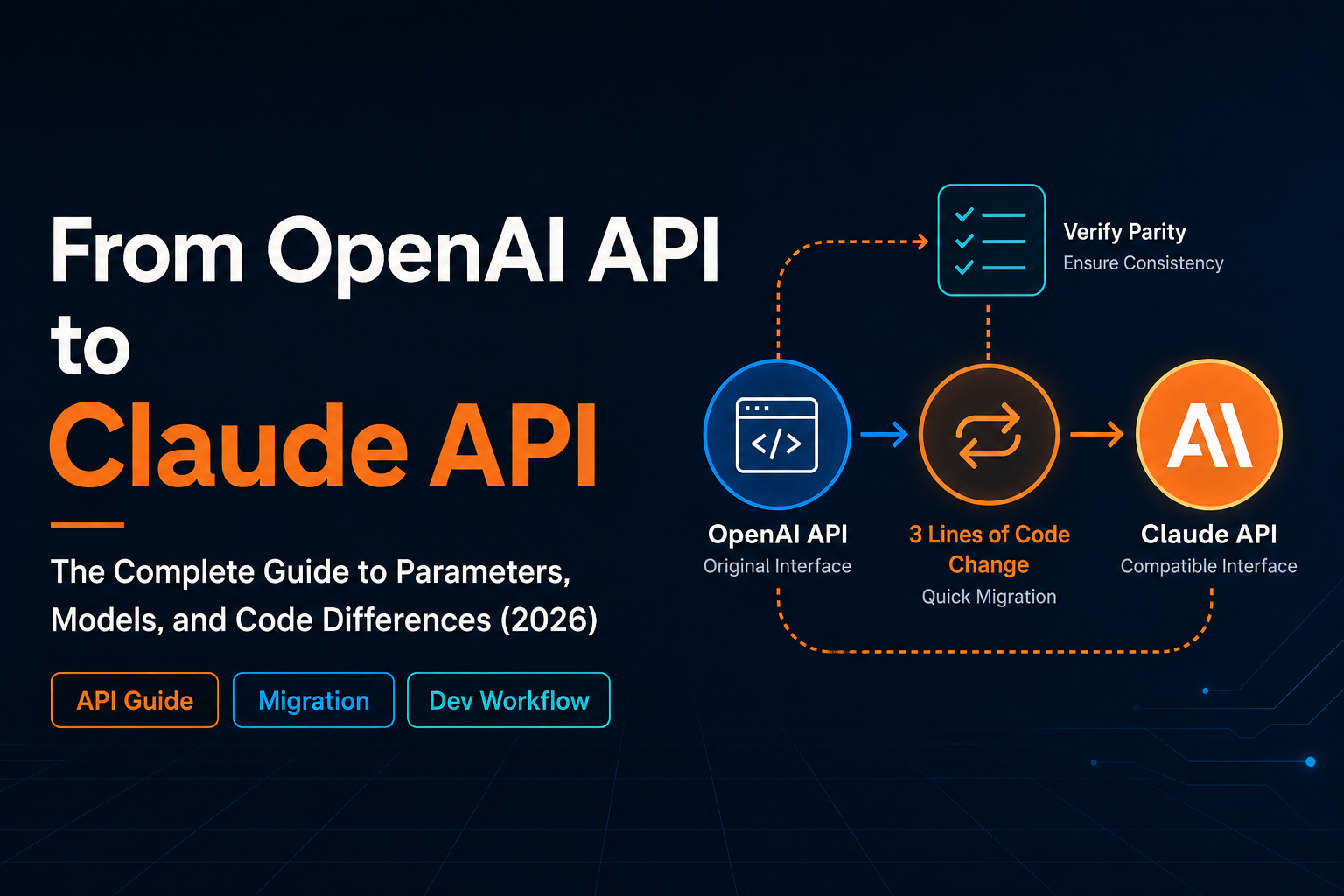
- Migrate from OpenAI API to Claude API