Base URL mistakes are one of the most common reasons Claude API integrations fail.
The API key can be correct. The model name can be correct. But if the tool expects an OpenAI-compatible base URL and you forget /v1, the request may never reach the right endpoint. In the opposite direction, if a tool expects an Anthropic-style base host and you add /v1 in the base field, the client may generate a broken path.
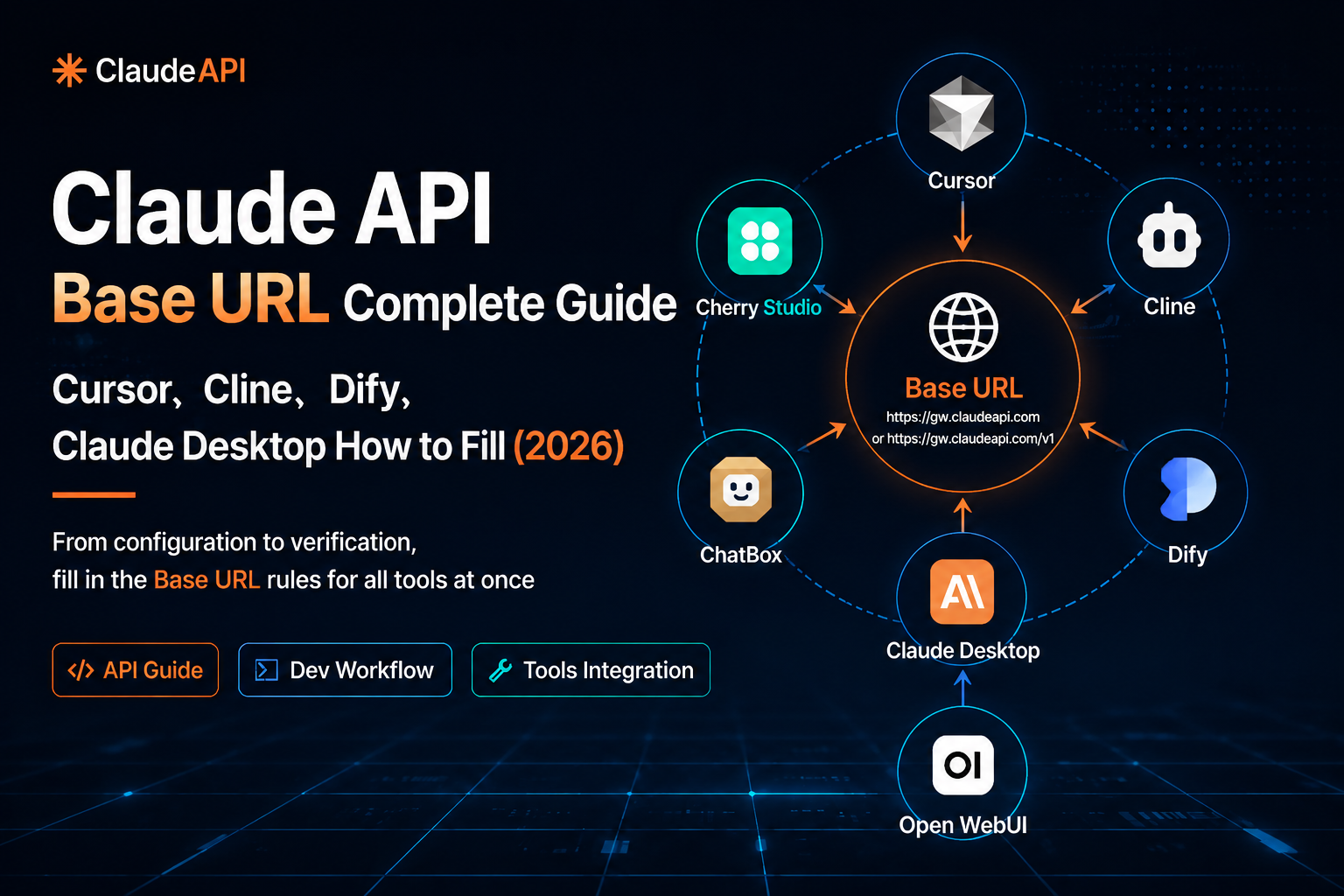
This guide explains which ClaudeAPI URL to use in Cursor, Cline, Dify, ChatBox, Cherry Studio, Open WebUI, and Anthropic-compatible clients.
The short rule
Use this table first. Most configuration problems come from mixing up these two URL styles.
| Tool or client type | Base URL to enter | Why |
|---|---|---|
| Cursor | https://gw.claudeapi.com/v1 |
OpenAI-compatible client |
| Cline | https://gw.claudeapi.com/v1 |
OpenAI-compatible client |
| Dify | https://gw.claudeapi.com/v1 |
OpenAI-compatible provider |
| ChatBox in OpenAI-compatible mode | https://gw.claudeapi.com/v1 |
OpenAI-compatible client |
| Cherry Studio with OpenAI Compatible provider | https://gw.claudeapi.com/v1 |
OpenAI-compatible client |
| Open WebUI OpenAI connection | https://gw.claudeapi.com/v1 |
OpenAI-compatible client |
| Anthropic-compatible clients | https://gw.claudeapi.com |
Anthropic-style clients usually append /v1/messages themselves |
The practical rule:
OpenAI-compatible tool  -> https://gw.claudeapi.com/v1
Anthropic-compatible tool -> https://gw.claudeapi.com
OpenAI-compatible tool  -> https://gw.claudeapi.com/v1
Anthropic-compatible tool -> https://gw.claudeapi.com
Also avoid a trailing slash:
Correct: https://gw.claudeapi.com/v1
Avoid:   https://gw.claudeapi.com/v1/
Correct: https://gw.claudeapi.com/v1
Avoid:   https://gw.claudeapi.com/v1/
Some tools handle the trailing slash gracefully. Others concatenate paths poorly and produce double slashes or 404 errors. Keeping the URL clean saves time.
Base URL vs endpoint
A base URL is not the full API endpoint.
For OpenAI-compatible clients, you usually enter:
https://gw.claudeapi.com/v1
https://gw.claudeapi.com/v1
Then the SDK or tool appends the actual endpoint:
/chat/completions
/models
/chat/completions
/models
So the final request becomes:
https://gw.claudeapi.com/v1/chat/completions
https://gw.claudeapi.com/v1/chat/completions
Do not paste the full endpoint into a field named “Base URL”, “API Base”, or “API Host”:
Wrong for a Base URL field:
https://gw.claudeapi.com/v1/chat/completions
Wrong for a Base URL field:
https://gw.claudeapi.com/v1/chat/completions
That is the full request path, not the base.
Cursor
Use the OpenAI-compatible provider option.
| Field | Value |
|---|---|
| API Provider | OpenAI Compatible |
| Base URL / BaseURL | https://gw.claudeapi.com/v1 |
| API Key | Your ClaudeAPI key |
| Model | claude-haiku-4-5-20251001, claude-sonnet-4-6, or another enabled model |
Typical setup:
- Open Cursor settings.
- Go to the models or API provider section.
- Select OpenAI Compatible.
- Enter
https://gw.claudeapi.com/v1as the base URL. - Paste your ClaudeAPI key.
- Enter or select a Claude model.
- Run the built-in verification if Cursor shows one.
Successful configuration usually means the verify button succeeds or chat/completion requests return normally.
Common issues:
| Error | Likely cause | Fix |
|---|---|---|
401 Unauthorized |
Wrong key or extra whitespace | Copy the key again from the ClaudeAPI console |
404 Not Found |
Missing /v1 |
Use https://gw.claudeapi.com/v1 |
| Verification keeps spinning | Local proxy or network interception | Test with curl and check proxy settings |
Cline
Cline also works through an OpenAI-compatible configuration.
| Field | Value |
|---|---|
| API Provider | OpenAI Compatible |
| Base URL | https://gw.claudeapi.com/v1 |
| API Key | Your ClaudeAPI key |
| Model ID | Full model ID, for example claude-haiku-4-5-20251001 |
Recommended steps:
- Open the Cline panel in VS Code.
- Open settings.
- Choose OpenAI Compatible as the provider.
- Set Base URL to
https://gw.claudeapi.com/v1. - Paste your ClaudeAPI key.
- Manually enter the full model ID.
- Save and send a short test message.
If Cline still shows an old model after saving, reload VS Code and check the provider settings again.
Dify
In Dify, configure ClaudeAPI as an OpenAI-compatible model provider.
| Field | Value |
|---|---|
| Provider | OpenAI-compatible |
| API Base URL | https://gw.claudeapi.com/v1 |
| API Key | Your ClaudeAPI key |
| Model name | Add the full model ID manually |
Important: Dify’s API Base URL field should contain only the base path:
https://gw.claudeapi.com/v1
https://gw.claudeapi.com/v1
Do not enter:
https://gw.claudeapi.com/v1/chat/completions
https://gw.claudeapi.com/v1/chat/completions
Dify will append the actual endpoint internally.
After saving the provider, add the model name in model management if Dify does not automatically list it. A successful setup means the model appears as available and a Dify app can send a test message with a normal response.
ChatBox
ChatBox can expose more than one provider mode. When using a ClaudeAPI key, choose the OpenAI-compatible mode rather than the native Claude/Anthropic mode.
| Field | Value |
|---|---|
| Provider / Mode | OpenAI API or OpenAI Compatible |
| API Host | https://gw.claudeapi.com/v1 |
| API Key | Your ClaudeAPI key |
| Model | Full ClaudeAPI model ID |
If you choose the native Claude API mode with a ClaudeAPI OpenAI-compatible key, authentication or endpoint errors are likely.
Cherry Studio
Use the OpenAI Compatible provider type.
| Field | Value |
|---|---|
| Provider type | OpenAI Compatible |
| API address | https://gw.claudeapi.com/v1 |
| API Key | Your ClaudeAPI key |
| Model | Add the model manually if needed |
Do not select Anthropic unless you are intentionally configuring an Anthropic-native endpoint supported by your environment.
If the model dropdown is empty, add a model manually with the exact ID from the ClaudeAPI console.
Open WebUI
Open WebUI can connect to OpenAI-compatible endpoints through its admin settings or environment configuration, depending on how it is deployed.
Use:
| Field | Value |
|---|---|
| OpenAI API Base URL | https://gw.claudeapi.com/v1 |
| API Key | Your ClaudeAPI key |
After saving, test the model list:
curl https://gw.claudeapi.com/v1/models \
  -H "Authorization: Bearer YOUR_CLAUDEAPI_KEY"
curl https://gw.claudeapi.com/v1/models \
  -H "Authorization: Bearer YOUR_CLAUDEAPI_KEY"
A successful response should look like an OpenAI-style model list:
{
  "object": "list",
  "data": [
    {
      "id": "claude-haiku-4-5-20251001",
      "object": "model"
    }
  ]
}
{
  "object": "list",
  "data": [
    {
      "id": "claude-haiku-4-5-20251001",
      "object": "model"
    }
  ]
}
If Open WebUI shows an empty model list, check:
- the base URL includes
/v1 - the API key was saved in the admin panel
- the account has models enabled
- you are configuring as an admin user
Anthropic-compatible clients and Claude Desktop notes
Anthropic-style clients usually work differently from OpenAI-compatible clients. They call endpoints such as:
/v1/messages
/v1/messages
That means the base host should usually be:
https://gw.claudeapi.com
https://gw.claudeapi.com
Then the client appends:
/v1/messages
/v1/messages
So the final request becomes:
https://gw.claudeapi.com/v1/messages
https://gw.claudeapi.com/v1/messages
Do not put /v1 in the base field if the Anthropic client already appends /v1/messages.
For Claude Desktop specifically, custom third-party API endpoint support can vary by version and distribution. If your version exposes a custom API base URL or Anthropic-compatible endpoint setting, use:
https://gw.claudeapi.com
https://gw.claudeapi.com
If your Claude Desktop build only supports the official Claude account flow and MCP server configuration, it may not support replacing the inference endpoint directly. In that case, use ClaudeAPI with tools that explicitly support OpenAI-compatible or Anthropic-compatible custom endpoints, such as Cursor, Cline, Dify, ChatBox, Cherry Studio, or Open WebUI.
Quick troubleshooting flow
When a tool fails, test the API outside the tool first. This separates account/network problems from UI configuration problems.
Test OpenAI-compatible chat completions
Use this for Cursor, Cline, Dify, ChatBox, Cherry Studio, and Open WebUI:
curl https://gw.claudeapi.com/v1/chat/completions \
  -H "Content-Type: application/json" \
  -H "Authorization: Bearer YOUR_CLAUDEAPI_KEY" \
  -d '{
    "model": "claude-haiku-4-5-20251001",
    "messages": [{"role": "user", "content": "Reply with OK only."}],
    "max_tokens": 16
  }'
curl https://gw.claudeapi.com/v1/chat/completions \
  -H "Content-Type: application/json" \
  -H "Authorization: Bearer YOUR_CLAUDEAPI_KEY" \
  -d '{
    "model": "claude-haiku-4-5-20251001",
    "messages": [{"role": "user", "content": "Reply with OK only."}],
    "max_tokens": 16
  }'
Expected result:
- the response contains a
choicesarray choices[0].message.contentcontains textusagemay show token counts
Test Anthropic-style messages
Use this only when you are testing an Anthropic-compatible path:
curl https://gw.claudeapi.com/v1/messages \
  -H "Content-Type: application/json" \
  -H "x-api-key: YOUR_CLAUDEAPI_KEY" \
  -H "anthropic-version: 2023-06-01" \
  -d '{
    "model": "claude-haiku-4-5-20251001",
    "max_tokens": 100,
    "messages": [{"role": "user", "content": "Reply with OK only."}]
  }'
curl https://gw.claudeapi.com/v1/messages \
  -H "Content-Type: application/json" \
  -H "x-api-key: YOUR_CLAUDEAPI_KEY" \
  -H "anthropic-version: 2023-06-01" \
  -d '{
    "model": "claude-haiku-4-5-20251001",
    "max_tokens": 100,
    "messages": [{"role": "user", "content": "Reply with OK only."}]
  }'
Expected result:
- the response contains a
contentarray content[0].textcontains the model reply
Error reference
| Error | Common cause | Fix |
|---|---|---|
401 Unauthorized |
Wrong key, expired key, or extra whitespace | Copy the key again from the ClaudeAPI console |
404 Not Found |
Wrong base URL or missing /v1 in OpenAI-compatible mode |
Use https://gw.claudeapi.com/v1 |
Model not found |
Model ID is incomplete or unavailable | Copy the exact model ID from the console |
| Model list is empty | Tool could not call /models or no models are enabled |
Test /v1/models with curl and check account settings |
| Connection timeout | Network, proxy, firewall, or DNS issue | Test curl from the same machine |
| JSON parse error | Manual config file contains invalid JSON | Validate the file before restarting the app |
FAQ
Should the Base URL end with a slash?
No. Use:
https://gw.claudeapi.com/v1
https://gw.claudeapi.com/v1
not:
https://gw.claudeapi.com/v1/
https://gw.claudeapi.com/v1/
Why do OpenAI-compatible tools need /v1?
OpenAI-compatible SDKs expect the base URL to include the API version. They then append paths such as /chat/completions or /models.
Why do Anthropic-compatible clients use the host without /v1?
Anthropic-style clients often append /v1/messages themselves. If you put /v1 in the base field, the final path can become duplicated or malformed.
Is the API key the same as an Anthropic official key?
No. Use the key generated in the ClaudeAPI console. Keys from other providers are not interchangeable.
Can I use the same ClaudeAPI key in multiple tools?
Yes. You can use the same key in multiple clients, and usage will be billed according to the requests each client sends. For team environments, separate keys per tool or environment make auditing easier.
Where do I find model names?
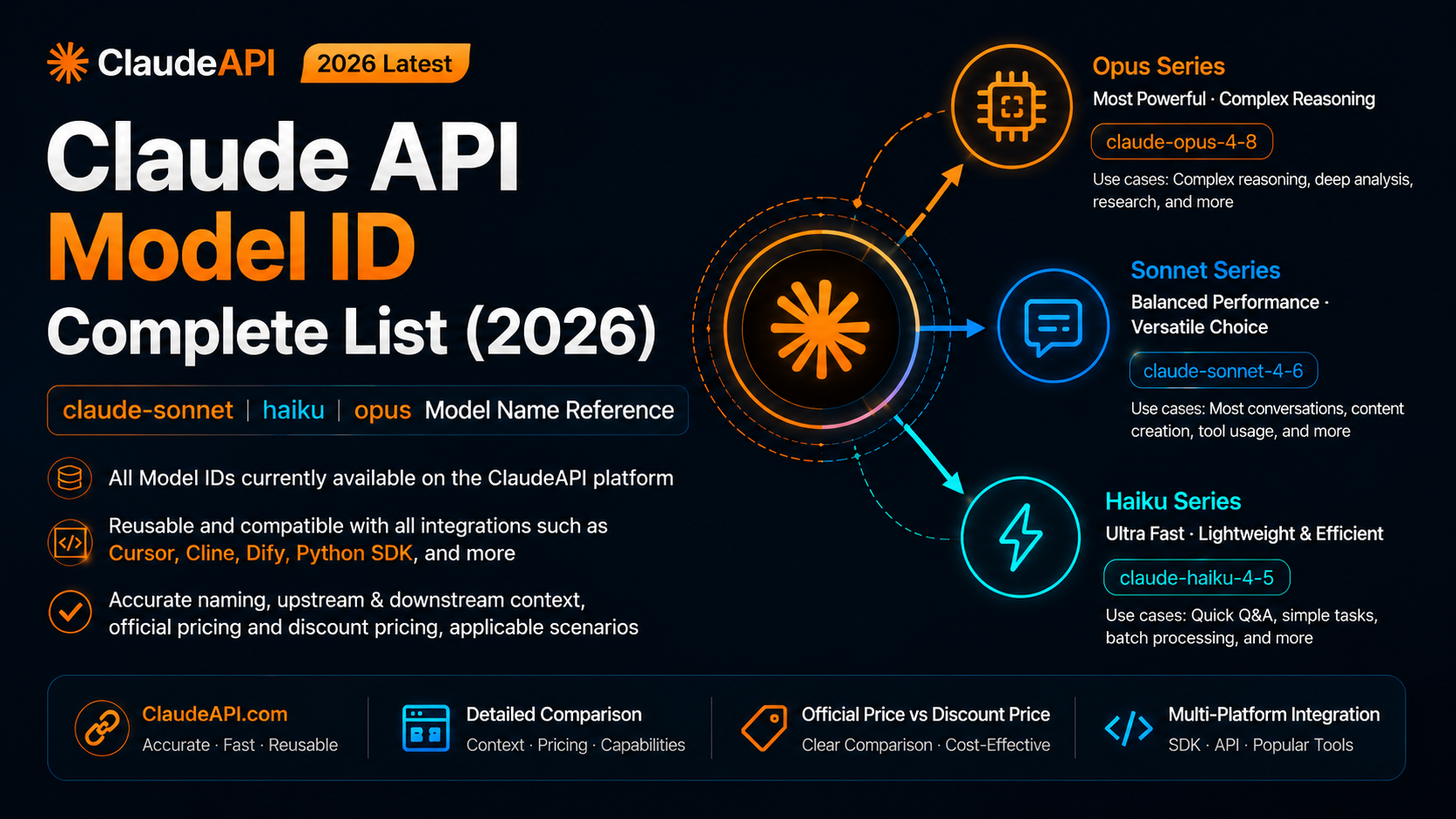
Check the ClaudeAPI model page or console and copy the exact model ID. Common examples include:
claude-haiku-4-5-20251001
claude-sonnet-4-6
claude-opus-4-8
claude-haiku-4-5-20251001
claude-sonnet-4-6
claude-opus-4-8
Final checklist
Before debugging anything else, verify these five items:
- [ ] You selected OpenAI Compatible mode for OpenAI-style tools.
- [ ] The Base URL is
https://gw.claudeapi.com/v1for OpenAI-compatible tools. - [ ] The Base URL is
https://gw.claudeapi.comonly for Anthropic-compatible base-host fields. - [ ] The key comes from ClaudeAPI and has no leading or trailing spaces.
- [ ] The model ID is copied exactly from the console.
Once you remember the rule, new tools are easier to configure: first identify whether the tool speaks OpenAI-compatible or Anthropic-compatible API, then choose the matching base URL.
Related guides
- Migrate from OpenAI API to Claude API
- Continue VS Code Claude API setup guide
- Claude API pricing and model selection guide
- Claude API cost estimation and budget guide