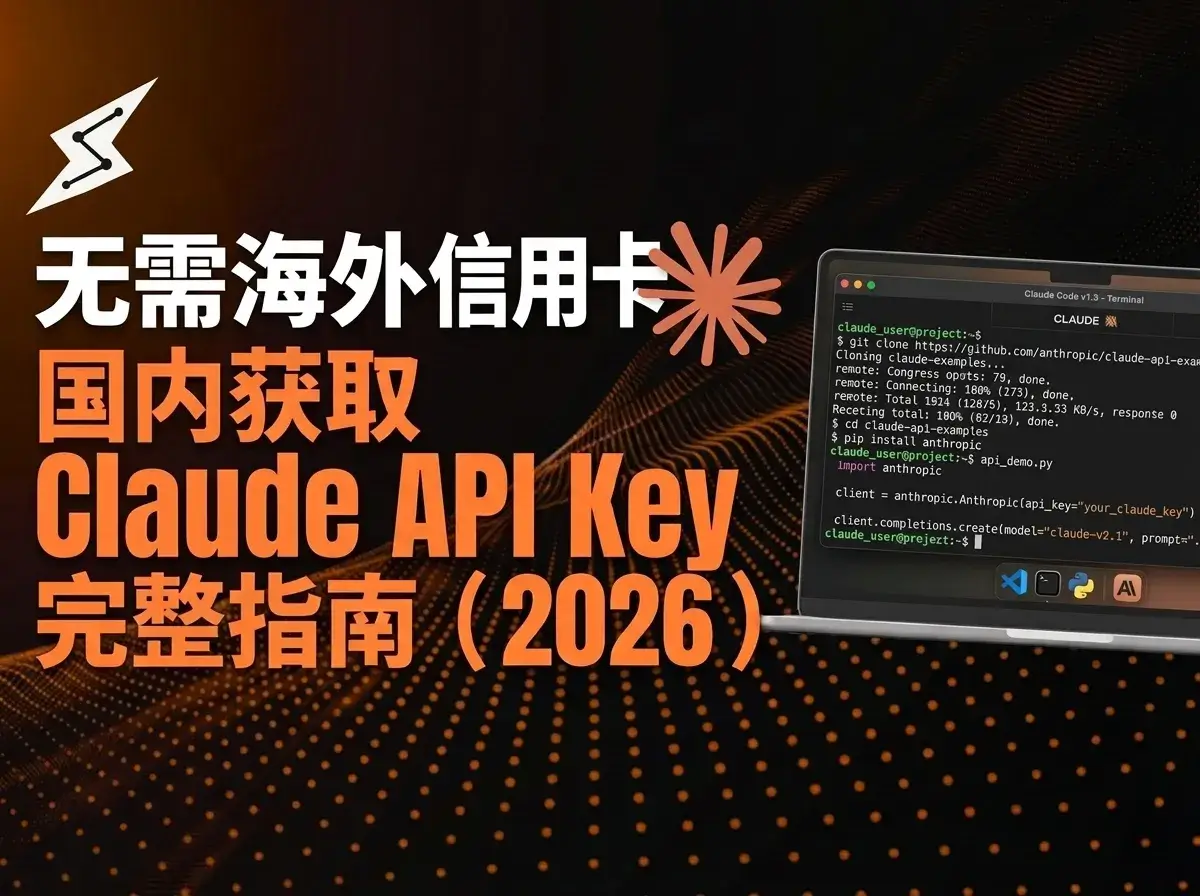
Complete Guide to Getting and Configuring a Claude API Key (2026)
Want to use the Claude API to write code, build apps, or connect your own tools, but get stuck at the registration step?
This guide shows a low-friction option: getting a Claude API Key through https://claudeapi.com.
- ✅ Full Claude model lineup, including Opus, Sonnet, and Haiku
- ✅ Ready in about 5 minutes, get your Key and start using it immediately
What Is https://claudeapi.com?
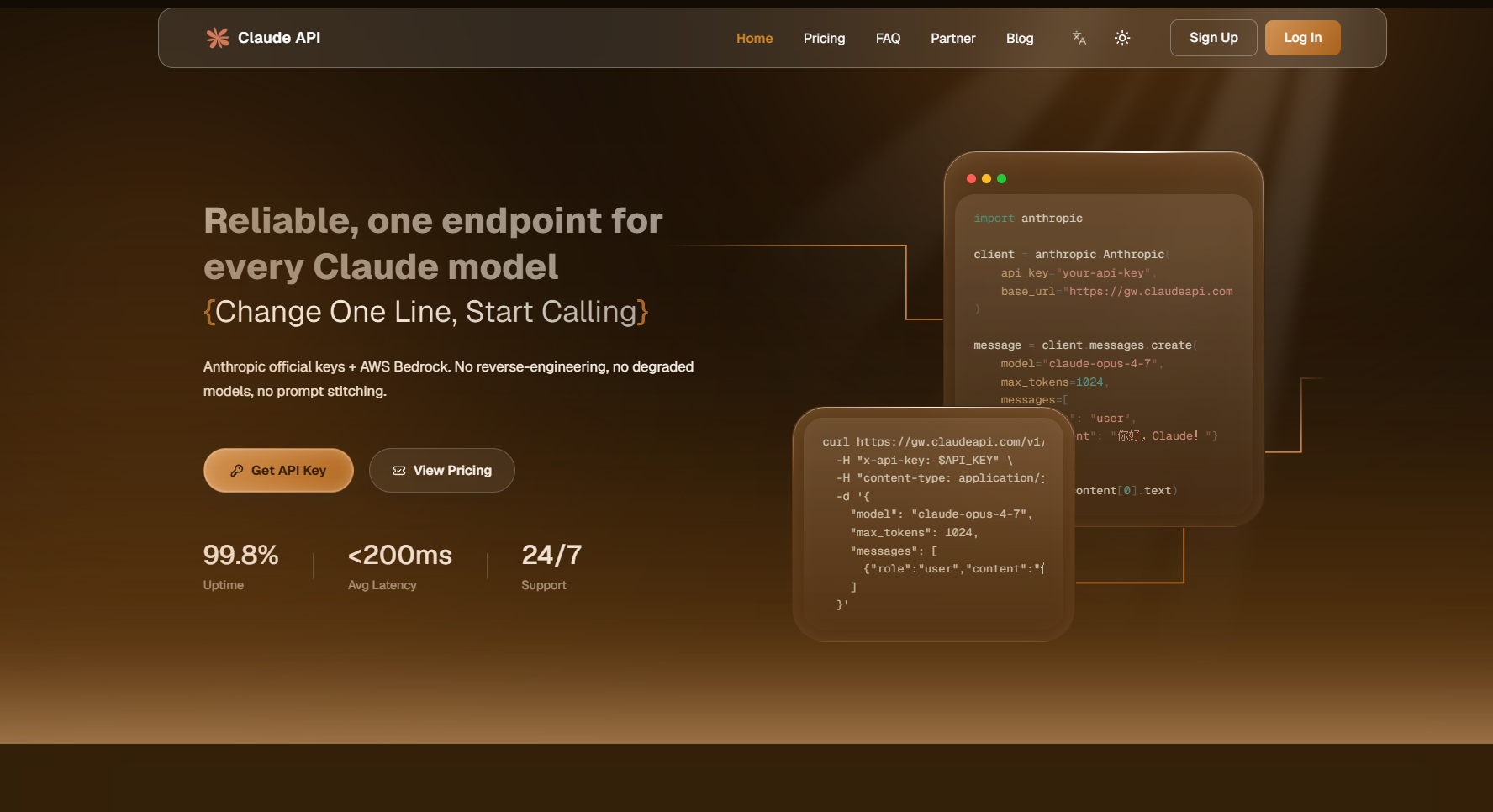
https://gw.claudeapi.com is a Claude API access service built for developers . Your requests are routed through it to Anthropic’s official API, with functionality and responses designed to stay consistent with the official API.
Compared with Anthropic Official API
| Item | Anthropic Official | ClaudeAPI |
|---|---|---|
| Registration | Overseas phone number + email | ✅ Domestic phone number/email |
| Payment | Overseas credit card Visa/MC | ✅ Stripe |
| Network | Often requires VPN | ✅ Direct access |
| API format | Anthropic format only | ✅ Anthropic + OpenAI-compatible formats |
| Minimum usage | Around $5 minimum | ✅ Top up from about $0.14 | | Account risk | Virtual cards/VPN may be risky | ✅ No virtual-card/VPN risk | | Model coverage | Full lineup | ✅ Full lineup, updated in sync |
Who is it for? Independent developers, enterprise teams in intranet environments, AI tool builders, and anyone who does not want to deal with VPN or overseas payment setup.
Get a Claude API Key in 3 Steps
The whole flow is register → top up → create Token, and takes about 5 minutes.
Step 1: Register an Account
- Open https://gw.claudeapi.com
- Click “Register”
- Choose email registration or phone registration. Domestic phone numbers are supported.
- Complete verification
📌 No real-name verification is required. Email registration is usually the fastest option.
Step 2: Top Up Your Balance
- Log in and enter the console
- Find the “Top Up” entry
- Choose an amount. New users can start with about $0.71 for testing.
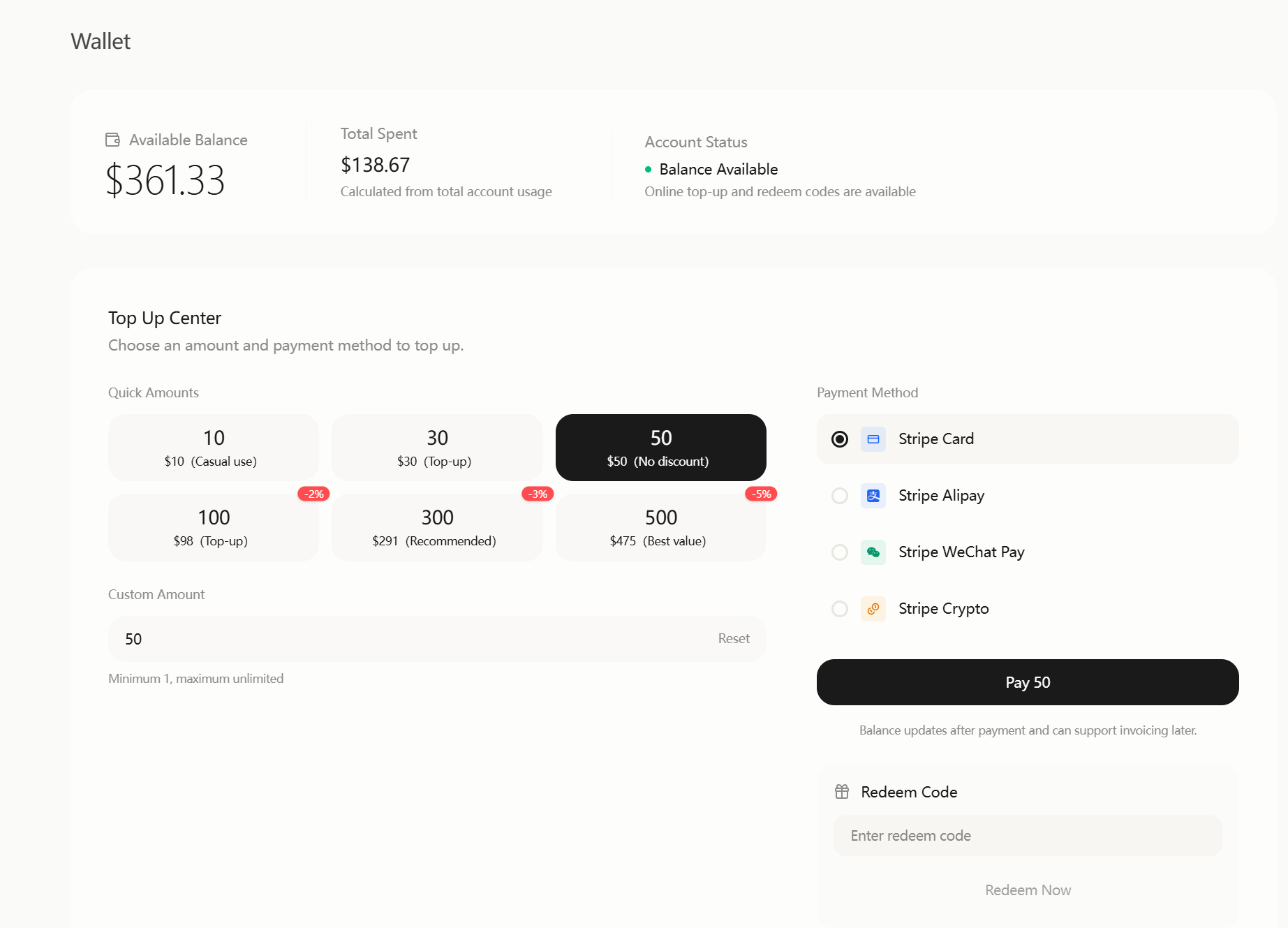
- Choose Alipay or Stripe, then scan to complete payment
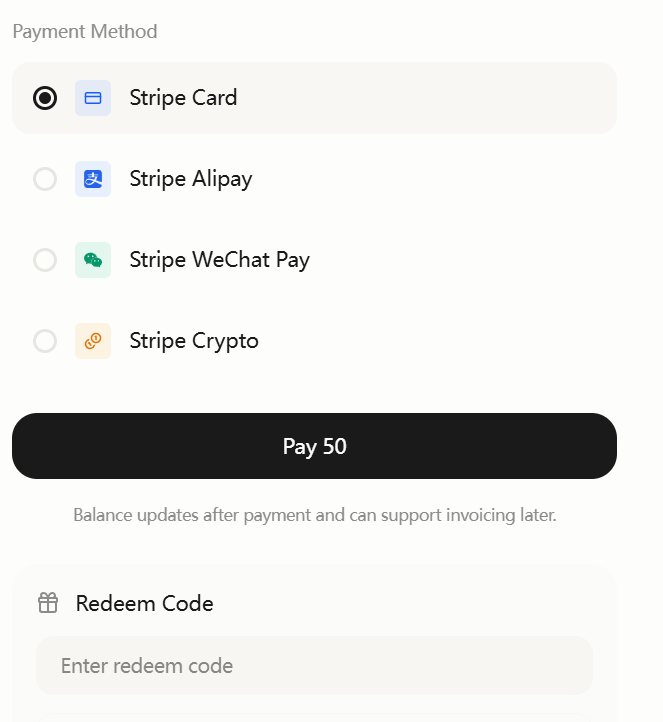
💡 Top-up uses a prepaid model. You only pay for what you use, and unused balance is not deducted. About $0.71 is enough to run basic tests and try hundreds of normal conversations.
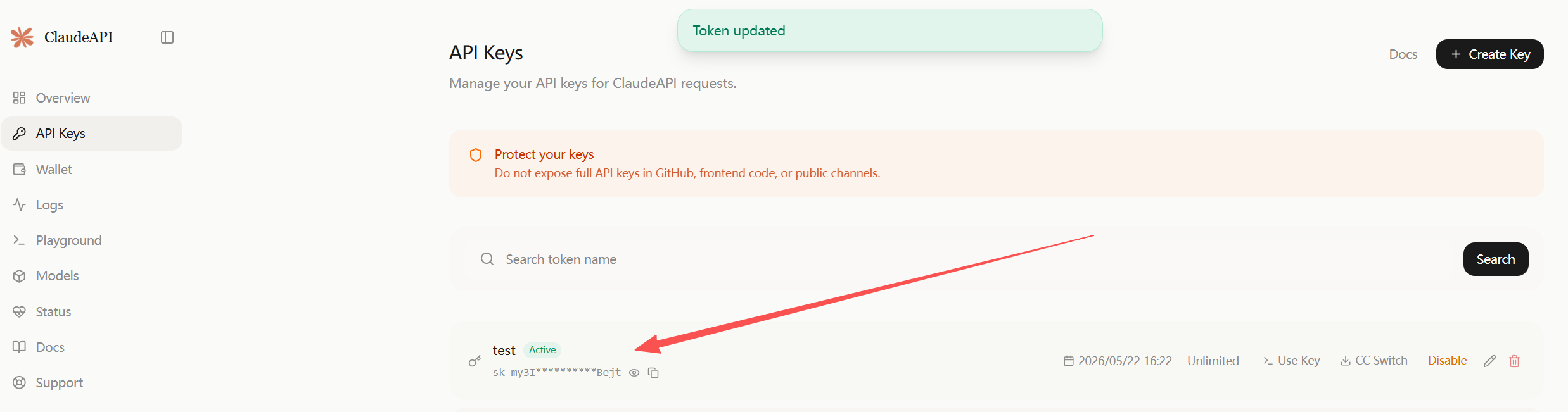
Step 3: Create an API Token
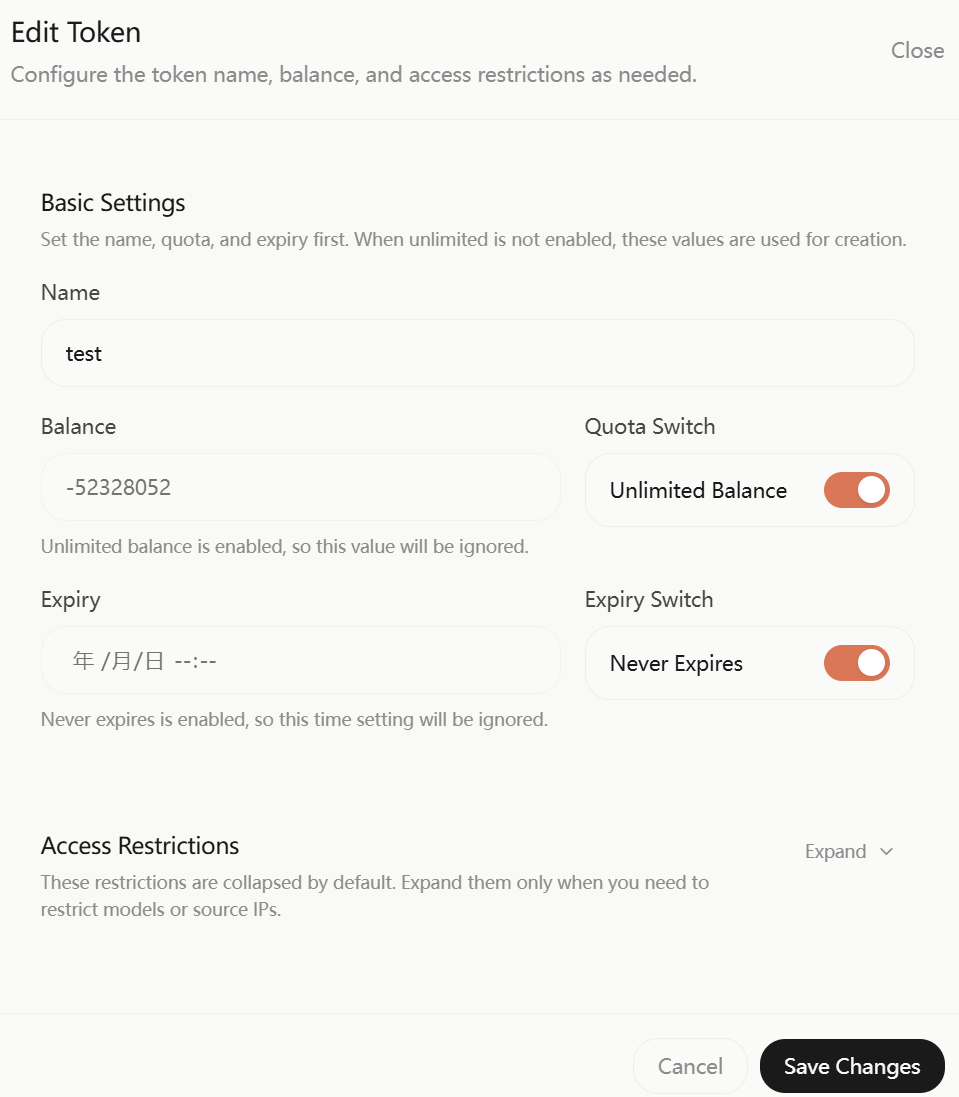
- Go to console → “Token Management”
- Click “Create New Token”
-
Enter a note, such as “test”, “Cursor”, or “Project A”
-
Click create → copy and save it immediately
⚠️ Important: the Token is only shown once when created. After closing the page, you cannot view it again. Copy it to a safe place immediately, or reopen the page to copy it.
The Token format is sk-xxxxxxxxxxxxxxxx, starting with sk-. This is your Claude API Key.
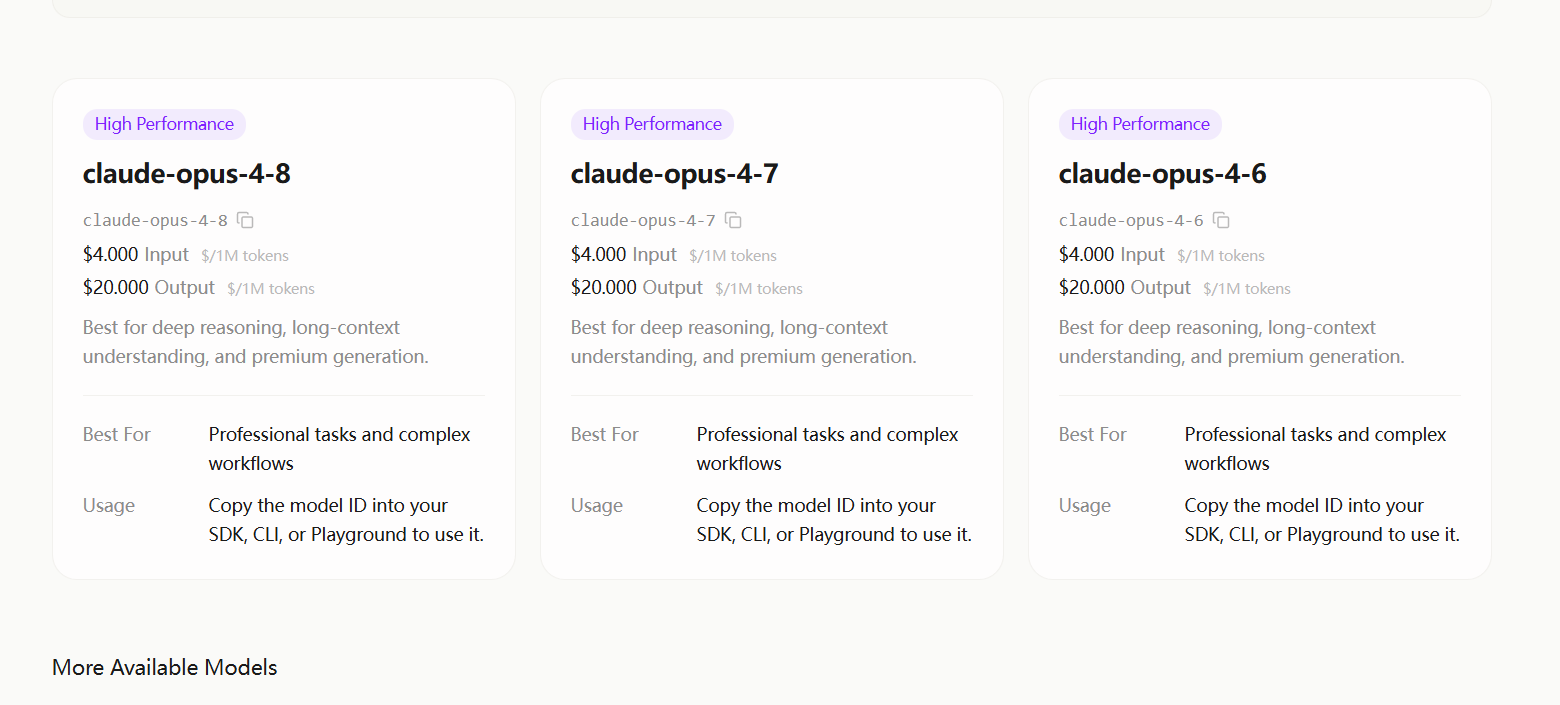
- Find the model name, or
"model", corresponding to the token you created.
Configuration Quick Reference
After getting your Key, remember these settings:
Anthropic native format:  https://gw.claudeapi.com      ← Use this for SDK/LangChain/Cursor
OpenAI-compatible format: https://gw.claudeapi.com      ← Use this for ChatBox/Cherry Studio/NextChat
API Key:                  sk-your-token
Anthropic native format:  https://gw.claudeapi.com      ← Use this for SDK/LangChain/Cursor
OpenAI-compatible format: https://gw.claudeapi.com      ← Use this for ChatBox/Cherry Studio/NextChat
API Key:                  sk-your-token
💡 Which format should you choose? If a tool asks for an Anthropic API Key, use the native format. If it asks for an OpenAI API Key / Base URL, use the compatible format. If you are not sure, use the OpenAI-compatible format; it works with the widest range of tools.
Verify Your API Key: 3 Test Methods
After getting your Key, verify that it works right away.
Method 1: cURL Command Line, Fastest 10-Second Check
Open your terminal and run:
curl https://gw.claudeapi.com \
  -H "Content-Type: application/json" \
  -H "Authorization: Bearer sk-your-key" \
  -d '{
    "model": "claude-sonnet-4-6",
    "messages": [{"role": "user", "content": "Hello, introduce yourself in one sentence"}],
    "max_tokens": 100
  }'
curl https://gw.claudeapi.com \
  -H "Content-Type: application/json" \
  -H "Authorization: Bearer sk-your-key" \
  -d '{
    "model": "claude-sonnet-4-6",
    "messages": [{"role": "user", "content": "Hello, introduce yourself in one sentence"}],
    "max_tokens": 100
  }'
If the returned JSON contains choices and a response message, your Key is valid ✅
Method 2: Python Anthropic SDK, Native Format
# pip install anthropic
from anthropic import Anthropic

client = Anthropic(
    api_key="sk-your-key",
    base_url="https://gw.claudeapi.com"
)

message = client.messages.create(
    model="claude-sonnet-4-6",
    max_tokens=256,
    messages=[
        {"role": "user", "content": "Hello, introduce yourself in one sentence"}
    ]
)

print(message.content[0].text)
# pip install anthropic
from anthropic import Anthropic

client = Anthropic(
    api_key="sk-your-key",
    base_url="https://gw.claudeapi.com"
)

message = client.messages.create(
    model="claude-sonnet-4-6",
    max_tokens=256,
    messages=[
        {"role": "user", "content": "Hello, introduce yourself in one sentence"}
    ]
)

print(message.content[0].text)
Method 3: Python OpenAI SDK, Compatible Format
# pip install openai
from openai import OpenAI

client = OpenAI(
    api_key="sk-your-key",
    base_url="https://gw.claudeapi.com"
)

response = client.chat.completions.create(
    model="claude-sonnet-4-6",
    messages=[
        {"role": "user", "content": "Hello, introduce yourself in one sentence"}
    ],
    max_tokens=100
)

print(response.choices[0].message.content)
# pip install openai
from openai import OpenAI

client = OpenAI(
    api_key="sk-your-key",
    base_url="https://gw.claudeapi.com"
)

response = client.chat.completions.create(
    model="claude-sonnet-4-6",
    messages=[
        {"role": "user", "content": "Hello, introduce yourself in one sentence"}
    ],
    max_tokens=100
)

print(response.choices[0].message.content)
💡 Calling Claude through the OpenAI SDK means existing GPT project code only needs
base_urlandapi_keychanges to switch to Claude.
Claude Model Lineup: Which One Should You Choose?
| Model | Model ID | Strengths | Tested speed | Best for |
|---|---|---|---|---|
| Claude Opus 4.8 | claude-opus-4-8 |
Strongest reasoning ability | ~7s | Complex programming, architecture design, deep analysis |
| Claude Opus 4.7 | claude-opus-4-7 |
Strongest reasoning ability | ~7s | Complex programming, architecture design, deep analysis |
| Claude Sonnet 4.6 | claude-sonnet-4-6 |
⭐ Best cost-performance | ~8s | Daily development, code generation, text processing |
| Claude Haiku 4.5 | claude-haiku-4-5-20251001 |
Fastest and cheapest | ~4s | Classification, extraction, translation, batch processing |
| Claude Sonnet 4.5 | claude-sonnet-4-5-20250929 |
Previous flagship | ~5s | Stable production environments |
Tested speed is based on April 2026 data. Prompt: “Describe the advantages of Python in three sentences”,
max_tokens=200.
Not Sure Which One to Use?
- Beginner / daily use →
claude-sonnet-4-6, recommended for 90% of users - Need the strongest result, such as complex code, math, or logical reasoning →
claude-opus-4-6 - Batch processing / cost saving →
claude-haiku-4-5-20251001
💡 For a more detailed model comparison and pricing guide, see Claude API Pricing and Model Selection Guide
What Can You Do After Getting the Key?
A Claude API Key can be used with mainstream AI tools and development frameworks.
AI Clients, No Code Required
| Tool | Configuration | Tutorial |
|---|---|---|
| ChatBox | OpenAI-compatible mode, enter Base URL + Key | ChatBox / Cherry Studio Integration Tutorial |
| Cherry Studio | Add a custom provider, enter API endpoint + Key | ChatBox / Cherry Studio Integration Tutorial |
| NextChat | Configure Base URL + Key with environment variables | Coming soon |
| LobeChat | Add a custom API in settings | Coming soon |
AI Coding Tools
| Tool | Configuration | Tutorial |
|---|---|---|
| Claude Code | Set API Key + Base URL with environment variables | Claude Code China Setup Tutorial |
Development Frameworks
| Framework | Example code |
|---|---|
| LangChain | ChatAnthropic(base_url="https://gw.claudeapi.com", api_key="sk-your-key") |
| Dify | Add a custom model provider, enter Base URL + Key |
| one-api | Add a Claude channel, set Base URL to https://gw.claudeapi.com |
💡 General rule: any tool that supports a custom API endpoint can connect. Set Base URL to
https://gw.claudeapi.com, use the token you created as the Key, and choose the corresponding model name from the model marketplace.
How Much Does It Cost?
Billing is pay-as-you-go, with no monthly fee, no minimum spend, and no charge when unused.
Pricing Rule
The platform’s USD pricing follows this rule:
Anthropic official USD price × 0.8 = platform price
Anthropic official USD price × 0.8 = platform price
Price per Million Tokens
| Model | Input price, approx. $/M tokens | Output price, approx. $/M tokens |
|---|---|---|
| Claude Opus 4.8 | about $5.36 | about $26.79 |
| Claude Sonnet 4.6 | about $1.07 | about $5.36 |
| Claude Haiku 4.5 | about $0.29 | about $3.57 |
| Claude Sonnet 4.5 | about $1.07 | about $5.36 |
| Claude Sonnet 4 | about $1.07 | about $5.36 |
Real Usage Cost Reference, Sonnet 4.6
| Usage scenario | Approximate cost | Notes |
|---|---|---|
| One normal chat | about $0.0001 ~ $0.0014 | Dozens of input tokens + around a hundred output tokens |
| Write a 1,000-character article | about $0.007 ~ $0.014 | Around 500 output tokens |
| One day of daily development | about $0.07 ~ $0.43 | Multi-turn conversation + code generation |
| Batch summarize 100 articles | about $0.14 ~ $0.71 | Depends on document length |
💡 Starting with about $1 is enough to run all tests and try daily usage for several days. Recharge as needed after heavy usage begins.
Security Tips: Protect Your API Key
1. Do Not Hardcode Keys in Your Code
# ❌ Wrong
client = OpenAI(api_key="sk-abcdef123456")

# ✅ Correct: use environment variables
import os
client = OpenAI(api_key=os.environ["CLAUDE_API_KEY"])
# ❌ Wrong
client = OpenAI(api_key="sk-abcdef123456")

# ✅ Correct: use environment variables
import os
client = OpenAI(api_key=os.environ["CLAUDE_API_KEY"])
Set environment variables:
# Linux/Mac
export CLAUDE_API_KEY="sk-your-key"

# Windows PowerShell
$env:CLAUDE_API_KEY="sk-your-key"
# Linux/Mac
export CLAUDE_API_KEY="sk-your-key"

# Windows PowerShell
$env:CLAUDE_API_KEY="sk-your-key"
2. Do Not Commit It to Git
Add this to .gitignore:
.env
*.env
.env
*.env
3. Use Different Tokens for Different Projects
Create multiple Tokens in the console and separate them by project or use case. This makes usage tracking and debugging easier.
4. Check Usage Regularly
Log in to the console to check Token usage. If you see abnormal calls, delete the Token immediately.
Frequently Asked Questions
API Key Creation Failed / Cannot Register?
Check the following:
- Whether the account has already been registered. Try another one.
- Whether the browser has cache issues. Clear cache or switch browsers.
If the issue persists, you can add customer support through https://claudeapi.com for help.
What Is the Difference Between www.claudeapi.com and Anthropic’s Official API?
The API behavior and format are compatible. The main differences are:
- Registration and payment are friendlier for users
- Direct access
- USD-denominated billing
Can the API Key Be Used in Production?
Yes. It is recommended to create different Tokens for different projects and monitor your balance to avoid service interruption.
What Happens When the Balance Runs Out?
API requests will return an insufficient balance error. No debt will be generated. Service resumes immediately after you top up.
Is Streaming Supported?
Yes. Both the Anthropic native format and OpenAI-compatible format support streaming. Tested first-token latency is around ~5s with Opus 4.8.
What If My API Key Is Leaked?
Immediately log in to the console → delete the Token → create a new one. The leaked Key becomes invalid as soon as it is deleted.
Are the Latest Models Supported?
Updates are synced. The latest Claude Opus 4.8, Sonnet 4.6, and the full model lineup are currently supported. New models are supported as soon as possible after release.
Summary: Get a Claude API Key in 5 Minutes
| Step | Action | Time |
|---|---|---|
| 1. Register | Open https://claudeapi.com | 1 minute |
| 2. Top up | Stripe, from about $1 | 1 minute |
| 3. Create Token | Console → Token Management → Create → copy and save | 1 minute |
| 4. Verify | Test with cURL or Python code | 2 minutes |
Base URL:         https://gw.claudeapi.com
API Key:          sk-your-token
Recommended model: claude-sonnet-4-6
Base URL:         https://gw.claudeapi.com
API Key:          sk-your-token
Recommended model: claude-sonnet-4-6
No overseas credit card, no VPN, no painful setup. In 5 minutes, you can access the full Claude model lineup directly from China.
👉 Go to https://claudeapi.com now and get your Claude API Key
This article was written by the ClaudeAPI.com technical team. Last updated: April 2026. If you have questions, visit https://gw.claudeapi.com for help.