Claude 1M Token 上下文实战:什么时候该用,怎么用才不浪费
大多数开发者用 Claude 的方式,还停留在"把问题喂进去,等输出"的阶段。
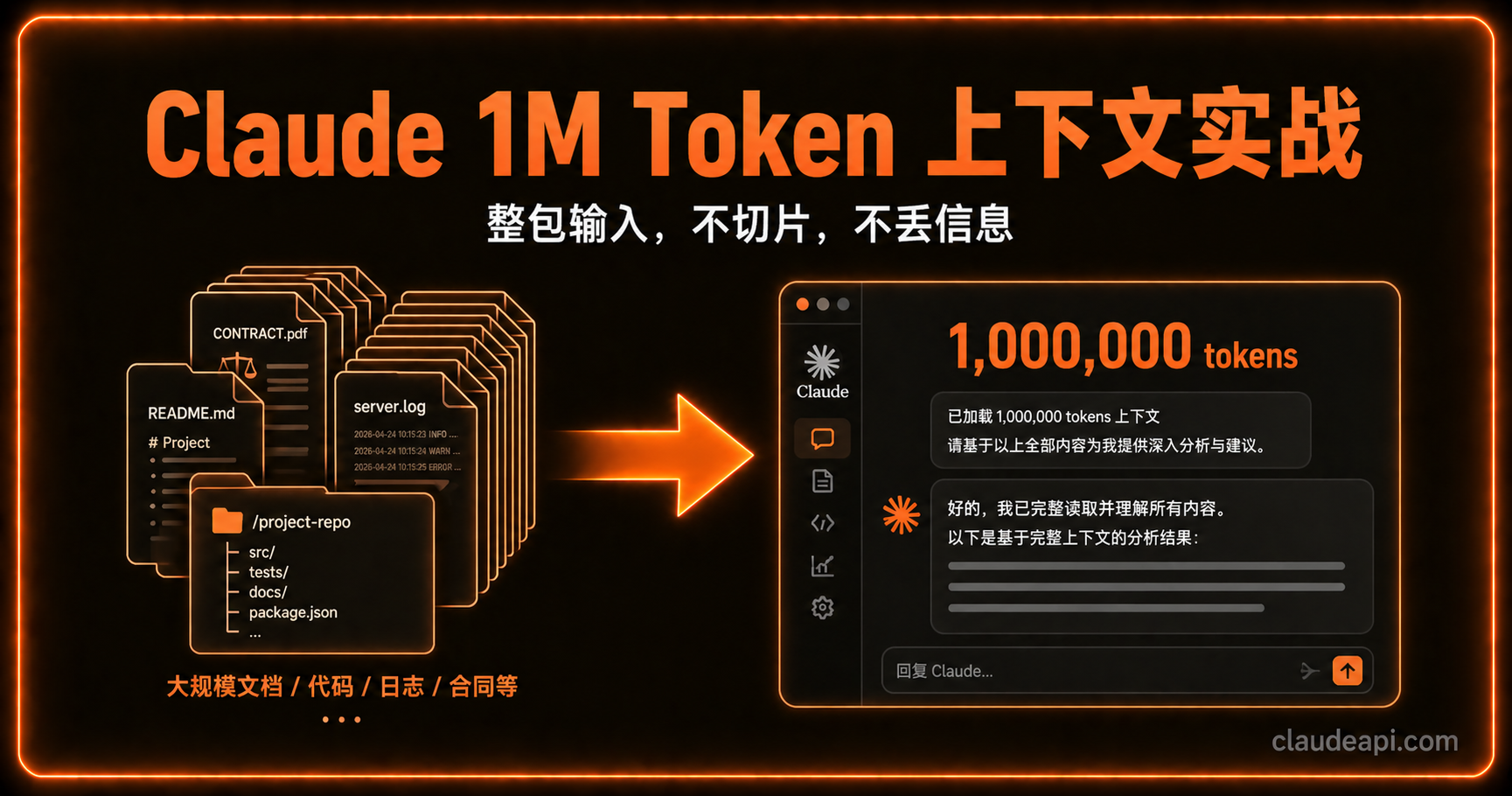
1M token 上下文改变的不是这个交互模式本身,而是你能一次性塞进去多少"现场"。
整个代码仓库、半年的日志、三十份合同——这些以前需要切片、摘要、多轮传递的材料,现在可以一次摊开,让 Claude 在同一个工作台上持续推理。
本文不讲 1M 上下文有多厉害,只讲什么情况值得用,怎么组织输入才不浪费。
它最适合什么任务
1M 上下文的核心价值,是消除「分段摘要接力」带来的信息损耗。
每次你把一个大任务拆成多轮对话,或者靠摘要传递上下文,都在做有损压缩。Claude 看到的是你整理过的"精华版",而不是原始材料本身。一旦精华版里漏掉了某个细节,后续推理就会出问题。
1M 上下文让你可以跳过这个步骤。以下几类任务受益最大:
整仓代码审查与迁移
把整套仓库、变更记录、测试输出和设计说明放进同一会话,Claude 能在完整依赖图里找问题——而不是只看你截取的那一段代码。
做架构迁移时,先喂入架构文档、目标模块、依赖列表和最近的提交,让它输出风险点和改造计划,后续的修改讨论也留在同一上下文,不用每次重新交代背景。
长合同与多文件对比
法律文件的难点不是单篇难读,而是多份合同之间的条款冲突很难发现。
把供应商合同、框架协议、补充协议一次上传,让 Claude 比较条款、找冲突、提炼差异,比一份一份切换要准确得多,也不容易漏掉跨文件的关联。
论文综述与研究整合
文献综述最烦的是:你刚看完第 10 篇,第 3 篇说了什么已经记不清了。
把 20-30 篇相关论文一次喂进去,让 Claude 做观点对比、方法论梳理、结论矛盾点提炼,比人工来回翻查效率高得多。
运维排障:日志全量分析
线上事故排查的难点是,异常往往不是单条日志,而是跨服务、跨时段的行为序列。
把完整的错误日志、请求追踪和监控快照一起放进去,比只截取报错片段更容易让 Claude 找到真正的根因。
实际用法:三步走
第一步:资料一次性喂入
不要边聊边补充材料。把所有相关文件在第一轮就放进去,之后的对话才是有效的推理,而不是在拼图。
import anthropic

client = anthropic.Anthropic(
    base_url="https://gw.claudeapi.com"
)

# 一次性组装所有上下文
with open("architecture.md") as f:
    arch_doc = f.read()
with open("recent_commits.txt") as f:
    commits = f.read()
with open("test_output.log") as f:
    test_log = f.read()

context = f"""
## 项目架构文档
{arch_doc}

## 最近 30 天提交记录
{commits}

## 当前测试输出
{test_log}
"""

response = client.messages.create(
    model="claude-opus-4-7",
    max_tokens=4096,
    messages=[
        {
            "role": "user",
            "content": f"{context}\n\n请分析当前架构的风险点,并给出迁移到微服务的优先级排序。"
        }
    ]
)

print(response.content[0].text)
import anthropic

client = anthropic.Anthropic(
    base_url="https://gw.claudeapi.com"
)

# 一次性组装所有上下文
with open("architecture.md") as f:
    arch_doc = f.read()
with open("recent_commits.txt") as f:
    commits = f.read()
with open("test_output.log") as f:
    test_log = f.read()

context = f"""
## 项目架构文档
{arch_doc}

## 最近 30 天提交记录
{commits}

## 当前测试输出
{test_log}
"""

response = client.messages.create(
    model="claude-opus-4-7",
    max_tokens=4096,
    messages=[
        {
            "role": "user",
            "content": f"{context}\n\n请分析当前架构的风险点,并给出迁移到微服务的优先级排序。"
        }
    ]
)

print(response.content[0].text)
第二步:先建全局理解,再执行
不要第一句话就让它干活。先让它输出「全局理解」——它看到了什么,主要关系是什么,潜在问题在哪——确认理解准确后,再进入执行阶段。
# 第一轮:建立全局理解
messages = [
    {
        "role": "user",
        "content": f"{context}\n\n先不要给出建议,只需要用 300 字描述你对这个项目现状的理解:主要模块、依赖关系、你注意到的潜在风险。"
    }
]

response = client.messages.create(
    model="claude-opus-4-7",
    max_tokens=1024,
    messages=messages
)

print("全局理解:", response.content[0].text)

# 确认无误后,第二轮进入执行
messages.append({"role": "assistant", "content": response.content[0].text})
messages.append({"role": "user", "content": "理解准确。现在给出具体的迁移方案,按优先级排列。"})

final_response = client.messages.create(
    model="claude-opus-4-7",
    max_tokens=4096,
    messages=messages
)
# 第一轮:建立全局理解
messages = [
    {
        "role": "user",
        "content": f"{context}\n\n先不要给出建议,只需要用 300 字描述你对这个项目现状的理解:主要模块、依赖关系、你注意到的潜在风险。"
    }
]

response = client.messages.create(
    model="claude-opus-4-7",
    max_tokens=1024,
    messages=messages
)

print("全局理解:", response.content[0].text)

# 确认无误后,第二轮进入执行
messages.append({"role": "assistant", "content": response.content[0].text})
messages.append({"role": "user", "content": "理解准确。现在给出具体的迁移方案,按优先级排列。"})

final_response = client.messages.create(
    model="claude-opus-4-7",
    max_tokens=4096,
    messages=messages
)
这个模式多一轮,但值得:它能帮你发现 Claude 有没有理解偏差,避免后续执行跑偏。
第三步:关键信息置顶,重复引用
1M 上下文里仍存在「注意力分散」问题——埋在第 800K token 处的关键约束,不如放在系统提示开头更受重视。

把最重要的限制条件、目标指标或不可违反的规则放在 system prompt 里,而不是混在正文材料里:
response = client.messages.create(
    model="claude-opus-4-7",
    max_tokens=4096,
    system="""你是一个代码架构审查专家。

重要约束(必须贯穿所有建议):
1. 不能引入新的外部依赖
2. 所有改动必须向后兼容 Python 3.9
3. 迁移必须分阶段进行,每阶段独立可回滚

在此框架内给出建议。""",
    messages=[{"role": "user", "content": context + "\n\n请给出架构改造建议。"}]
)
response = client.messages.create(
    model="claude-opus-4-7",
    max_tokens=4096,
    system="""你是一个代码架构审查专家。

重要约束(必须贯穿所有建议):
1. 不能引入新的外部依赖
2. 所有改动必须向后兼容 Python 3.9
3. 迁移必须分阶段进行,每阶段独立可回滚

在此框架内给出建议。""",
    messages=[{"role": "user", "content": context + "\n\n请给出架构改造建议。"}]
)
使用前的准备工作
去重和分组,先于喂入
1M 上下文不是「越满越好」。如果材料里有大量重复内容(比如相似的日志行、版本接近的文档),直接喂进去会浪费 token,而且可能让 Claude 被重复模式带偏。
喂入前做三件事:
- 去重:删掉重复日志行,保留代表性样本
- 按主题分组:相关材料放在一起,加清晰的标题隔开
- 删掉无关内容:第三方库的完整源码、自动生成的 lock 文件,大概率用不到
估一下实际 token 量,再选模型
# 先数一下,再决定用哪个模型
count_response = client.messages.count_tokens(
    model="claude-opus-4-7",
    messages=[{"role": "user", "content": context}]
)

token_count = count_response.input_tokens
print(f"当前上下文:{token_count:,} tokens")

# 根据实际量和任务复杂度选模型
if token_count < 200_000:
    # 短上下文:Sonnet 4.6 够用,便宜近一半
    model = "claude-sonnet-4-6"
elif token_count < 1_000_000:
    # 长上下文 + 复杂推理:Opus 4.7 首选
    model = "claude-opus-4-7"
else:
    print("超出 1M 限制,需要进一步精简材料")

print(f"推荐模型:{model}")
# 先数一下,再决定用哪个模型
count_response = client.messages.count_tokens(
    model="claude-opus-4-7",
    messages=[{"role": "user", "content": context}]
)

token_count = count_response.input_tokens
print(f"当前上下文:{token_count:,} tokens")

# 根据实际量和任务复杂度选模型
if token_count < 200_000:
    # 短上下文:Sonnet 4.6 够用,便宜近一半
    model = "claude-sonnet-4-6"
elif token_count < 1_000_000:
    # 长上下文 + 复杂推理:Opus 4.7 首选
    model = "claude-opus-4-7"
else:
    print("超出 1M 限制,需要进一步精简材料")

print(f"推荐模型:{model}")
注意事项
不需要 beta 标记了。 目前 Opus 4.7、Opus 4.6、Sonnet 4.6 均已全面开放 1M 上下文,超出 200K 的请求不再需要手动加 context-1m beta 标记,直接用即可。
任务小就用短上下文。 1M 上下文的 token 成本是线性的,任务本身不大的话,用 8K 或 32K 上下文反而更快、更便宜。不要因为有 1M 就把所有东西都往里塞。
长上下文 ≠ 长输出。 1M 是输入窗口,不是输出上限。Opus 4.7 最多输出 128K token,Sonnet 4.6 最多 64K。规划任务时要分开考虑。
模型选型参考
| 场景 | 推荐模型 | 原因 |
|---|---|---|
| 整仓代码审查 / 架构迁移 | Opus 4.7 | 最强推理,复杂依赖分析首选 |
| 运维日志排障 | Opus 4.7 | 跨服务异常模式识别需要强推理 |
| 合同批量比对 | Sonnet 4.6 | 结构化任务,Sonnet 够用,成本低一半 |
| 论文综述 | Sonnet 4.6 | 视文献总量灵活选择,一般不需要 Opus |
| 普通问答 / 代码补全 | Sonnet 4.6 | 短上下文足够,没必要用 1M |
Opus 4.7 和 Opus 4.6 定价相同,新项目直接用 4.7 即可。
小结
1M 上下文解决的核心问题是:让 Claude 在同一个工作台上持续推理,而不是靠有损摘要接力。
用好它的关键不是追求把窗口填满,而是把真正相关的材料一次放齐、组织清晰,然后让 Claude 先建全局理解再执行。
对于代码迁移、合同分析、日志排障这类「全局一致性」要求高的任务,配合 Opus 4.7 的 1M 上下文是真正有价值的能力升级。对于日常的小任务,Sonnet 4.6 加短上下文就好。
ClaudeAPI.com 提供 Opus 4.7、Opus 4.6、Sonnet 4.6 的完整 1M 上下文能力,按量计费,无需额外申请。