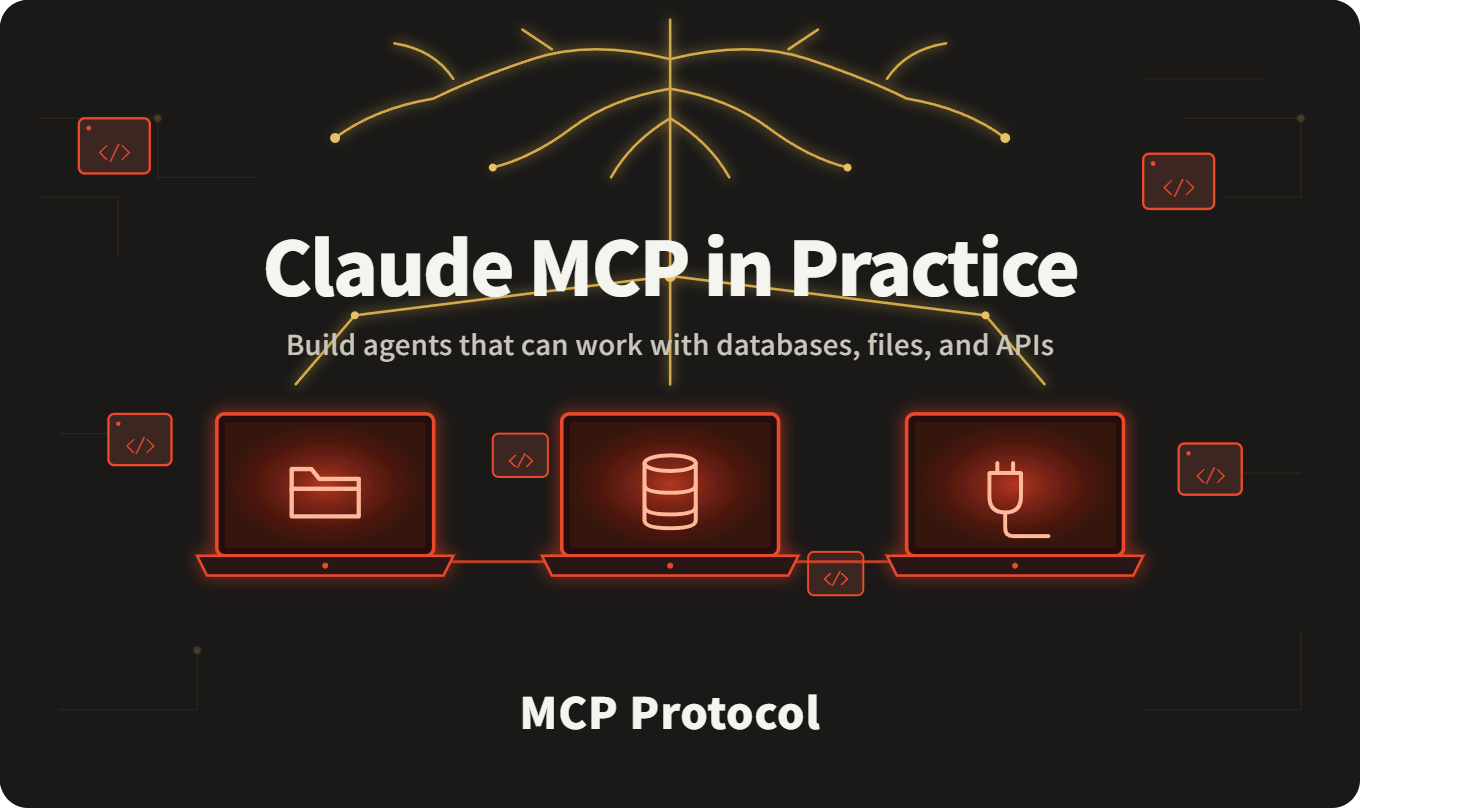
Claude MCP in Practice: Build Agents That Can Work with Databases, Files, and APIs
Build three production-ready MCP Servers from scratch — and give Claude actual “hands” to query databases, read and write files, and call third-party APIs autonomously.
What Is MCP, and Why It Changes Agent Development
MCP(Model Context Protocol) is an open protocol introduced by Anthropic that defines a standard communication format between AI models and external tools or data sources.
The old way: You had to hand-write function calling schemas, manually parse parameters, and handle errors yourself.
The MCP way: Spin up an MCP Server, and Claude automatically discovers the tools it exposes — then calls them as needed.
┌─────────────────────────────────────────┐
│             Your Claude Agent           │
│                                         │
│  User input → Claude reasons →          │
│  selects tool → parses result → replies │
└──────────────────┬──────────────────────┘
                   │
          MCP Protocol (stdio / SSE)
                   │
      ┌────────────┼────────────┐
      ▼            ▼            ▼
┌──────────┐ ┌──────────┐ ┌──────────┐
│Filesystem│ │ SQLite   │ │External  │
│  Server  │ │  Server  │ │API Server│
└──────────┘ └──────────┘ └──────────┘
┌─────────────────────────────────────────┐
│             Your Claude Agent           │
│                                         │
│  User input → Claude reasons →          │
│  selects tool → parses result → replies │
└──────────────────┬──────────────────────┘
                   │
          MCP Protocol (stdio / SSE)
                   │
      ┌────────────┼────────────┐
      ▼            ▼            ▼
┌──────────┐ ┌──────────┐ ┌──────────┐
│Filesystem│ │ SQLite   │ │External  │
│  Server  │ │  Server  │ │API Server│
└──────────┘ └──────────┘ └──────────┘
In this guide, you’ll build:
-
MCP Server 1 — Filesystem (read / write / list directory)
-
MCP Server 2 — SQLite database (query / insert / update)
-
MCP Server 3 — HTTP API gateway (call any REST endpoint)
-
One unified Claude Agent connected to all three servers simultaneously
Environment Setup
pip install anthropic mcp httpx
pip install anthropic mcp httpx
API key configuration:
export ANTHROPIC_API_KEY="your-claudeapi-token"
export ANTHROPIC_BASE_URL="https://gw.claudeapi.com"
export ANTHROPIC_API_KEY="your-claudeapi-token"
export ANTHROPIC_BASE_URL="https://gw.claudeapi.com"
Using claudeapi.com? Direct API access from anywhere — no VPN, no region restrictions. Pay-as-you-go pricing, compatible with the official Anthropic SDK. Supports credit card, PayPal, and other major payment methods. Sign up → claudeapi.com
Part 1: Filesystem MCP Server
Implementation
# mcp_file_server.py
import os
import json
from pathlib import Path
from mcp.server import Server
from mcp.server.stdio import stdio_server
from mcp.types import Tool, TextContent

app = Server("file-system")

WORKSPACE = Path(os.environ.get("MCP_WORKSPACE", "./workspace"))
WORKSPACE.mkdir(exist_ok=True)


@app.list_tools()
async def list_tools() -> list[Tool]:
    return [
        Tool(
            name="read_file",
           description="Read the contents of a file in the workspace",
            inputSchema={
                "type": "object",
                "properties": {
                    "path": {
                        "type": "string",
                        "description": "File path relative to the workspace root"
                    }
                },
                "required": ["path"],
            },
        ),
        Tool(
            name="write_file",
            description="Write content to a file in the workspace, creating it if it doesn't exist",
            inputSchema={
                "type": "object",
                "properties": {
                    "path": {
                        "type": "string",
                        "description": "File path relative to the workspace root"
                    },
                    "content": {
                        "type": "string",
                        "description": "Content to write"
                    },
                },
                "required": ["path", "content"],
            },
        ),
        Tool(
            name="list_directory",
            description="List files and subdirectories under a workspace directory",
            inputSchema={
                "type": "object",
                "properties": {
                    "path": {
                        "type": "string",
                        "description": "Relative path; defaults to the workspace root",
                        "default": ".",
                    }
                },
            },
        ),
    ]
@app.call_tool()
async def call_tool(name: str, arguments: dict) -> list[TextContent]:
    if name == "read_file":
        target = WORKSPACE / arguments["path"]
        if not target.exists():
            return [TextContent(type="text", text=f"Error: file {arguments['path']} not found")]
        return [TextContent(type="text", text=target.read_text(encoding="utf-8"))]
    elif name == "write_file":
        target = WORKSPACE / arguments["path"]
        target.parent.mkdir(parents=True, exist_ok=True)
        target.write_text(arguments["content"], encoding="utf-8")
        return [TextContent(type="text", text=f"✅ Written to: {arguments['path']}")]
    elif name == "list_directory":
        target = WORKSPACE / arguments.get("path", ".")
        if not target.is_dir():
            return [TextContent(type="text", text="Error: not a valid directory")]
        entries = [
            f"{'📁' if p.is_dir() else '📄'} {p.name}"
            for p in sorted(target.iterdir())
        ]
        return [TextContent(type="text", text="\n".join(entries) or "(empty directory)")]
    return [TextContent(type="text", text=f"Unknown tool: {name}")]
if __name__ == "__main__":
    import asyncio
    asyncio.run(stdio_server(app))
# mcp_file_server.py
import os
import json
from pathlib import Path
from mcp.server import Server
from mcp.server.stdio import stdio_server
from mcp.types import Tool, TextContent

app = Server("file-system")

WORKSPACE = Path(os.environ.get("MCP_WORKSPACE", "./workspace"))
WORKSPACE.mkdir(exist_ok=True)


@app.list_tools()
async def list_tools() -> list[Tool]:
    return [
        Tool(
            name="read_file",
           description="Read the contents of a file in the workspace",
            inputSchema={
                "type": "object",
                "properties": {
                    "path": {
                        "type": "string",
                        "description": "File path relative to the workspace root"
                    }
                },
                "required": ["path"],
            },
        ),
        Tool(
            name="write_file",
            description="Write content to a file in the workspace, creating it if it doesn't exist",
            inputSchema={
                "type": "object",
                "properties": {
                    "path": {
                        "type": "string",
                        "description": "File path relative to the workspace root"
                    },
                    "content": {
                        "type": "string",
                        "description": "Content to write"
                    },
                },
                "required": ["path", "content"],
            },
        ),
        Tool(
            name="list_directory",
            description="List files and subdirectories under a workspace directory",
            inputSchema={
                "type": "object",
                "properties": {
                    "path": {
                        "type": "string",
                        "description": "Relative path; defaults to the workspace root",
                        "default": ".",
                    }
                },
            },
        ),
    ]
@app.call_tool()
async def call_tool(name: str, arguments: dict) -> list[TextContent]:
    if name == "read_file":
        target = WORKSPACE / arguments["path"]
        if not target.exists():
            return [TextContent(type="text", text=f"Error: file {arguments['path']} not found")]
        return [TextContent(type="text", text=target.read_text(encoding="utf-8"))]
    elif name == "write_file":
        target = WORKSPACE / arguments["path"]
        target.parent.mkdir(parents=True, exist_ok=True)
        target.write_text(arguments["content"], encoding="utf-8")
        return [TextContent(type="text", text=f"✅ Written to: {arguments['path']}")]
    elif name == "list_directory":
        target = WORKSPACE / arguments.get("path", ".")
        if not target.is_dir():
            return [TextContent(type="text", text="Error: not a valid directory")]
        entries = [
            f"{'📁' if p.is_dir() else '📄'} {p.name}"
            for p in sorted(target.iterdir())
        ]
        return [TextContent(type="text", text="\n".join(entries) or "(empty directory)")]
    return [TextContent(type="text", text=f"Unknown tool: {name}")]
if __name__ == "__main__":
    import asyncio
    asyncio.run(stdio_server(app))
Part 2: SQLite Database MCP Server
# mcp_db_server.py
import sqlite3
import json
from mcp.server import Server
from mcp.server.stdio import stdio_server
from mcp.types import Tool, TextContent

app = Server("sqlite-db")
DB_PATH = "data.db"


def get_conn():
    conn = sqlite3.connect(DB_PATH)
    conn.row_factory = sqlite3.Row
    return conn


@app.list_tools()
async def list_tools() -> list[Tool]:
    return [
        Tool(
            name="execute_query",
            description="Run a SELECT query and return the result set (read-only)",
            inputSchema={
                "type": "object",
                "properties": {
                    "sql": {"type": "string", "description": "SELECT statement"},
                    "params": {
                        "type": "array",
                        "items": {},
                        "description": "Query parameters (prevents SQL injection)",
                        "default": [],
                    },
                },
                "required": ["sql"],
            },
        ),
        Tool(
            name="execute_write",
            description="Run INSERT / UPDATE / DELETE and return the number of affected rows",
            inputSchema={
                "type": "object",
                "properties": {
                    "sql": {"type": "string", "description": "Write SQL statement"},
                    "params": {"type": "array", "items": {}, "default": []},
                },
                "required": ["sql"],
            },
        ),
        Tool(
            name="list_tables",
            description="List all tables in the database along with their schema",
            inputSchema={"type": "object", "properties": {}},
        ),
    ]
@app.call_tool()
async def call_tool(name: str, arguments: dict) -> list[TextContent]:
    params = arguments.get("params", [])
    if name == "execute_query":
        with get_conn() as conn:
            try:
                rows = conn.execute(arguments["sql"], params).fetchall()
                if not rows:
                    return [TextContent(type="text", text="Query returned no results")]
                result = [dict(row) for row in rows]
                return [TextContent(type="text", text=json.dumps(result, ensure_ascii=False, indent=2))]
            except Exception as e:
                return [TextContent(type="text", text=f"Query error: {e}")]
    elif name == "execute_write":
        with get_conn() as conn:
            try:
                cursor = conn.execute(arguments["sql"], params)
                conn.commit()
                return [TextContent(type="text", text=f"✅ Success — {cursor.rowcount} row(s) affected")]
            except Exception as e:
                return [TextContent(type="text", text=f"Write error: {e}")]
    elif name == "list_tables":
        with get_conn() as conn:
            tables = conn.execute(
                "SELECT name FROM sqlite_master WHERE type='table'"
            ).fetchall()
            result = []
            for t in tables:
                cols = conn.execute(f"PRAGMA table_info({t['name']})").fetchall()
                col_desc = ", ".join(
                    f"{c['name']} {c['type']}" for c in cols
                )
                result.append(f"📋 {t['name']} ({col_desc})")
            return [TextContent(type="text", text="\n".join(result) or "No tables found")]
# mcp_db_server.py
import sqlite3
import json
from mcp.server import Server
from mcp.server.stdio import stdio_server
from mcp.types import Tool, TextContent

app = Server("sqlite-db")
DB_PATH = "data.db"


def get_conn():
    conn = sqlite3.connect(DB_PATH)
    conn.row_factory = sqlite3.Row
    return conn


@app.list_tools()
async def list_tools() -> list[Tool]:
    return [
        Tool(
            name="execute_query",
            description="Run a SELECT query and return the result set (read-only)",
            inputSchema={
                "type": "object",
                "properties": {
                    "sql": {"type": "string", "description": "SELECT statement"},
                    "params": {
                        "type": "array",
                        "items": {},
                        "description": "Query parameters (prevents SQL injection)",
                        "default": [],
                    },
                },
                "required": ["sql"],
            },
        ),
        Tool(
            name="execute_write",
            description="Run INSERT / UPDATE / DELETE and return the number of affected rows",
            inputSchema={
                "type": "object",
                "properties": {
                    "sql": {"type": "string", "description": "Write SQL statement"},
                    "params": {"type": "array", "items": {}, "default": []},
                },
                "required": ["sql"],
            },
        ),
        Tool(
            name="list_tables",
            description="List all tables in the database along with their schema",
            inputSchema={"type": "object", "properties": {}},
        ),
    ]
@app.call_tool()
async def call_tool(name: str, arguments: dict) -> list[TextContent]:
    params = arguments.get("params", [])
    if name == "execute_query":
        with get_conn() as conn:
            try:
                rows = conn.execute(arguments["sql"], params).fetchall()
                if not rows:
                    return [TextContent(type="text", text="Query returned no results")]
                result = [dict(row) for row in rows]
                return [TextContent(type="text", text=json.dumps(result, ensure_ascii=False, indent=2))]
            except Exception as e:
                return [TextContent(type="text", text=f"Query error: {e}")]
    elif name == "execute_write":
        with get_conn() as conn:
            try:
                cursor = conn.execute(arguments["sql"], params)
                conn.commit()
                return [TextContent(type="text", text=f"✅ Success — {cursor.rowcount} row(s) affected")]
            except Exception as e:
                return [TextContent(type="text", text=f"Write error: {e}")]
    elif name == "list_tables":
        with get_conn() as conn:
            tables = conn.execute(
                "SELECT name FROM sqlite_master WHERE type='table'"
            ).fetchall()
            result = []
            for t in tables:
                cols = conn.execute(f"PRAGMA table_info({t['name']})").fetchall()
                col_desc = ", ".join(
                    f"{c['name']} {c['type']}" for c in cols
                )
                result.append(f"📋 {t['name']} ({col_desc})")
            return [TextContent(type="text", text="\n".join(result) or "No tables found")]
Part 3: HTTP API MCP Server
# mcp_api_server.py
import json
import httpx
from mcp.server import Server
from mcp.server.stdio import stdio_server
from mcp.types import Tool, TextContent
app = Server("http-api")
@app.list_tools()
async def list_tools() -> list[Tool]:
    return [
        Tool(
            name="http_get",
            description="Send a GET request and return the response body",
            inputSchema={
                "type": "object",
                "properties": {
                    "url": {"type": "string", "description": "Full request URL"},
                    "headers": {
                        "type": "object",
                        "description": "Request header key-value pairs",
                        "default": {},
                    },
                    "params": {
                        "type": "object",
                        "description": "Query parameter key-value pairs",
                        "default": {},
                    },
                },
                "required": ["url"],
            },
        ),
        Tool(
            name="http_post",
            description="Send a POST request with a JSON body and return the response",
            inputSchema={
                "type": "object",
                "properties": {
                    "url": {"type": "string", "description": "Full request URL"},
                    "body": {"type": "object", "description": "Request body (JSON format)"},
                    "headers": {"type": "object", "default": {}},
                },
                "required": ["url", "body"],
            },
        ),
    ]


@app.call_tool()
async def call_tool(name: str, arguments: dict) -> list[TextContent]:
    async with httpx.AsyncClient(timeout=30) as client:
        try:
            if name == "http_get":
                resp = await client.get(
                    arguments["url"],
                    headers=arguments.get("headers", {}),
                    params=arguments.get("params", {}),
                )
            elif name == "http_post":
                resp = await client.post(
                    arguments["url"],
                    headers={"Content-Type": "application/json", **arguments.get("headers", {})},
                    json=arguments["body"],
                )
            else:
                return [TextContent(type="text", text=f"Unknown tool: {name}")]
            try:
                result = json.dumps(resp.json(), ensure_ascii=False, indent=2)
            except Exception:
                result = resp.text
            return [TextContent(
                type="text",
                text=f"Status: {resp.status_code}\n\n{result}"
            )]
        except httpx.TimeoutException:
            return [TextContent(type="text", text="Error: request timed out")]
        except Exception as e:
            return [TextContent(type="text", text=f"Request error: {e}")]
if __name__ == "__main__":
    import asyncio
    asyncio.run(stdio_server(app))
# mcp_api_server.py
import json
import httpx
from mcp.server import Server
from mcp.server.stdio import stdio_server
from mcp.types import Tool, TextContent
app = Server("http-api")
@app.list_tools()
async def list_tools() -> list[Tool]:
    return [
        Tool(
            name="http_get",
            description="Send a GET request and return the response body",
            inputSchema={
                "type": "object",
                "properties": {
                    "url": {"type": "string", "description": "Full request URL"},
                    "headers": {
                        "type": "object",
                        "description": "Request header key-value pairs",
                        "default": {},
                    },
                    "params": {
                        "type": "object",
                        "description": "Query parameter key-value pairs",
                        "default": {},
                    },
                },
                "required": ["url"],
            },
        ),
        Tool(
            name="http_post",
            description="Send a POST request with a JSON body and return the response",
            inputSchema={
                "type": "object",
                "properties": {
                    "url": {"type": "string", "description": "Full request URL"},
                    "body": {"type": "object", "description": "Request body (JSON format)"},
                    "headers": {"type": "object", "default": {}},
                },
                "required": ["url", "body"],
            },
        ),
    ]


@app.call_tool()
async def call_tool(name: str, arguments: dict) -> list[TextContent]:
    async with httpx.AsyncClient(timeout=30) as client:
        try:
            if name == "http_get":
                resp = await client.get(
                    arguments["url"],
                    headers=arguments.get("headers", {}),
                    params=arguments.get("params", {}),
                )
            elif name == "http_post":
                resp = await client.post(
                    arguments["url"],
                    headers={"Content-Type": "application/json", **arguments.get("headers", {})},
                    json=arguments["body"],
                )
            else:
                return [TextContent(type="text", text=f"Unknown tool: {name}")]
            try:
                result = json.dumps(resp.json(), ensure_ascii=False, indent=2)
            except Exception:
                result = resp.text
            return [TextContent(
                type="text",
                text=f"Status: {resp.status_code}\n\n{result}"
            )]
        except httpx.TimeoutException:
            return [TextContent(type="text", text="Error: request timed out")]
        except Exception as e:
            return [TextContent(type="text", text=f"Request error: {e}")]
if __name__ == "__main__":
    import asyncio
    asyncio.run(stdio_server(app))
Part 4: Claude Agent — Connecting All Three Servers
# agent.py
import asyncio
import json
import os
from contextlib import AsyncExitStack
import anthropic
from mcp import ClientSession, StdioServerParameters
from mcp.client.stdio import stdio_client
client = anthropic.Anthropic(
    api_key=os.environ["ANTHROPIC_API_KEY"],
    base_url=os.environ.get("ANTHROPIC_BASE_URL", "https://gw.claudeapi.com"),
)
# Define startup parameters for all three MCP Servers
SERVERS = {
    "file": StdioServerParameters(
        command="python", args=["mcp_file_server.py"]
    ),
    "db": StdioServerParameters(
        command="python", args=["mcp_db_server.py"]
    ),
    "api": StdioServerParameters(
        command="python", args=["mcp_api_server.py"]
    ),
}
async def run_agent(user_message: str):
    async with AsyncExitStack() as stack:
        sessions: dict[str, ClientSession] = {}
        all_tools = []
        # Connect to all MCP Servers concurrently and collect their tool lists
        for server_name, params in SERVERS.items():
            read, write = await stack.enter_async_context(stdio_client(params))
            session = await stack.enter_async_context(ClientSession(read, write))
            await session.initialize()
            sessions[server_name] = session
            tools_resp = await session.list_tools()
            for tool in tools_resp.tools:
                all_tools.append({
                    "name": f"{server_name}__{tool.name}",
                    "description": f"[{server_name}] {tool.description}",
                    "input_schema": tool.inputSchema,
                })
        print(f"\n✅ Loaded {len(all_tools)} tools: {[t['name'] for t in all_tools]}\n")
        # Start the Agent loop
        messages = [{"role": "user", "content": user_message}]
        system = (
            "You are an intelligent agent with the ability to operate on the file system, "
            "database, and HTTP APIs. "
            "Tool names follow the format server__tool_name, where the prefix indicates "
            "which system the tool belongs to. "
            "Select and combine tools as needed to fulfil the user's request, "
            "and provide a clear summary once the task is complete."
        )
        while True:
            response = client.messages.create(
                model="claude-sonnet-4-6",
                max_tokens=4096,
                 system=system,
                tools=all_tools,
                messages=messages,
            )
            print(f"[Claude] stop_reason: {response.stop_reason}")
            # Parse the response — handle both text blocks and tool calls
            tool_uses = []
            for block in response.content:
                if block.type == "text":
                    print(f"\n💬 Claude: {block.text}")
                elif block.type == "tool_use":
                    tool_uses.append(block)
            if response.stop_reason == "end_turn" or not tool_uses:
                break
            # Execute all tool calls
            messages.append({"role": "assistant", "content": response.content})
            tool_results = []


# Demo tasks
DEMO_TASKS = [
    # File + Database combined task
    """
    Please complete the following steps:
    1. Create a users table in the database (id INTEGER PRIMARY KEY, name TEXT, email TEXT, created_at TEXT)
    2. Insert three test records
    3. Query all users and save the results to users_report.txt in the working directory
    4. Read the file back and confirm the content is correct
    """,
    # HTTP API + File task
    """
    Call https://api.github.com/repos/anthropics/anthropic-sdk-python/releases/latest
    to fetch the latest release information, extract the version number and release date,
    and write it to sdk_version.md in the working directory (Markdown format).
    """,
]
if __name__ == "__main__":
    for i, task in enumerate(DEMO_TASKS, 1):
        print(f"\n{'=' * 60}")
        print(f"task {i}:{task.strip()[:50]}...")
        print("=" * 60)
        asyncio.run(run_agent(task))
# agent.py
import asyncio
import json
import os
from contextlib import AsyncExitStack
import anthropic
from mcp import ClientSession, StdioServerParameters
from mcp.client.stdio import stdio_client
client = anthropic.Anthropic(
    api_key=os.environ["ANTHROPIC_API_KEY"],
    base_url=os.environ.get("ANTHROPIC_BASE_URL", "https://gw.claudeapi.com"),
)
# Define startup parameters for all three MCP Servers
SERVERS = {
    "file": StdioServerParameters(
        command="python", args=["mcp_file_server.py"]
    ),
    "db": StdioServerParameters(
        command="python", args=["mcp_db_server.py"]
    ),
    "api": StdioServerParameters(
        command="python", args=["mcp_api_server.py"]
    ),
}
async def run_agent(user_message: str):
    async with AsyncExitStack() as stack:
        sessions: dict[str, ClientSession] = {}
        all_tools = []
        # Connect to all MCP Servers concurrently and collect their tool lists
        for server_name, params in SERVERS.items():
            read, write = await stack.enter_async_context(stdio_client(params))
            session = await stack.enter_async_context(ClientSession(read, write))
            await session.initialize()
            sessions[server_name] = session
            tools_resp = await session.list_tools()
            for tool in tools_resp.tools:
                all_tools.append({
                    "name": f"{server_name}__{tool.name}",
                    "description": f"[{server_name}] {tool.description}",
                    "input_schema": tool.inputSchema,
                })
        print(f"\n✅ Loaded {len(all_tools)} tools: {[t['name'] for t in all_tools]}\n")
        # Start the Agent loop
        messages = [{"role": "user", "content": user_message}]
        system = (
            "You are an intelligent agent with the ability to operate on the file system, "
            "database, and HTTP APIs. "
            "Tool names follow the format server__tool_name, where the prefix indicates "
            "which system the tool belongs to. "
            "Select and combine tools as needed to fulfil the user's request, "
            "and provide a clear summary once the task is complete."
        )
        while True:
            response = client.messages.create(
                model="claude-sonnet-4-6",
                max_tokens=4096,
                 system=system,
                tools=all_tools,
                messages=messages,
            )
            print(f"[Claude] stop_reason: {response.stop_reason}")
            # Parse the response — handle both text blocks and tool calls
            tool_uses = []
            for block in response.content:
                if block.type == "text":
                    print(f"\n💬 Claude: {block.text}")
                elif block.type == "tool_use":
                    tool_uses.append(block)
            if response.stop_reason == "end_turn" or not tool_uses:
                break
            # Execute all tool calls
            messages.append({"role": "assistant", "content": response.content})
            tool_results = []


# Demo tasks
DEMO_TASKS = [
    # File + Database combined task
    """
    Please complete the following steps:
    1. Create a users table in the database (id INTEGER PRIMARY KEY, name TEXT, email TEXT, created_at TEXT)
    2. Insert three test records
    3. Query all users and save the results to users_report.txt in the working directory
    4. Read the file back and confirm the content is correct
    """,
    # HTTP API + File task
    """
    Call https://api.github.com/repos/anthropics/anthropic-sdk-python/releases/latest
    to fetch the latest release information, extract the version number and release date,
    and write it to sdk_version.md in the working directory (Markdown format).
    """,
]
if __name__ == "__main__":
    for i, task in enumerate(DEMO_TASKS, 1):
        print(f"\n{'=' * 60}")
        print(f"task {i}:{task.strip()[:50]}...")
        print("=" * 60)
        asyncio.run(run_agent(task))
Sample Output
✅ Loaded 7 tools: [
  'file__read_file', 'file__write_file', 'file__list_directory',
  'db__execute_query', 'db__execute_write', 'db__list_tables',
  'api__http_get', 'api__http_post'
]
[Claude] stop_reason: tool_use
🔧 Calling tool: db__execute_write
   Args: {"sql": "CREATE TABLE IF NOT EXISTS users ..."}
   Result: ✅ Executed successfully, 0 rows affected
🔧 Calling tool: db__execute_write
   Args: {"sql": "INSERT INTO users VALUES ...", "params": [...]}
   Result: ✅ Executed successfully, 3 rows affected
🔧 Calling tool: db__execute_query
   Args: {"sql": "SELECT * FROM users"}
   Result: [{"id": 1, "name": "Alice", ...}, ...]
🔧 Calling tool: file__write_file
   Args: {"path": "users_report.txt", "content": "..."}
   Result: ✅ Written to: users_report.txt
💬 Claude: All tasks completed. The users table was successfully
created in the database with 3 records inserted. Query results
have been saved to workspace/users_report.txt and the file
content has been verified.
✅ Loaded 7 tools: [
  'file__read_file', 'file__write_file', 'file__list_directory',
  'db__execute_query', 'db__execute_write', 'db__list_tables',
  'api__http_get', 'api__http_post'
]
[Claude] stop_reason: tool_use
🔧 Calling tool: db__execute_write
   Args: {"sql": "CREATE TABLE IF NOT EXISTS users ..."}
   Result: ✅ Executed successfully, 0 rows affected
🔧 Calling tool: db__execute_write
   Args: {"sql": "INSERT INTO users VALUES ...", "params": [...]}
   Result: ✅ Executed successfully, 3 rows affected
🔧 Calling tool: db__execute_query
   Args: {"sql": "SELECT * FROM users"}
   Result: [{"id": 1, "name": "Alice", ...}, ...]
🔧 Calling tool: file__write_file
   Args: {"path": "users_report.txt", "content": "..."}
   Result: ✅ Written to: users_report.txt
💬 Claude: All tasks completed. The users table was successfully
created in the database with 3 records inserted. Query results
have been saved to workspace/users_report.txt and the file
content has been verified.
Production Best Practices
1. Tool Permission Layering
# Add access control at the Server level
READONLY_TOOLS = {"read_file", "list_directory", "execute_query"}
WRITE_TOOLS    = {"write_file", "execute_write"}
# Production environments may expose different tool sets
# depending on the permission level of the requester
# Add access control at the Server level
READONLY_TOOLS = {"read_file", "list_directory", "execute_query"}
WRITE_TOOLS    = {"write_file", "execute_write"}
# Production environments may expose different tool sets
# depending on the permission level of the requester
2. Use Extended Thinking for Complex Tasks
response = client.messages.create(
    model="claude-opus-4-7",          # Opus 4.7 for complex multi-step tasks
    max_tokens=8192,
    thinking={"type": "enabled", "budget_tokens": 4000},
    ...
)
response = client.messages.create(
    model="claude-opus-4-7",          # Opus 4.7 for complex multi-step tasks
    max_tokens=8192,
    thinking={"type": "enabled", "budget_tokens": 4000},
    ...
)
3. Error Retry with Tenacity
import tenacity

@tenacity.retry(
    wait=tenacity.wait_exponential(min=1, max=10),
    stop=tenacity.stop_after_attempt(3),
)
async def call_tool_with_retry(session, tool_name, inputs):
    return await session.call_tool(tool_name, inputs)
import tenacity

@tenacity.retry(
    wait=tenacity.wait_exponential(min=1, max=10),
    stop=tenacity.stop_after_attempt(3),
)
async def call_tool_with_retry(session, tool_name, inputs):
    return await session.call_tool(tool_name, inputs)
4. MCP Server Registry (Great for Team Workflows)
# servers_registry.py
REGISTRY = {
    "file":     {"command": "python", "args": ["mcp_file_server.py"]},
    "db":       {"command": "python", "args": ["mcp_db_server.py"]},
    "api":      {"command": "python", "args": ["mcp_api_server.py"]},
    "postgres": {"command": "npx", "args": ["@modelcontextprotocol/server-postgres"]},
    "github":   {"command": "npx", "args": ["@modelcontextprotocol/server-github"]},
}
# servers_registry.py
REGISTRY = {
    "file":     {"command": "python", "args": ["mcp_file_server.py"]},
    "db":       {"command": "python", "args": ["mcp_db_server.py"]},
    "api":      {"command": "python", "args": ["mcp_api_server.py"]},
    "postgres": {"command": "npx", "args": ["@modelcontextprotocol/server-postgres"]},
    "github":   {"command": "npx", "args": ["@modelcontextprotocol/server-github"]},
}
FAQ
What’s the difference between MCP and plain function calling?
With function calling, you manually pass tool definitions on every request. MCP keeps tool definitions living inside dedicated servers — Claude discovers and invokes them automatically. This makes MCP a much better fit for agents that need to juggle many tools across multiple reusable services.
What happens if an MCP Server crashes?
Wrap your agent loop with a retry layer, or use a process manager like pm2 or supervisord to keep your servers alive and auto-restart on failure.
Q: How do I restrict Claude to specific directories or database tables?
Enforce path allowlists or table-name filters inside each MCP Server. Claude has no visibility into those constraints — it simply works within whatever capabilities the server chooses to expose.
Summary
| Component | Role |
|---|---|
mcp_file_server.py |
File read/write & directory browsing |
mcp_db_server.py |
SQLite query & write operations |
mcp_api_server.py |
Arbitrary HTTP REST calls |
agent.py |
Unified entry point — Claude autonomously plans and chains tool calls |
MCP transforms your agent from a chatbot into a capable, autonomous engineer. Pair this architecture with ClaudeAPI’s reliable access and the autonomous reasoning power of Claude Opus 4.7, and you have a stack ready to drive production-grade automation workflows — right out of the box.
Start Building