Claude Code + HyperFrames Hands-On: Running the Full AI Video Asset Generation Workflow Locally
One of the most common pain points for content creators is simple: there is never enough source material. A few days ago, I saw someone use Codex + HyperFrames by HeyGen to generate videos, and the result looked pretty good. Naturally, I wanted to test whether Claude Code could run the same workflow. The conclusion: yes, it works, and some pages even had stronger visual expression than the Codex version.
This article records the full workflow, with a focus on the issues I ran into on the Claude Code path.
What Is HyperFrames?
In simple terms, HyperFrames by HeyGen renders AI-generated HTML/CSS/JS directly into MP4. You give it a prompt, and it will:
- Generate the page layout, animation, and subtitles for each frame
- Capture frames with a headless browser
- Use FFmpeg to compose the final video
The whole process runs on your own computer. It does not depend on HeyGen cloud services and does not require a subscription.
The Codex App Route as a Baseline
Codex App has a built-in plugin marketplace, so the whole process is UI-based:
- Open Codex App and go to the in-app plugin menu
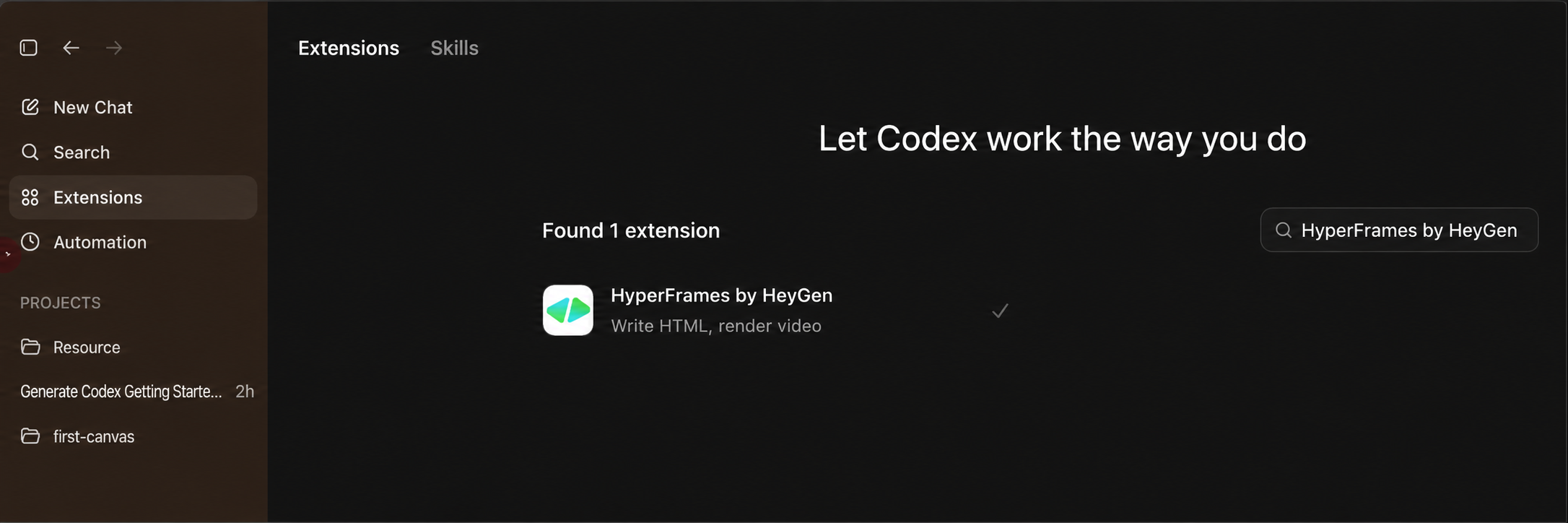
-
Search for HyperFrames by HeyGen and click install. No restart is needed; it can be called in the next chat message.
-
Ask GPT to help write a prompt. HyperFrames depends heavily on detailed descriptions of pacing, subtitles, and transitions:
Help me generate a prompt for creating a short video with HyperFrames by HeyGen about <topic>, in a <style keywords> style. Please optimize it.
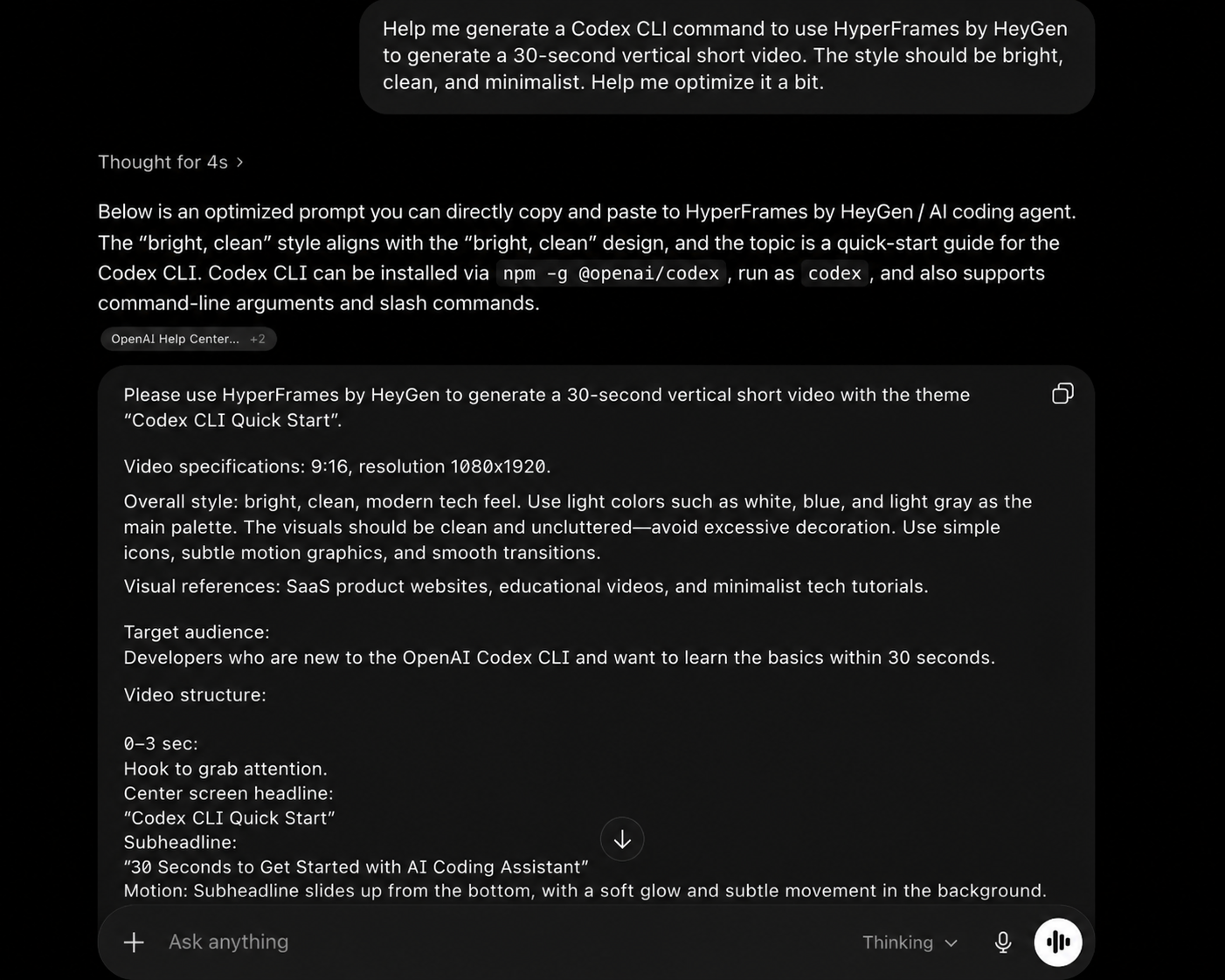
-
Copy the prompt into the Codex chat box and press Enter.
Codex App automatically runs the full HyperFrames workflow: init project -> write HTML/CSS/GSAP -> lint -> render. In a little over 10 minutes, it outputs a 30-second 1080 x 1920 vertical MP4.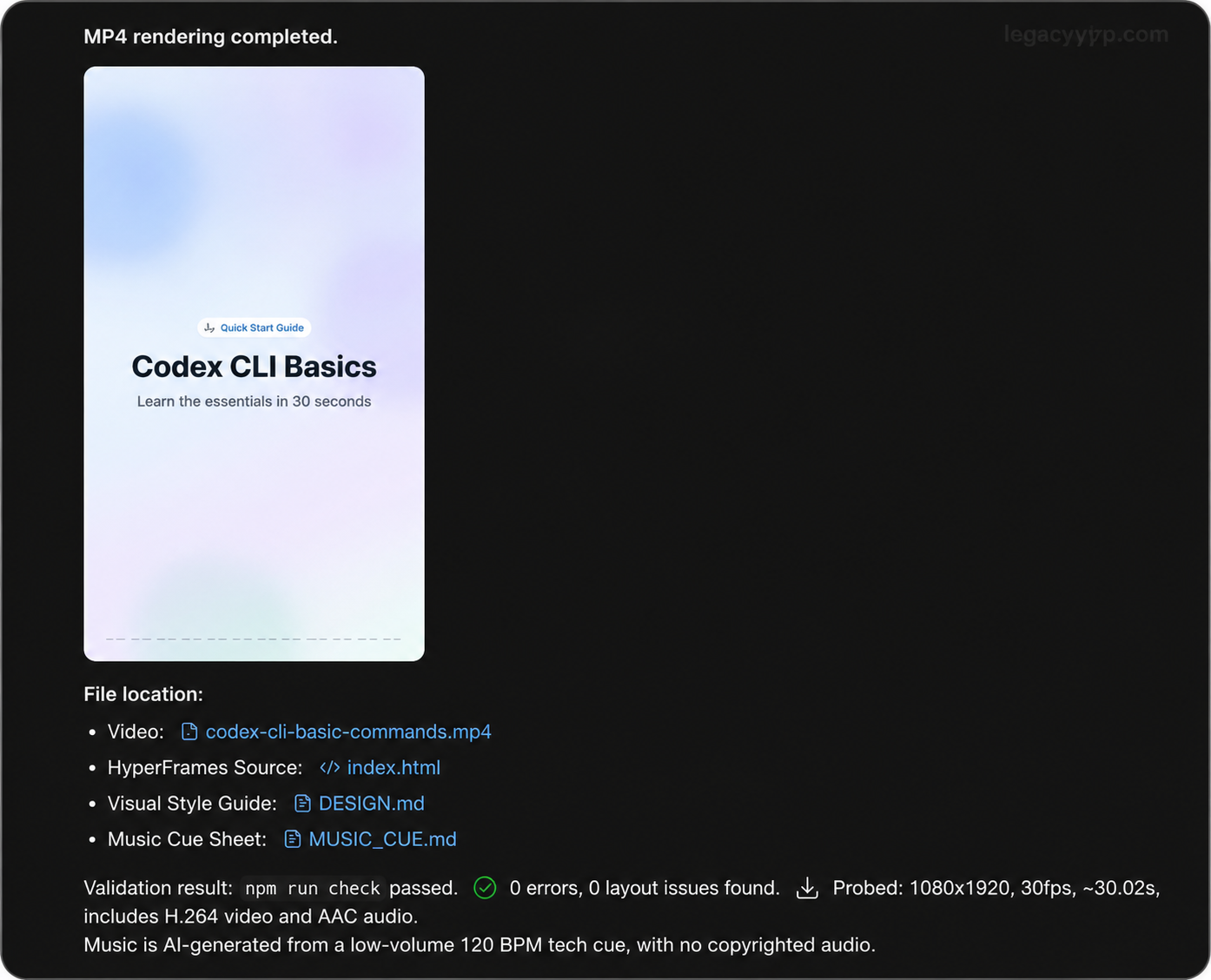
The Claude Code Route
Claude Code currently does not have a centralized plugin marketplace. This is the biggest difference from Codex App. So the HyperFrames skill cannot be installed with one click inside the app. It has to be installed locally from the command line.
Step 1: Install the Skill in Your Project Directory
GIT_LFS_SKIP_SMUDGE=1 npx skills add heygen-com/hyperframes
GIT_LFS_SKIP_SMUDGE=1 npx skills add heygen-com/hyperframes
Pitfall to avoid: make sure to include the GIT_LFS_SKIP_SMUDGE=1 environment variable. The HyperFrames repository contains about 240MB of MP4 test baselines through Git LFS, and normal users do not need those files. Without this variable, the install may get stuck while pulling LFS files.
After the command finishes, it installs 15 skills under .agents/skills/ in the current project. This is project-level installation; add -g if you want global installation. Claude Code can recognize them immediately after installation.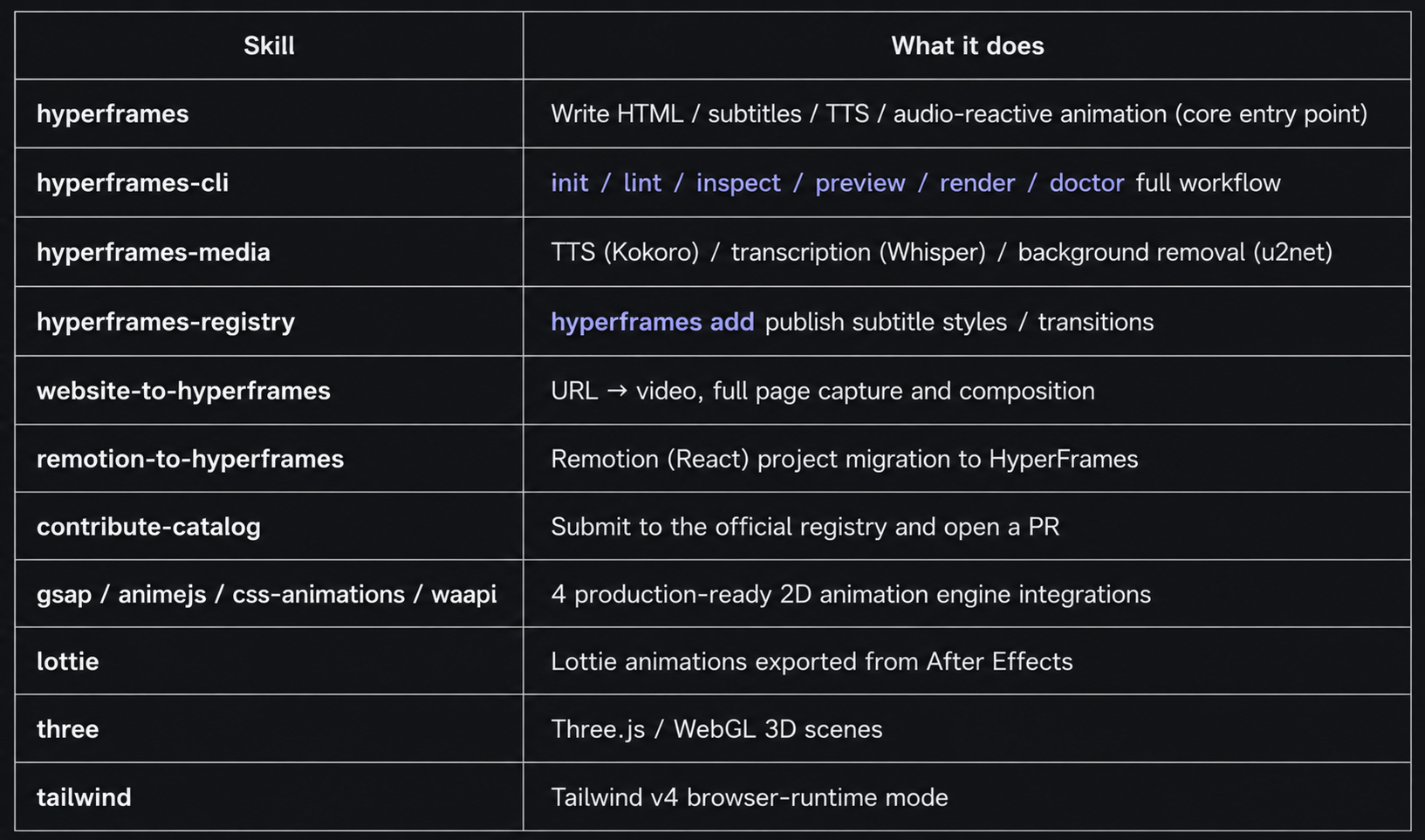
Step 2: Basic Environment Checklist
| Component | Version requirement | macOS install command |
|---|---|---|
| Node.js | >= 22. Older versions can fail directly during the compositor stage | brew install node@22 |
| FFmpeg with ffprobe | Latest stable | brew install ffmpeg |
| Chrome Headless Shell | Managed by HyperFrames, 84MB | npx hyperframes browser ensure |
Note: Chrome Headless Shell is managed separately by HyperFrames. It does not touch the Chrome already installed on your system.
Step 3: Run an Environment Check
npx hyperframes doctor
npx hyperframes doctor
The first run will likely show output like this:
hyperframes doctor

  ✓ Version          0.6.52 (latest)
  ✓ Node.js          v24.14.1 (darwin arm64)
  ✓ CPU              10 cores · Apple M4 @ 2400MHz
  ✗ Memory           16.0 GB total · 0.3 GB free
                     Low memory — renders may fail. Close other apps or increase RAM.
  ✓ Disk             600.5 GB free
  ✓ FFmpeg           ffmpeg version 8.1.1
  ✗ Chrome           Not found
                     Run: npx hyperframes browser ensure
hyperframes doctor

  ✓ Version          0.6.52 (latest)
  ✓ Node.js          v24.14.1 (darwin arm64)
  ✓ CPU              10 cores · Apple M4 @ 2400MHz
  ✗ Memory           16.0 GB total · 0.3 GB free
                     Low memory — renders may fail. Close other apps or increase RAM.
  ✓ Disk             600.5 GB free
  ✓ FFmpeg           ffmpeg version 8.1.1
  ✗ Chrome           Not found
                     Run: npx hyperframes browser ensure
Handling the memory warning: if the Memory line shows a Low memory warning, close some background apps first. Rendering can easily run out of memory. On a 16GB Mac, it is best to leave more than 2GB free.
After Chrome is installed, run doctor again. Everything should be green.
Step 4: Give the Prompt to Claude Code
Paste the exact same HyperFrames prompt into the Claude Code chat box. It will automatically call the HyperFrames skill and run the full workflow, producing the same output format as the Codex App route: a 30-second 1080 x 1920 vertical MP4.
In my test, Claude Code completed the full workflow a few minutes faster than Codex.
An Auxiliary Path: Use the Claude API to Write HyperFrames Prompts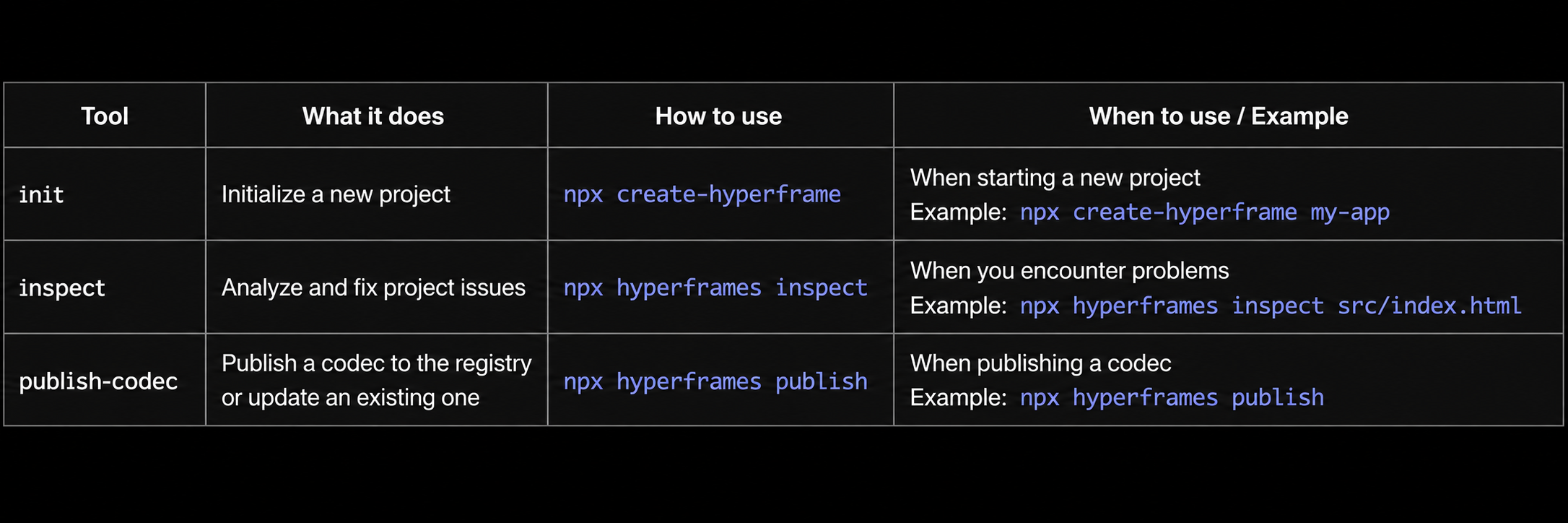
If you do not want to switch to the GPT web interface to write prompts, you can generate them directly with the Claude API. Here is a minimal runnable example. Sonnet 4.6 is a good fit for this kind of lightweight structured generation task, with the best cost-performance balance:
from anthropic import Anthropic

client = Anthropic(
    api_key="sk-xxx",
    base_url="https://gw.claudeapi.com"
)

prompt = """Please generate a HyperFrames by HeyGen video prompt.

Topic: Quick introduction to basic Claude Code commands
Style: bright and clean, fast-paced, clear subtitles
Requirements:
- 30-second video, vertical 1080 x 1920
- Include 5-6 key commands
- Clearly describe the layout, subtitles, animation, and transitions for each frame
- Output in standard HyperFrames prompt format"""

resp = client.messages.create(
    model="claude-sonnet-4-6",
    max_tokens=2048,
    messages=[{"role": "user", "content": prompt}]
)
print(resp.content[0].text)
from anthropic import Anthropic

client = Anthropic(
    api_key="sk-xxx",
    base_url="https://gw.claudeapi.com"
)

prompt = """Please generate a HyperFrames by HeyGen video prompt.

Topic: Quick introduction to basic Claude Code commands
Style: bright and clean, fast-paced, clear subtitles
Requirements:
- 30-second video, vertical 1080 x 1920
- Include 5-6 key commands
- Clearly describe the layout, subtitles, animation, and transitions for each frame
- Output in standard HyperFrames prompt format"""

resp = client.messages.create(
    model="claude-sonnet-4-6",
    max_tokens=2048,
    messages=[{"role": "user", "content": prompt}]
)
print(resp.content[0].text)
Node.js version:
import Anthropic from "@anthropic-ai/sdk";

const client = new Anthropic({
  apiKey: process.env.ANTHROPIC_API_KEY,
  baseURL: "https://gw.claudeapi.com"
});

const resp = await client.messages.create({
  model: "claude-sonnet-4-6",
  max_tokens: 2048,
  messages: [{
    role: "user",
    content: "Help me generate a HyperFrames video prompt. Topic: <your topic>. Style: <bright / dark / cyberpunk>."
  }]
});
console.log(resp.content[0].text);
import Anthropic from "@anthropic-ai/sdk";

const client = new Anthropic({
  apiKey: process.env.ANTHROPIC_API_KEY,
  baseURL: "https://gw.claudeapi.com"
});

const resp = await client.messages.create({
  model: "claude-sonnet-4-6",
  max_tokens: 2048,
  messages: [{
    role: "user",
    content: "Help me generate a HyperFrames video prompt. Topic: <your topic>. Style: <bright / dark / cyberpunk>."
  }]
});
console.log(resp.content[0].text);
After the prompt is generated, copy it into Claude Code and HyperFrames can run directly. The full pipeline becomes: Claude API writes the prompt -> Claude Code calls the HyperFrames skill to render.
Comparing the Two Routes After Running Both Videos
| Dimension | Codex App | Claude Code |
|---|---|---|
| Installation difficulty | One-click install from plugin marketplace | Command-line npx skills add |
| Environment dependencies | Built into the app | Node 22+ / FFmpeg / Chrome Headless |
| Time to render a 30s video | About 10-13 minutes | About 7-10 minutes |
| Pacing stability | More stable overall | Some individual pages look stronger |
| Text detail handling | Slightly better | Slightly weaker |
| Opening cover | Standard | More polished |
Conclusion:
- Want the fastest setup -> Codex App
- Want faster runs and stronger visuals on some pages -> Claude Code
- Neither side is “better across the board.” They have different strengths, so it is worth running the same topic on both platforms and comparing the results
My test was a single direct run. After Claude Code finishes, it proactively gives optimization suggestions. Running a second pass based on those suggestions should improve the result.
Minimal Getting-Started Checklist
If you want to try generating one yourself, paste these three steps into Claude Code as-is, or run them manually:
# 1. Environment check
npx hyperframes doctor

# 2. Install Chrome if missing
npx hyperframes browser ensure

# 3. Install the skill for the Claude Code route
# Codex App uses the in-app plugin menu instead
GIT_LFS_SKIP_SMUDGE=1 npx skills add heygen-com/hyperframes
# 1. Environment check
npx hyperframes doctor

# 2. Install Chrome if missing
npx hyperframes browser ensure

# 3. Install the skill for the Claude Code route
# Codex App uses the in-app plugin menu instead
GIT_LFS_SKIP_SMUDGE=1 npx skills add heygen-com/hyperframes
Lazy prompt option: ask the Claude API or the GPT web version directly:
Help me generate a short video prompt for HyperFrames by HeyGen.
Topic: <your topic>
Style: <bright and clean / dark cyberpunk / retro hand-drawn ...>
Length: 30 seconds, vertical 1080 x 1920
Please optimize the pacing, subtitles, and transitions.
Help me generate a short video prompt for HyperFrames by HeyGen.
Topic: <your topic>
Style: <bright and clean / dark cyberpunk / retro hand-drawn ...>
Length: 30 seconds, vertical 1080 x 1920
Please optimize the pacing, subtitles, and transitions.
Final Thoughts
When a new tool launches, it is worth trying it across multiple platforms. The core is really the capability of the underlying AI agent. Codex and Claude Code each have their own strengths, and running the same HyperFrames prompt through both can give you a material library with different visual flavors.
claudeapi.com now supports the full Claude lineup, including Opus 4.7 / 4.6, Sonnet 4.6, and Haiku 4.5. It is compatible with both the Anthropic SDK and OpenAI-style API formats. For Claude Code base_url configuration, see the console documentation.
May your content library never run out of clips.