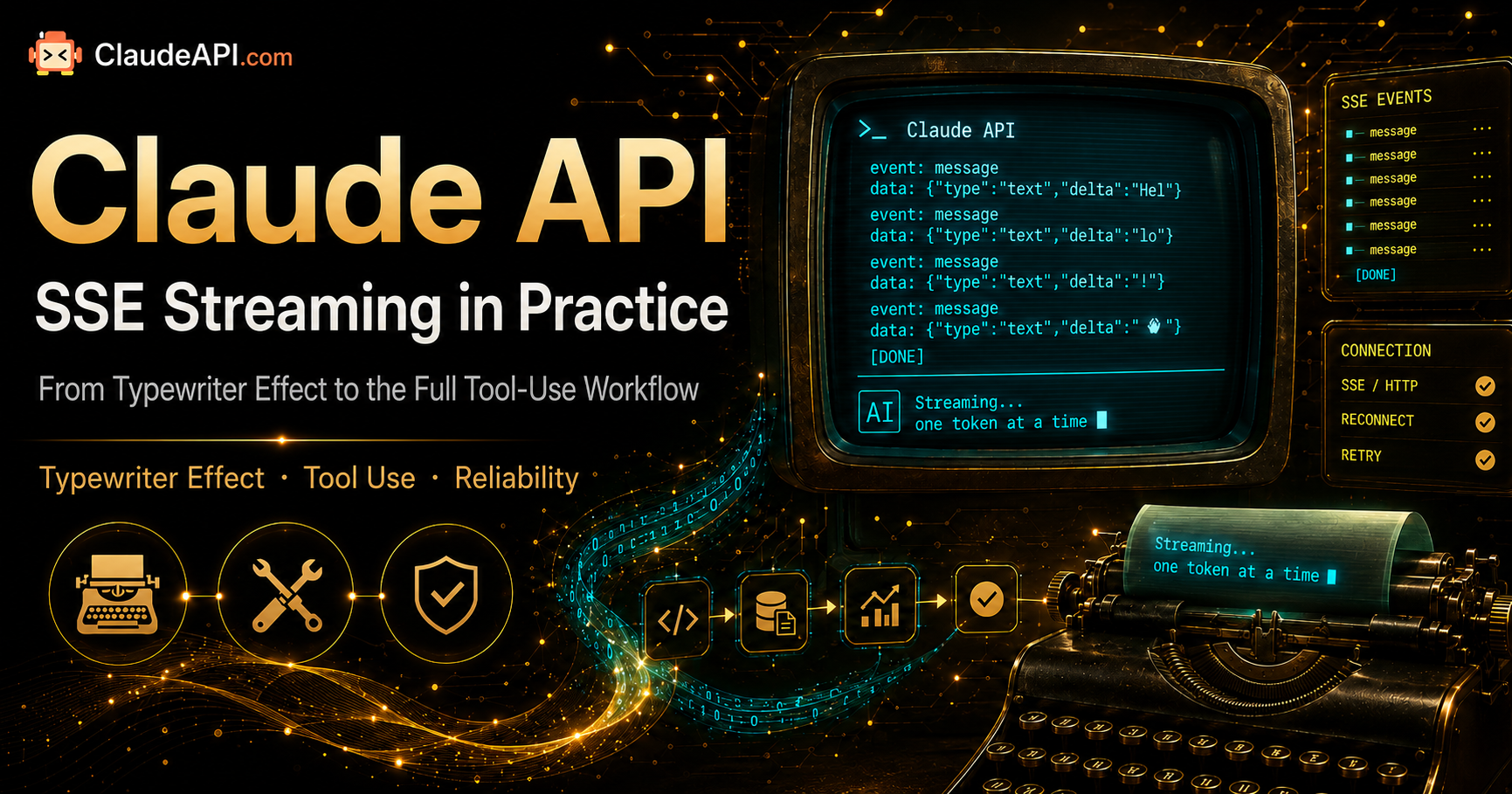
Claude API Streaming (SSE) in Practice: From Typewriter Effects to Complete Tool Use Workflows
Most people start with Claude API by calling messages.create() and waiting for the full response — send a request, wait a few seconds, get the complete output back. This works fine until you need to build a chat interface, generate long-form content, or implement Agent tool calling. That’s when you hit the wall: slow responses, users staring at blank screens, and long outputs timing out with 524 errors.
That’s when streaming becomes mandatory. Claude API’s streaming protocol uses SSE (Server-Sent Events), and the event structure differs from OpenAI’s — one misstep and your frontend goes blank or displays garbled text. This article walks through Python, Node.js, and cURL implementations, then covers streaming Tool Use, reconnection on disconnect, frontend typewriter effects, and production-grade error handling.
By the end, you’ll have:
- Minimal runnable code in three languages
- An SSE event type reference table (so you don’t have to keep flipping through the docs)
- The right approach to streaming Tool Use (the biggest pitfall in Agent projects)
- How to resume seamlessly after a disconnect
- Frontend EventSource implementation for typewriter effects
1. Why Streaming Is Non-Negotiable: Three Must-Have Scenarios
Treating streaming as “nice to have” is the biggest misconception. In these three scenarios, not using streaming is an engineering defect.
Scenario 1: Long-Context Output (>2K tokens)
When Opus 4.7 generates a 4K token response, the time from first token to last token typically exceeds 30 seconds. In non-streaming mode, the HTTP request either shows a blank screen for 30 seconds or hits the reverse proxy or CDN’s 60-second timeout limit (most commonly a 524 error). In streaming mode, the first token usually arrives within 800ms, and users see content immediately.
Scenario 2: Agent Tool Calling Loops
A single Agent inference may produce 3-5 tool_use blocks. In non-streaming mode, you have to wait for the entire response before you can start executing tools. In streaming mode, you can start calling the first tool as soon as its tool_use block completes, while the second block continues generating — cutting overall latency nearly in half.
Scenario 3: Chat Interfaces and IDE Integration
Clients like Cursor, Claude Code, and Cherry Studio deliver a “silky smooth typewriter” experience entirely through SSE. If you’re building an internal ChatBot and want the same effect, your frontend must use EventSource or fetch + ReadableStream to receive the stream.
2. SSE Event Structure: Memorize This Table First
Claude’s streaming response is a series of SSE events — 9 event types in total. Writing parsing logic without understanding the event structure guarantees you’ll hit issues.
| Event Type | When It Fires | Key Fields | What You Should Do |
|---|---|---|---|
message_start |
Response begins | message.id, usage.input_tokens |
Record message ID; initialize input token count |
content_block_start |
A new content block begins | index, content_block.type |
Determine if it’s text, thinking, or tool_use |
content_block_delta |
Incremental content | delta.type, delta.text / delta.partial_json |
Append to the content block at this index |
content_block_stop |
Current content block ends | index |
Close this block (for tool_use, you can trigger execution once complete) |
message_delta |
Message-level metadata update | delta.stop_reason, usage.output_tokens |
Update output token count and stop reason |
message_stop |
Entire response ends | — | Cleanup, close connection |
ping |
Keepalive heartbeat | — | Ignore |
error |
Server-side error | error.type, error.message |
Terminate immediately; consider retry |
Key insight: A single response may contain multiple content_block_* sequences, distinguished by index. Text block deltas are in delta.text, while tool_use block deltas are in delta.partial_json (note: this is a string delta that needs to be concatenated before JSON.parse).
3. Minimal Runnable Code: Three Languages
3.1 Python (Anthropic SDK, Recommended)
The official SDK handles SSE parsing for you. The cleanest approach is the messages.stream() context manager:
import anthropic

client = anthropic.Anthropic(
    api_key="sk-yourClaudeAPIkey",
    base_url="https://gw.claudeapi.com"
)

with client.messages.stream(
    model="claude-opus-4-7",
    max_tokens=2048,
    messages=[{"role": "user", "content": "Write an opening paragraph for a technical blog about streaming output"}]
) as stream:
    for text in stream.text_stream:
        print(text, end="", flush=True)

    # After the stream ends, access the complete message object
    final_message = stream.get_final_message()
    print(f"\n\n[Input {final_message.usage.input_tokens} tokens, "
          f"Output {final_message.usage.output_tokens} tokens]")
import anthropic

client = anthropic.Anthropic(
    api_key="sk-yourClaudeAPIkey",
    base_url="https://gw.claudeapi.com"
)

with client.messages.stream(
    model="claude-opus-4-7",
    max_tokens=2048,
    messages=[{"role": "user", "content": "Write an opening paragraph for a technical blog about streaming output"}]
) as stream:
    for text in stream.text_stream:
        print(text, end="", flush=True)

    # After the stream ends, access the complete message object
    final_message = stream.get_final_message()
    print(f"\n\n[Input {final_message.usage.input_tokens} tokens, "
          f"Output {final_message.usage.output_tokens} tokens]")
stream.text_stream only iterates over text deltas, filtering out thinking, tool_use, and other blocks — most convenient for pure chat.
For finer control over raw events (e.g., handling both thinking and text simultaneously):
with client.messages.stream(
    model="claude-opus-4-7",
    max_tokens=2048,
    messages=[{"role": "user", "content": "..."}]
) as stream:
    for event in stream:
        if event.type == "content_block_start":
            print(f"\n[block #{event.index} start: {event.content_block.type}]")
        elif event.type == "content_block_delta":
            if event.delta.type == "text_delta":
                print(event.delta.text, end="", flush=True)
        elif event.type == "message_stop":
            print("\n[done]")
with client.messages.stream(
    model="claude-opus-4-7",
    max_tokens=2048,
    messages=[{"role": "user", "content": "..."}]
) as stream:
    for event in stream:
        if event.type == "content_block_start":
            print(f"\n[block #{event.index} start: {event.content_block.type}]")
        elif event.type == "content_block_delta":
            if event.delta.type == "text_delta":
                print(event.delta.text, end="", flush=True)
        elif event.type == "message_stop":
            print("\n[done]")
3.2 Node.js / TypeScript
import Anthropic from "@anthropic-ai/sdk";

const client = new Anthropic({
  apiKey: "sk-yourClaudeAPIkey",
  baseURL: "https://gw.claudeapi.com",
});

const stream = client.messages.stream({
  model: "claude-opus-4-7",
  max_tokens: 2048,
  messages: [{ role: "user", content: "Write an opening paragraph for a technical blog about streaming output" }],
});

for await (const event of stream) {
  if (
    event.type === "content_block_delta" &&
    event.delta.type === "text_delta"
  ) {
    process.stdout.write(event.delta.text);
  }
}

const final = await stream.finalMessage();
console.log(`\n\n[input ${final.usage.input_tokens}, output ${final.usage.output_tokens}]`);
import Anthropic from "@anthropic-ai/sdk";

const client = new Anthropic({
  apiKey: "sk-yourClaudeAPIkey",
  baseURL: "https://gw.claudeapi.com",
});

const stream = client.messages.stream({
  model: "claude-opus-4-7",
  max_tokens: 2048,
  messages: [{ role: "user", content: "Write an opening paragraph for a technical blog about streaming output" }],
});

for await (const event of stream) {
  if (
    event.type === "content_block_delta" &&
    event.delta.type === "text_delta"
  ) {
    process.stdout.write(event.delta.text);
  }
}

const final = await stream.finalMessage();
console.log(`\n\n[input ${final.usage.input_tokens}, output ${final.usage.output_tokens}]`);
Or use the more concise .on("text") event subscription:
client.messages
  .stream({
    model: "claude-opus-4-7",
    max_tokens: 2048,
    messages: [{ role: "user", content: "..." }],
  })
  .on("text", (text) => process.stdout.write(text))
  .on("finalMessage", (msg) => console.log("\ndone:", msg.usage));
client.messages
  .stream({
    model: "claude-opus-4-7",
    max_tokens: 2048,
    messages: [{ role: "user", content: "..." }],
  })
  .on("text", (text) => process.stdout.write(text))
  .on("finalMessage", (msg) => console.log("\ndone:", msg.usage));
3.3 cURL (Raw SSE — Essential for Debugging and Proxies)
When troubleshooting, using cURL to see the raw event stream is the fastest approach:
curl -N https://gw.claudeapi.com/v1/messages \
  -H "x-api-key: sk-yourClaudeAPIkey" \
  -H "anthropic-version: 2023-06-01" \
  -H "content-type: application/json" \
  -d '{
    "model": "claude-opus-4-7",
    "max_tokens": 1024,
    "stream": true,
    "messages": [{"role": "user", "content": "Hello"}]
  }'
curl -N https://gw.claudeapi.com/v1/messages \
  -H "x-api-key: sk-yourClaudeAPIkey" \
  -H "anthropic-version: 2023-06-01" \
  -H "content-type: application/json" \
  -d '{
    "model": "claude-opus-4-7",
    "max_tokens": 1024,
    "stream": true,
    "messages": [{"role": "user", "content": "Hello"}]
  }'
Note the -N flag disables buffering — without it, cURL will wait until the response ends before outputting everything at once. You’ll see a stream like:
event: message_start
data: {"type":"message_start","message":{...}}

event: content_block_start
data: {"type":"content_block_start","index":0,...}

event: content_block_delta
data: {"type":"content_block_delta","index":0,"delta":{"type":"text_delta","text":"Hello"}}
...
event: message_start
data: {"type":"message_start","message":{...}}

event: content_block_start
data: {"type":"content_block_start","index":0,...}

event: content_block_delta
data: {"type":"content_block_delta","index":0,"delta":{"type":"text_delta","text":"Hello"}}
...
4. Streaming Tool Use: The Most Common Pitfall in Agent Projects
Tool calling blocks have their deltas in delta.partial_json, which is string concatenation before parsing. Trying to JSON.parse each delta individually will always fail.
import json

tool_inputs: dict[int, str] = {}   # index → accumulated json string
tool_meta: dict[int, dict] = {}    # index → {"name": ..., "id": ...}

with client.messages.stream(
    model="claude-opus-4-7",
    max_tokens=2048,
    tools=[{
        "name": "get_weather",
        "description": "Query weather for a city",
        "input_schema": {
            "type": "object",
            "properties": {"city": {"type": "string"}},
            "required": ["city"]
        }
    }],
    messages=[{"role": "user", "content": "What's the weather in Shanghai?"}]
) as stream:
    for event in stream:
        if event.type == "content_block_start":
            block = event.content_block
            if block.type == "tool_use":
                tool_meta[event.index] = {"name": block.name, "id": block.id}
                tool_inputs[event.index] = ""
        elif event.type == "content_block_delta":
            if event.delta.type == "input_json_delta":
                tool_inputs[event.index] += event.delta.partial_json
        elif event.type == "content_block_stop":
            if event.index in tool_inputs:
                args = json.loads(tool_inputs[event.index])
                meta = tool_meta[event.index]
                print(f"[tool call] {meta['name']}({args})")
                # Execute the tool immediately — no need to wait for the entire response
import json

tool_inputs: dict[int, str] = {}   # index → accumulated json string
tool_meta: dict[int, dict] = {}    # index → {"name": ..., "id": ...}

with client.messages.stream(
    model="claude-opus-4-7",
    max_tokens=2048,
    tools=[{
        "name": "get_weather",
        "description": "Query weather for a city",
        "input_schema": {
            "type": "object",
            "properties": {"city": {"type": "string"}},
            "required": ["city"]
        }
    }],
    messages=[{"role": "user", "content": "What's the weather in Shanghai?"}]
) as stream:
    for event in stream:
        if event.type == "content_block_start":
            block = event.content_block
            if block.type == "tool_use":
                tool_meta[event.index] = {"name": block.name, "id": block.id}
                tool_inputs[event.index] = ""
        elif event.type == "content_block_delta":
            if event.delta.type == "input_json_delta":
                tool_inputs[event.index] += event.delta.partial_json
        elif event.type == "content_block_stop":
            if event.index in tool_inputs:
                args = json.loads(tool_inputs[event.index])
                meta = tool_meta[event.index]
                print(f"[tool call] {meta['name']}({args})")
                # Execute the tool immediately — no need to wait for the entire response
Key points:
- On
content_block_start, capturetool_use.nameandtool_use.id - Concatenate strings from
input_json_delta - Only
json.loadsoncontent_block_stop
Parsing too early is the most common mistake and will throw JSONDecodeError.
5. Reconnection on Disconnect: Production Requirement
Network instability, mobile base station handoffs, and reverse proxy restarts can all cause SSE to disconnect mid-stream. Claude API doesn’t support server-side resumption, but you can implement client-side fallback by recording partial output from message_delta.
Robust pattern:
def stream_with_retry(messages, max_retries=2):
    accumulated = ""
    for attempt in range(max_retries + 1):
        try:
            with client.messages.stream(
                model="claude-opus-4-7",
                max_tokens=4096,
                messages=messages
            ) as stream:
                for text in stream.text_stream:
                    accumulated += text
                    yield text
                return
        except (anthropic.APIConnectionError, anthropic.APITimeoutError) as e:
            if attempt == max_retries:
                raise
            # Append already-generated content to context, have model continue
            messages = messages + [
                {"role": "assistant", "content": accumulated},
                {"role": "user", "content": "Please continue from where you left off without repeating what you've already written."}
            ]
            print(f"\n[stream broke at {len(accumulated)} chars, retrying...]")
def stream_with_retry(messages, max_retries=2):
    accumulated = ""
    for attempt in range(max_retries + 1):
        try:
            with client.messages.stream(
                model="claude-opus-4-7",
                max_tokens=4096,
                messages=messages
            ) as stream:
                for text in stream.text_stream:
                    accumulated += text
                    yield text
                return
        except (anthropic.APIConnectionError, anthropic.APITimeoutError) as e:
            if attempt == max_retries:
                raise
            # Append already-generated content to context, have model continue
            messages = messages + [
                {"role": "assistant", "content": accumulated},
                {"role": "user", "content": "Please continue from where you left off without repeating what you've already written."}
            ]
            print(f"\n[stream broke at {len(accumulated)} chars, retrying...]")
Key points:
- Only retry on network-layer exceptions (
APIConnectionError,APITimeoutError) — don’t retry 4xx errors - On retry, insert already-received content into an assistant message so the model continues rather than starting over
- Keep
max_retries≤ 3 — users will lose patience beyond that
6. Frontend Typewriter Effect: Browser-Side Implementation
The browser’s native EventSource doesn’t support custom headers (can’t pass the API Key), so you must use fetch + ReadableStream. Best practice is to add a backend proxy layer for authentication to avoid exposing the key to the frontend.
Backend forwarding example (Node.js / Express):
import express from "express";
import Anthropic from "@anthropic-ai/sdk";

const app = express();
app.use(express.json());

const client = new Anthropic({
  apiKey: process.env.CLAUDE_API_KEY,
  baseURL: "https://gw.claudeapi.com",
});

app.post("/api/chat", async (req, res) => {
  res.setHeader("Content-Type", "text/event-stream");
  res.setHeader("Cache-Control", "no-cache");
  res.setHeader("Connection", "keep-alive");

  const stream = client.messages.stream({
    model: "claude-sonnet-4-6",
    max_tokens: 2048,
    messages: req.body.messages,
  });

  for await (const event of stream) {
    if (event.type === "content_block_delta" && event.delta.type === "text_delta") {
      res.write(`data: ${JSON.stringify({ text: event.delta.text })}\n\n`);
    }
  }
  res.write("data: [DONE]\n\n");
  res.end();
});
import express from "express";
import Anthropic from "@anthropic-ai/sdk";

const app = express();
app.use(express.json());

const client = new Anthropic({
  apiKey: process.env.CLAUDE_API_KEY,
  baseURL: "https://gw.claudeapi.com",
});

app.post("/api/chat", async (req, res) => {
  res.setHeader("Content-Type", "text/event-stream");
  res.setHeader("Cache-Control", "no-cache");
  res.setHeader("Connection", "keep-alive");

  const stream = client.messages.stream({
    model: "claude-sonnet-4-6",
    max_tokens: 2048,
    messages: req.body.messages,
  });

  for await (const event of stream) {
    if (event.type === "content_block_delta" && event.delta.type === "text_delta") {
      res.write(`data: ${JSON.stringify({ text: event.delta.text })}\n\n`);
    }
  }
  res.write("data: [DONE]\n\n");
  res.end();
});
Frontend consumption:
async function chat(messages: any[], onText: (s: string) => void) {
  const resp = await fetch("/api/chat", {
    method: "POST",
    headers: { "Content-Type": "application/json" },
    body: JSON.stringify({ messages }),
  });

  const reader = resp.body!.getReader();
  const decoder = new TextDecoder();
  let buffer = "";

  while (true) {
    const { value, done } = await reader.read();
    if (done) break;
    buffer += decoder.decode(value, { stream: true });

    const lines = buffer.split("\n\n");
    buffer = lines.pop() ?? "";
    for (const line of lines) {
      if (!line.startsWith("data: ")) continue;
      const data = line.slice(6);
      if (data === "[DONE]") return;
      const { text } = JSON.parse(data);
      onText(text);
    }
  }
}
async function chat(messages: any[], onText: (s: string) => void) {
  const resp = await fetch("/api/chat", {
    method: "POST",
    headers: { "Content-Type": "application/json" },
    body: JSON.stringify({ messages }),
  });

  const reader = resp.body!.getReader();
  const decoder = new TextDecoder();
  let buffer = "";

  while (true) {
    const { value, done } = await reader.read();
    if (done) break;
    buffer += decoder.decode(value, { stream: true });

    const lines = buffer.split("\n\n");
    buffer = lines.pop() ?? "";
    for (const line of lines) {
      if (!line.startsWith("data: ")) continue;
      const data = line.slice(6);
      if (data === "[DONE]") return;
      const { text } = JSON.parse(data);
      onText(text);
    }
  }
}
Note the buffer concatenation logic — SSE’s \n\n delimiter can span chunks, so without buffering you’ll lose characters.
7. Pitfall Checklist
Pitfall 1: Nginx reverse proxy buffers SSE by default — frontend never receives the first token. Add proxy_buffering off; to your proxy config, and if necessary proxy_cache off; and proxy_read_timeout 600s;. Cloudflare users should check if “Caching” is being hit and disable if necessary.
Pitfall 2: tool_use block input is partial_json, not text. Don’t look for tool arguments in the text_delta branch — you’ll never find them. Remember the event structure: text_delta is for text blocks, input_json_delta is for tool_use blocks.
Pitfall 3: stream=True is incompatible with count_tokens. For precise cost tracking, get it from final_message.usage after the stream ends, or use client.messages.count_tokens() to estimate before the request.
Pitfall 4: Mobile 4G/5G handoffs break keepalive. Record the message ID on message_start, and on disconnect retry by inserting already-received text into an assistant message for the model to continue (see Section 5 code).
Pitfall 5: Extended Thinking + streaming adds another event type. Thinking blocks use thinking_delta rather than text_delta — if your frontend only concatenates text_delta, you’ll lose the thinking content. Explicitly decide whether to display thinking, then write the parsing branches accordingly.
8. Performance Reference
Here’s a real-world comparison using the same prompt (generate a 2K token technical document) over a network connection, using the claudeapi.com direct access endpoint:
| Mode | Time to First Token | Total Time | User Perception |
|---|---|---|---|
| Non-streaming | — | 28.4s | Blank screen for 28s |
| Streaming (Sonnet 4.6) | 720ms | 26.9s | First character appears immediately |
| Streaming (Opus 4.7) | 980ms | 35.2s | First character appears immediately |
| Streaming (Haiku 4.5) | 410ms | 11.8s | Extremely smooth |
Non-streaming ≈ streaming total time, but the user experience difference is massive — time to first token is the dividing line.
Summary
Streaming output isn’t “optional optimization” — it’s a mandatory step for taking Claude API to production. Three core takeaways:
- Understand the event structure before writing code — 9 event types,
text_deltavsinput_json_deltamust be clear - Tool Use uses partial_json concatenation — only parse on
content_block_stop - Production requires reconnection handling — only retry network exceptions, and have the model continue on retry
Access the complete streaming interface for Claude Opus 4.7, Sonnet 4.6, and Haiku 4.5 through claudeapi.com with stable latency under 200ms. Just replace base_url with https://gw.claudeapi.com — pay-as-you-go billing. Full pricing and documentation at claudeapi.com.