Claude API PDF Document Q&A in Practice: The Complete Guide from Native Parsing to Page-Level Citations
You receive a 60-page vendor contract. Your boss wants to know “within 30 minutes, how the breach clauses are worded, how many payment milestones there are, and whether there’s an auto-renewal provision.” You open the PDF and try Ctrl+F, only to find the key clauses are riddled with vague references like “the Party” and “the aforementioned matters” — search is useless.
This is Claude API’s sweet spot. Claude natively supports PDF input — no need to run OCR first, no need to chunk, no need to build your own RAG. But many people still hit pitfalls after integrating: the hard 100-page limit, the 32 MB request body cap, citations enabled but unable to pinpoint the source page, and the same document re-uploaded every time burning tokens.
This post walks through a real contract Q&A workflow, covering the four ways to upload PDFs, page-level citation references, prompt caching for reuse, and strategies for splitting oversized documents — with copy-paste-ready code throughout. All examples use claudeapi.com as the API endpoint to avoid timeout issues caused by firewall blocks on api.anthropic.com.
1. How Claude’s PDF Support Actually Works
Many people assume Claude’s PDF processing is “run OCR in the background to extract text, then feed it to the model” — it’s not. Claude treats PDFs as hybrid visual + text input: each page is understood both as an image (preserving layout, tables, seals, handwritten notes) and as an extracted text layer (enabling selective citation of specific text passages). This is critical for contracts, financial statements, and research papers where layout carries meaning — headers, signature blocks, footnotes, and cross-page tables are all understood.
The tradeoff is that per-page token consumption is much higher than plain text. A 100-page PDF might contain only 30,000 tokens of text, but as PDF input it consumes 70,000–100,000 tokens (roughly 700–1,000 tokens per page, including image tokens). So don’t stuff content into PDF format just for convenience — if it can be fed as text/markdown, use that instead.
Hard Limits (as of May 2026)
| Constraint | Value | Source |
|---|---|---|
| Max pages per PDF | 100 pages | Anthropic official docs |
| Messages API request body limit | 32 MB | Standard synchronous endpoint |
| Batch API request body limit | 256 MB | Asynchronous batch processing |
| Files API single file limit | 500 MB | Persistent file storage endpoint |
| Organization storage total | 100 GB | Files API global quota |
100 pages is a model-level hard constraint, not a gateway limitation — switching endpoints won’t solve it. Documents exceeding 100 pages must be split manually; Section 4 covers the approach.
Sources: Anthropic PDF support, Files API docs.
2. Four Ways to Upload PDFs — How to Choose
The Claude API offers four methods for feeding PDFs to the model, differing primarily in per-request overhead, reuse cost, and scale suitability.
| Method | Best For | Single File Limit | Cross-Request Reuse | Recommendation |
|---|---|---|---|---|
| Base64 inline | One-off Q&A, documents < 10 MB | 32 MB (entire request body) | No | Quick prototyping |
| URL reference | PDF already hosted at a publicly accessible URL | 32 MB | No | One-off scenarios |
| Files API + file_id | Repeated Q&A on the same document, multi-user sharing | 500 MB | Yes | Production default |
| Batch API | Bulk processing of multiple documents, async acceptable | 256 MB | No | Offline analysis |
90% of production use cases should use Files API: upload once to get a file_id, then reference only the ID in all subsequent queries — eliminating redundant network transfer and base64 encoding overhead. Below are the two most common approaches.
2.1 Base64 Inline (for one-off Q&A)
import anthropic
import base64

client = anthropic.Anthropic(
    api_key="sk-your-ClaudeAPI-key",
    base_url="https://gw.claudeapi.com"
)

with open("contract.pdf", "rb") as f:
    pdf_data = base64.standard_b64encode(f.read()).decode("utf-8")

response = client.messages.create(
    model="claude-opus-4-7",
    max_tokens=4096,
    messages=[
        {
            "role": "user",
            "content": [
                {
                    "type": "document",
                    "source": {
                        "type": "base64",
                        "media_type": "application/pdf",
                        "data": pdf_data,
                    },
                },
                {
                    "type": "text",
                    "text": "Which clause covers breach of contract liability? List the key obligations clause by clause.",
                },
            ],
        }
    ],
)

print(response.content[0].text)
import anthropic
import base64

client = anthropic.Anthropic(
    api_key="sk-your-ClaudeAPI-key",
    base_url="https://gw.claudeapi.com"
)

with open("contract.pdf", "rb") as f:
    pdf_data = base64.standard_b64encode(f.read()).decode("utf-8")

response = client.messages.create(
    model="claude-opus-4-7",
    max_tokens=4096,
    messages=[
        {
            "role": "user",
            "content": [
                {
                    "type": "document",
                    "source": {
                        "type": "base64",
                        "media_type": "application/pdf",
                        "data": pdf_data,
                    },
                },
                {
                    "type": "text",
                    "text": "Which clause covers breach of contract liability? List the key obligations clause by clause.",
                },
            ],
        }
    ],
)

print(response.content[0].text)
Note: Base64 encoding inflates the data size by approximately 33%, so when the original PDF is close to 24 MB, you’re already approaching the 32 MB request body limit.
2.2 Files API Upload + file_id Reuse (Production Default)
Step one: upload the file and obtain the file_id.
import anthropic

client = anthropic.Anthropic(
    api_key="sk-your-ClaudeAPI-key",
    base_url="https://gw.claudeapi.com",
    default_headers={"anthropic-beta": "files-api-2025-04-14"},
)

with open("contract.pdf", "rb") as f:
    uploaded = client.beta.files.upload(
        file=("contract.pdf", f, "application/pdf")
    )

print(uploaded.id)
# e.g., file_011CNha8iCJcU1wXNR6q4V8w
import anthropic

client = anthropic.Anthropic(
    api_key="sk-your-ClaudeAPI-key",
    base_url="https://gw.claudeapi.com",
    default_headers={"anthropic-beta": "files-api-2025-04-14"},
)

with open("contract.pdf", "rb") as f:
    uploaded = client.beta.files.upload(
        file=("contract.pdf", f, "application/pdf")
    )

print(uploaded.id)
# e.g., file_011CNha8iCJcU1wXNR6q4V8w
Step two: all subsequent queries reference this ID — no need to transmit the file again.
response = client.messages.create(
    model="claude-opus-4-7",
    max_tokens=4096,
    extra_headers={"anthropic-beta": "files-api-2025-04-14"},
    messages=[
        {
            "role": "user",
            "content": [
                {
                    "type": "document",
                    "source": {
                        "type": "file",
                        "file_id": "file_011CNha8iCJcU1wXNR6q4V8w",
                    },
                },
                {
                    "type": "text",
                    "text": "How many payment milestones are there? Which clauses define them?",
                },
            ],
        }
    ],
)
response = client.messages.create(
    model="claude-opus-4-7",
    max_tokens=4096,
    extra_headers={"anthropic-beta": "files-api-2025-04-14"},
    messages=[
        {
            "role": "user",
            "content": [
                {
                    "type": "document",
                    "source": {
                        "type": "file",
                        "file_id": "file_011CNha8iCJcU1wXNR6q4V8w",
                    },
                },
                {
                    "type": "text",
                    "text": "How many payment milestones are there? Which clauses define them?",
                },
            ],
        }
    ],
)
Key reminder: The Files API is still in beta — you must include the anthropic-beta: files-api-2025-04-14 header. Files persist until you explicitly call DELETE /v1/files/{file_id}, so remember to clean up unused files to free your 100 GB quota.
2.3 Node.js Version
import Anthropic, { toFile } from "@anthropic-ai/sdk";
import { createReadStream } from "node:fs";

const client = new Anthropic({
  apiKey: "sk-your-ClaudeAPI-key",
  baseURL: "https://gw.claudeapi.com",
  defaultHeaders: { "anthropic-beta": "files-api-2025-04-14" },
});

const uploaded = await client.beta.files.upload({
  file: await toFile(createReadStream("contract.pdf"), "contract.pdf", {
    type: "application/pdf",
  }),
});

const response = await client.messages.create({
  model: "claude-opus-4-7",
  max_tokens: 4096,
  messages: [
    {
      role: "user",
      content: [
        { type: "document", source: { type: "file", file_id: uploaded.id } },
        { type: "text", text: "Which clause covers breach of contract liability?" },
      ],
    },
  ],
});

console.log(response.content[0].text);
import Anthropic, { toFile } from "@anthropic-ai/sdk";
import { createReadStream } from "node:fs";

const client = new Anthropic({
  apiKey: "sk-your-ClaudeAPI-key",
  baseURL: "https://gw.claudeapi.com",
  defaultHeaders: { "anthropic-beta": "files-api-2025-04-14" },
});

const uploaded = await client.beta.files.upload({
  file: await toFile(createReadStream("contract.pdf"), "contract.pdf", {
    type: "application/pdf",
  }),
});

const response = await client.messages.create({
  model: "claude-opus-4-7",
  max_tokens: 4096,
  messages: [
    {
      role: "user",
      content: [
        { type: "document", source: { type: "file", file_id: uploaded.id } },
        { type: "text", text: "Which clause covers breach of contract liability?" },
      ],
    },
  ],
});

console.log(response.content[0].text);
2.4 cURL Verification
# Upload
curl https://gw.claudeapi.com/v1/files \
  -H "x-api-key: sk-your-ClaudeAPI-key" \
  -H "anthropic-version: 2023-06-01" \
  -H "anthropic-beta: files-api-2025-04-14" \
  -F "[email protected];type=application/pdf"

# Query using file_id
curl https://gw.claudeapi.com/v1/messages \
  -H "x-api-key: sk-your-ClaudeAPI-key" \
  -H "anthropic-version: 2023-06-01" \
  -H "anthropic-beta: files-api-2025-04-14" \
  -H "content-type: application/json" \
  -d '{
    "model": "claude-opus-4-7",
    "max_tokens": 1024,
    "messages": [{
      "role": "user",
      "content": [
        {"type": "document", "source": {"type": "file", "file_id": "file_xxx"}},
        {"type": "text", "text": "Summarize the core terms of this document"}
      ]
    }]
  }'
# Upload
curl https://gw.claudeapi.com/v1/files \
  -H "x-api-key: sk-your-ClaudeAPI-key" \
  -H "anthropic-version: 2023-06-01" \
  -H "anthropic-beta: files-api-2025-04-14" \
  -F "[email protected];type=application/pdf"

# Query using file_id
curl https://gw.claudeapi.com/v1/messages \
  -H "x-api-key: sk-your-ClaudeAPI-key" \
  -H "anthropic-version: 2023-06-01" \
  -H "anthropic-beta: files-api-2025-04-14" \
  -H "content-type: application/json" \
  -d '{
    "model": "claude-opus-4-7",
    "max_tokens": 1024,
    "messages": [{
      "role": "user",
      "content": [
        {"type": "document", "source": {"type": "file", "file_id": "file_xxx"}},
        {"type": "text", "text": "Summarize the core terms of this document"}
      ]
    }]
  }'
3. Enabling Citations: Answers with Page Number References
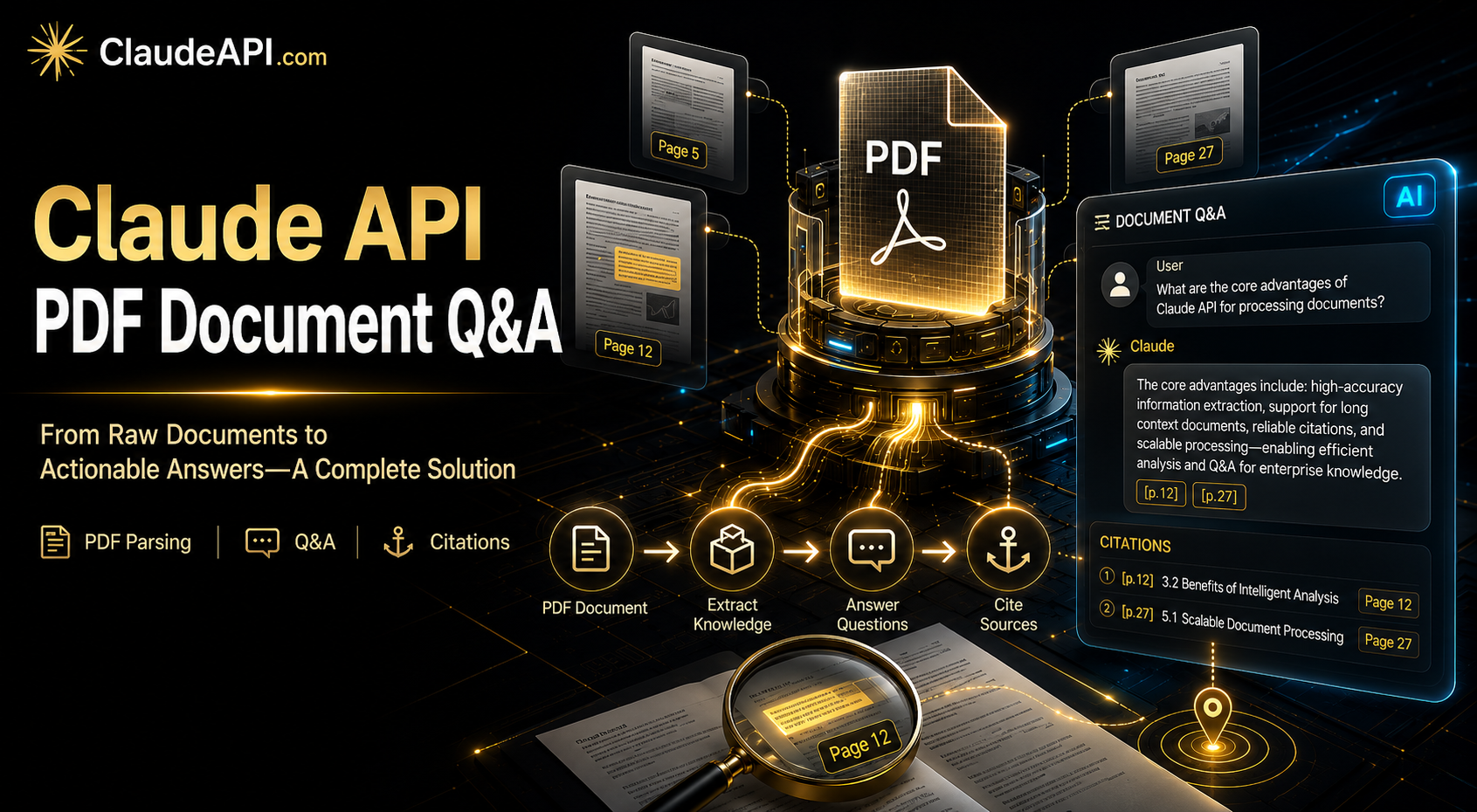
The biggest fear in contract Q&A is “the model says it, so it must be true” — with no way for the reader to verify. Claude’s citations feature forces every factual claim in the answer to include the original source (page number + text block), turning “trust me” into “see the source.”
Just add citations: {"enabled": true} to the document block:
response = client.messages.create(
    model="claude-opus-4-7",
    max_tokens=4096,
    extra_headers={"anthropic-beta": "files-api-2025-04-14"},
    messages=[
        {
            "role": "user",
            "content": [
                {
                    "type": "document",
                    "source": {"type": "file", "file_id": "file_xxx"},
                    "citations": {"enabled": True},
                },
                {
                    "type": "text",
                    "text": "List each payment milestone and indicate where it appears in the original text.",
                },
            ],
        }
    ],
)

for block in response.content:
    if block.type == "text":
        print(block.text)
        if block.citations:
            for c in block.citations:
                print(f"  ↳ Source: page {c.start_page_number}-{c.end_page_number}")
                print(f"    Original text: {c.cited_text[:80]}...")
response = client.messages.create(
    model="claude-opus-4-7",
    max_tokens=4096,
    extra_headers={"anthropic-beta": "files-api-2025-04-14"},
    messages=[
        {
            "role": "user",
            "content": [
                {
                    "type": "document",
                    "source": {"type": "file", "file_id": "file_xxx"},
                    "citations": {"enabled": True},
                },
                {
                    "type": "text",
                    "text": "List each payment milestone and indicate where it appears in the original text.",
                },
            ],
        }
    ],
)

for block in response.content:
    if block.type == "text":
        print(block.text)
        if block.citations:
            for c in block.citations:
                print(f"  ↳ Source: page {c.start_page_number}-{c.end_page_number}")
                print(f"    Original text: {c.cited_text[:80]}...")
Output looks like:
The first payment milestone is within 7 business days of contract execution, amounting to 30% of the total contract value.
  ↳ Source: page 12-12
    Original text: Party A shall, within seven (7) business days of the signing of this contract, pay Party B thirty percent...
The first payment milestone is within 7 business days of contract execution, amounting to 30% of the total contract value.
  ↳ Source: page 12-12
    Original text: Party A shall, within seven (7) business days of the signing of this contract, pay Party B thirty percent...
The business benefit: The frontend can render page numbers directly as jump links, letting users click to navigate to the exact source location — a standard UX requirement in legal, financial, and medical document Q&A systems.
4. What to Do When Documents Exceed 100 Pages
100 pages is the model’s hard limit, but in practice, contract appendices, annual reports, and technical specifications regularly run to two or three hundred pages. There are three approaches, listed by priority:
Approach 1: Semantic splitting, not mechanical 100-page chunks
Naively splitting at page 100 will cut a clause in half, causing context fragmentation during Q&A. A better approach is to split at chapter, appendix, or table-of-contents boundaries — first use a cheap call to have Sonnet output the “table of contents structure + start/end pages per chapter,” then split by chapter. This costs one extra call, but you only split each document once, and all subsequent queries use the cached file_ids.
Approach 2: Batch API + index file
Split the PDF into multiple parts (each ≤ 100 pages), upload all of them via the Files API, and maintain a local index of {section_name: file_id}. When a question comes in, first use a lightweight call to have Haiku 4.5 determine “which chapter does this question fall under,” then call only the corresponding section’s file_id. This “routing + targeted retrieval” approach saves over 70% of tokens compared to feeding the entire document to the model.
Approach 3: RAG as a fallback
If the document has no discernible structure (scanned pages, mixed documents), or if you need cross-document retrieval, fall back to classic RAG — embed each page into a vector database, retrieve the top-k pages at query time, then have Claude read them. The Files API doesn’t replace RAG; it eliminates the indexing overhead for small-scale document Q&A.
5. Prompt Caching: Cut Repeated Reading Costs to 1/10
If the same contract will be queried repeatedly (a common legal team scenario), stuffing the PDF content into the context every time gets expensive fast. With prompt caching enabled, the document’s tokens are charged at full price only on the first query — subsequent reuse within a 5-minute window is billed at 1/10 the rate.
response = client.messages.create(
    model="claude-opus-4-7",
    max_tokens=4096,
    extra_headers={"anthropic-beta": "files-api-2025-04-14"},
    messages=[
        {
            "role": "user",
            "content": [
                {
                    "type": "document",
                    "source": {"type": "file", "file_id": "file_xxx"},
                    "cache_control": {"type": "ephemeral"},
                },
                {
                    "type": "text",
                    "text": "Which page contains the breach of contract clause?",
                },
            ],
        }
    ],
)
response = client.messages.create(
    model="claude-opus-4-7",
    max_tokens=4096,
    extra_headers={"anthropic-beta": "files-api-2025-04-14"},
    messages=[
        {
            "role": "user",
            "content": [
                {
                    "type": "document",
                    "source": {"type": "file", "file_id": "file_xxx"},
                    "cache_control": {"type": "ephemeral"},
                },
                {
                    "type": "text",
                    "text": "Which page contains the breach of contract clause?",
                },
            ],
        }
    ],
)
Note: cache_control goes on the document block, not the text block. The minimum cache hit granularity is 1,024 tokens — a typical PDF page runs a few hundred tokens, so caching entire pages works without issue.
6. Five Common Pitfalls
Pitfall 1: Treating scanned PDFs like text-based PDFs
If the PDF is a scan (pure images, no text layer), Claude can still read it (using its vision capabilities), but per-page token consumption will be higher, and accuracy drops for small fonts and low-resolution scans. In production, run pdftotext -layout first to check the text layer quality, then decide whether to use PDF input or pre-process with OCR and feed as text.
Pitfall 2: Forgetting the 33% size inflation from base64 encoding
A 24 MB PDF becomes approximately 32 MB after base64 encoding — right at the Messages API limit. For files over 20 MB, just use the Files API directly. Don’t overthink it.
Pitfall 3: Missing the beta header for the Files API
{"error": {"type": "invalid_request_error", "message": "..."}}
{"error": {"type": "invalid_request_error", "message": "..."}}
90% of the time, the culprit is a missing anthropic-beta: files-api-2025-04-14 header. In the Python SDK, use default_headers or extra_headers; in Node.js, use defaultHeaders.
Pitfall 4: Re-uploading the same PDF repeatedly until storage explodes
100 GB of quota sounds generous, but if every user re-uploads on every query, it fills up fast. In production, deduplicate using file hashes (SHA-256) — maintain a local {file_hash: file_id} mapping so each unique file is uploaded only once.
Pitfall 5: Citations enabled but never rendered in the frontend
The model is returning citations, but the business layer only extracts the text field — wasting the extra tokens. Once citations are enabled, you must build the “paragraph ↔ page number” visualization in the frontend. If you’re not going to render them, turn citations off and save the cost.
7. Model Selection Guide
| Scenario | Recommended Model | Input / Output Price | Rationale |
|---|---|---|---|
| Contract / legal / financial statement Q&A | Opus 4.7 | $15 / $75 (per M tokens) | Strong long-context reasoning, low error tolerance |
| General reports / papers / manuals | Sonnet 4.6 | $3 / $15 | Best price-performance ratio, sufficient for 90% of use cases |
| Simple extraction (invoices / forms) | Haiku 4.5 | $0.80 / $4 | Ultra-fast and cheap, ideal for structured extraction |
| Cross-section routing decisions | Haiku 4.5 | $0.80 / $4 | The routing call in Section 4’s “Approach 2” |
Pricing from claudeapi.com, pay-as-you-go with no minimum spend.
Summary
The engineering essentials of PDF Q&A come down to three things: use the Files API for persistence (avoid repeated uploads), enable citations (make answers verifiable), and split documents exceeding 100 pages semantically (not mechanically). Everything else — prompt caching, model selection — is optimization on top of these three pillars.
Developers who cannot directly access Anthropic’s official API due to network restrictions can connect through claudeapi.com: simply replace base_url with https://gw.claudeapi.com — no other SDK code changes required. The console at console.claudeapi.com provides real-time visibility into Files API quota, call logs, and token consumption.