Most developers still use Claude in a simple loop: paste a question, wait for an answer.
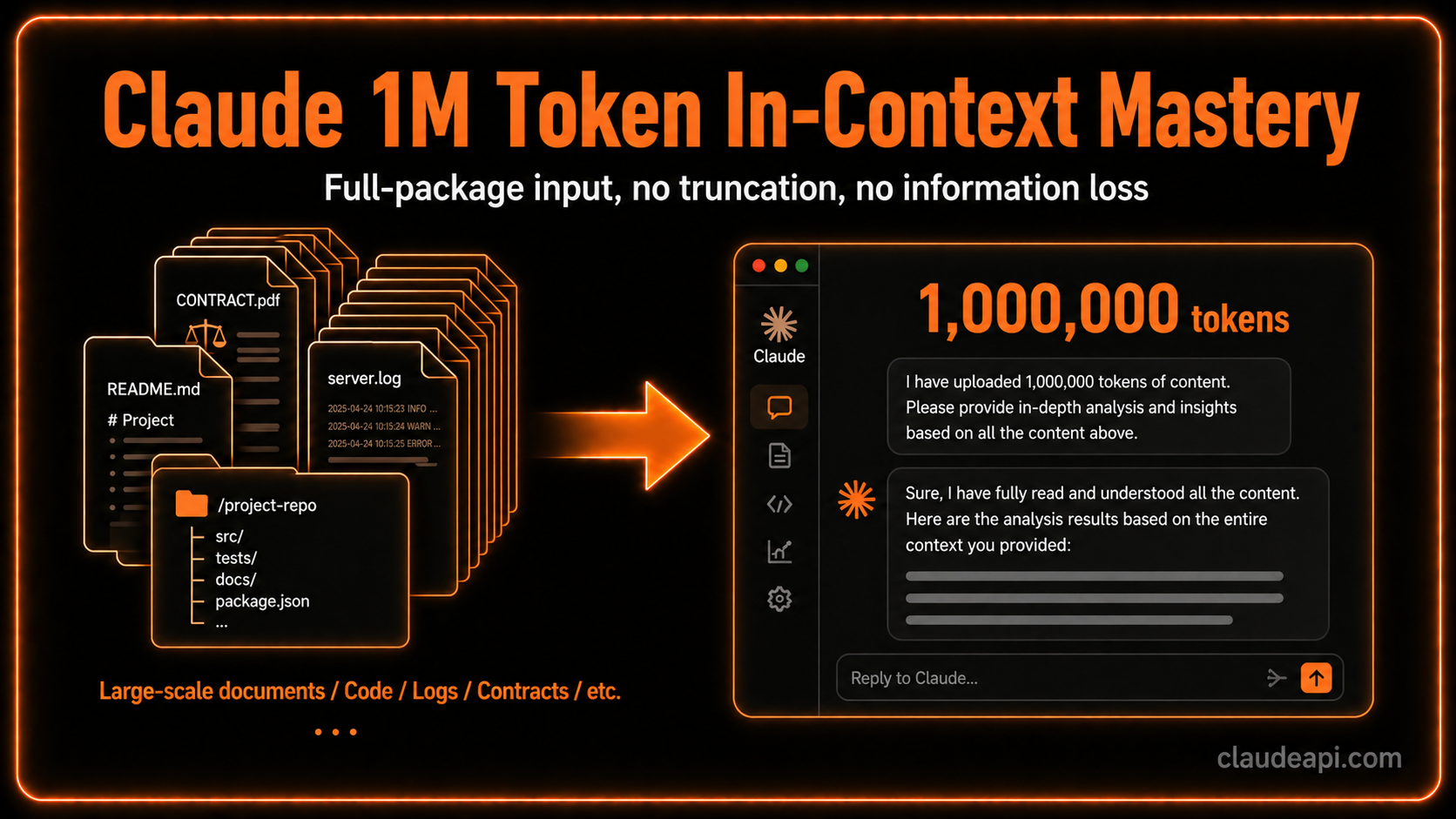
1M-token context does not change that interaction pattern. It changes how much “scene” you can load in one shot.
An entire repo, six months of logs, thirty contracts—materials you used to slice, summarize, and pass across turns can now sit on one workbench so Claude can reason continuously.
This post does not sell how impressive 1M is. It covers when it is worth using and how to structure input so you do not burn tokens.
What 1M context is actually for
The core value is removing lossy “chunk → summarize → relay” handoffs.
Every time you split a large job across many chats—or rely on summaries to carry state—Claude sees your curated highlights, not the raw source. Miss one detail in the summary, and downstream reasoning drifts.
1M context lets you skip that step. These workloads benefit most:
Whole-repo review and migration
Put the full repo, change history, test output, and design notes in one session. Claude can reason over the dependency graph, not just the snippet you pasted.
For architecture migration, load architecture docs, target modules, dependency lists, and recent commits first; ask for risks and a migration plan, then keep follow-ups in the same context without re-explaining background.
Long contracts and multi-file comparison
Legal work is hard because conflicts across documents are easy to miss when you switch files one by one.
Upload vendor contracts, master agreements, and amendments together; ask Claude to compare clauses, flag conflicts, and summarize deltas—more accurate than sequential review and less likely to drop cross-file links.
Literature review and research synthesis
The pain of lit review: by paper 10, you forgot what paper 3 argued.
Feed 20–30 related papers at once for viewpoint comparison, method mapping, and contradiction analysis—often faster than manual cross-checking.
Ops troubleshooting: full log analysis
Incidents are often sequences across services and time, not a single error line.
Load full error logs, traces, and monitoring snapshots together; Claude is more likely to find root cause than from a trimmed “error only” excerpt.
Practical workflow: three steps
Step 1: Load everything in the first turn
Do not drip-feed files mid-conversation. Put all relevant material in round one; later turns should be reasoning, not puzzle assembly.
import anthropic

client = anthropic.Anthropic(
    base_url="https://gw.claudeapi.com"
)

# Assemble all context once
with open("architecture.md") as f:
    arch_doc = f.read()
with open("recent_commits.txt") as f:
    commits = f.read()
with open("test_output.log") as f:
    test_log = f.read()

context = f"""
## Project architecture
{arch_doc}

## Commits (last 30 days)
{commits}

## Current test output
{test_log}
"""

response = client.messages.create(
    model="claude-opus-4-7",
    max_tokens=4096,
    messages=[
        {
            "role": "user",
            "content": f"{context}\n\nAnalyze architectural risks and rank priorities for migrating to microservices."
        }
    ]
)

print(response.content[0].text)
import anthropic

client = anthropic.Anthropic(
    base_url="https://gw.claudeapi.com"
)

# Assemble all context once
with open("architecture.md") as f:
    arch_doc = f.read()
with open("recent_commits.txt") as f:
    commits = f.read()
with open("test_output.log") as f:
    test_log = f.read()

context = f"""
## Project architecture
{arch_doc}

## Commits (last 30 days)
{commits}

## Current test output
{test_log}
"""

response = client.messages.create(
    model="claude-opus-4-7",
    max_tokens=4096,
    messages=[
        {
            "role": "user",
            "content": f"{context}\n\nAnalyze architectural risks and rank priorities for migrating to microservices."
        }
    ]
)

print(response.content[0].text)
Step 2: Build global understanding, then execute
Do not ask for the final deliverable in the first sentence. Ask for a short global read—what Claude sees, main relationships, likely risks—confirm it, then execute.
# Round 1: global understanding
messages = [
    {
        "role": "user",
        "content": f"{context}\n\nDo not recommend yet. In ~300 words, describe your read of this project: main modules, dependencies, and risks you notice."
    }
]

response = client.messages.create(
    model="claude-opus-4-7",
    max_tokens=1024,
    messages=messages
)

print("Global read:", response.content[0].text)

# Round 2: execute after confirmation
messages.append({"role": "assistant", "content": response.content[0].text})
messages.append({"role": "user", "content": "Accurate. Now give a concrete migration plan ranked by priority."})

final_response = client.messages.create(
    model="claude-opus-4-7",
    max_tokens=4096,
    messages=messages
)
# Round 1: global understanding
messages = [
    {
        "role": "user",
        "content": f"{context}\n\nDo not recommend yet. In ~300 words, describe your read of this project: main modules, dependencies, and risks you notice."
    }
]

response = client.messages.create(
    model="claude-opus-4-7",
    max_tokens=1024,
    messages=messages
)

print("Global read:", response.content[0].text)

# Round 2: execute after confirmation
messages.append({"role": "assistant", "content": response.content[0].text})
messages.append({"role": "user", "content": "Accurate. Now give a concrete migration plan ranked by priority."})

final_response = client.messages.create(
    model="claude-opus-4-7",
    max_tokens=4096,
    messages=messages
)
One extra round is usually worth it: you catch misunderstanding before expensive wrong answers.
Step 3: Pin critical rules at the top; repeat what matters
Even in 1M context, attention fades—a constraint buried at token 800K is weaker than the same rule in the system prompt.
Put non-negotiable limits, targets, and forbidden actions in system, not only inside bulk materials:
response = client.messages.create(
    model="claude-opus-4-7",
    max_tokens=4096,
    system="""You are a code architecture reviewer.

Hard constraints (apply to every recommendation):
1. No new external dependencies
2. All changes must stay compatible with Python 3.9
3. Migration must be phased; each phase independently rollbackable

Give advice only within this frame.""",
    messages=[{"role": "user", "content": context + "\n\nProvide architecture refactor recommendations."}]
)
response = client.messages.create(
    model="claude-opus-4-7",
    max_tokens=4096,
    system="""You are a code architecture reviewer.

Hard constraints (apply to every recommendation):
1. No new external dependencies
2. All changes must stay compatible with Python 3.9
3. Migration must be phased; each phase independently rollbackable

Give advice only within this frame.""",
    messages=[{"role": "user", "content": context + "\n\nProvide architecture refactor recommendations."}]
)

Before you send: prep the corpus
Dedupe and group before ingest
1M is not “fill to the brim.” Repeated log lines or near-duplicate docs waste tokens and can bias the model toward repetition.
Before ingest:
- Dedupe: drop duplicate log lines; keep representative samples
- Group by topic: related files together with clear headings
- Drop noise: full vendored third-party trees, auto-generated lockfiles—usually low value
Count tokens, then pick a model
# Count first, then choose model
count_response = client.messages.count_tokens(
    model="claude-opus-4-7",
    messages=[{"role": "user", "content": context}]
)

token_count = count_response.input_tokens
print(f"Context size: {token_count:,} tokens")

if token_count < 200_000:
    # Shorter context: Sonnet 4.6 is often enough and cheaper
    model = "claude-sonnet-4-6"
elif token_count < 1_000_000:
    # Long context + hard reasoning: Opus 4.7
    model = "claude-opus-4-7"
else:
    print("Over 1M limit—trim material further")

print(f"Suggested model: {model}")
# Count first, then choose model
count_response = client.messages.count_tokens(
    model="claude-opus-4-7",
    messages=[{"role": "user", "content": context}]
)

token_count = count_response.input_tokens
print(f"Context size: {token_count:,} tokens")

if token_count < 200_000:
    # Shorter context: Sonnet 4.6 is often enough and cheaper
    model = "claude-sonnet-4-6"
elif token_count < 1_000_000:
    # Long context + hard reasoning: Opus 4.7
    model = "claude-opus-4-7"
else:
    print("Over 1M limit—trim material further")

print(f"Suggested model: {model}")
Gotchas
No context-1m beta flag needed. Opus 4.7, Opus 4.6, and Sonnet 4.6 support 1M input at standard pricing for long contexts (policy as of Anthropic’s March 2026 messaging—confirm in current docs). Requests over 200K no longer require a manual context-1m beta header.
Small job → short context. 1M input billing is roughly linear in tokens; for small tasks, 8K–32K is often faster and cheaper. Do not stuff everything in just because 1M exists.
Long input ≠ long output. 1M is the input window, not the max reply. Opus 4.7 caps around 128K output; Sonnet 4.6 around 64K. Plan input and output separately.
Model selection
| Scenario | Suggested model | Why |
|---|---|---|
| Whole-repo review / architecture migration | Opus 4.7 | Strongest reasoning for dependency-heavy analysis |
| Ops log / cross-service incidents | Opus 4.7 | Cross-service pattern reasoning |
| Paper / literature synthesis | Sonnet 4.6 | Often enough; Opus optional for huge corpora |
| Everyday Q&A / completion | Sonnet 4.6 | Short context is enough; 1M unnecessary |
Opus 4.7 and Opus 4.6 share the same list pricing on Anthropic’s public rate card—new projects can default to 4.7.
FAQ
Do I need a special header for 1M context on Opus 4.7 / Sonnet 4.6?
Per current Anthropic guidance for these SKUs, standard calls without the legacy context-1m beta flag—verify in the latest API docs for your account.
Is 1M context available through ClaudeAPI.com?
ClaudeAPI.com exposes the same model IDs with base_url set to https://gw.claudeapi.com—confirm 1M eligibility and rate limits in your console.
Why use two rounds (global read, then execute)?
Long context reduces missing files; a short comprehension check still reduces wrong plans when the model misread a constraint.
When should I not use 1M?
Single-file edits, short support replies, or tasks that fit in <200K tokens—Sonnet 4.6 at shorter context is usually the better cost/latency choice.
Summary
1M context fixes continuous reasoning on one bench, not “bigger answers.”
Use it when global consistency matters—repos, contracts, logs, corpora—and load once, structure clearly, understand first, then execute.
For migration, legal comparison, and incident analysis, Opus 4.7 + 1M is a real upgrade. For daily small tasks, Sonnet 4.6 + shorter context is enough.
CTA
ClaudeAPI.com offers Opus 4.7, Opus 4.6, and Sonnet 4.6 with 1M context on a pay-as-you-go model (no separate beta application described here—check console for your account).
ClaudeAPI.com is a third-party API gateway—not affiliated with Anthropic. Verify model capabilities and pricing in-console before production use.