OpenClaw is a popular open-source personal AI assistant framework (GitHub shows 60,000+ stars at the time of writing). It connects Claude to everyday chat surfaces such as Telegram, WhatsApp, Discord, and Slack, so you can talk to your model from the apps you already use.
This walkthrough shows how to configure OpenClaw end-to-end using an API key from ClaudeAPI.com.
1. What is OpenClaw?
OpenClaw runs on your own machine or server and acts as a local AI gateway:
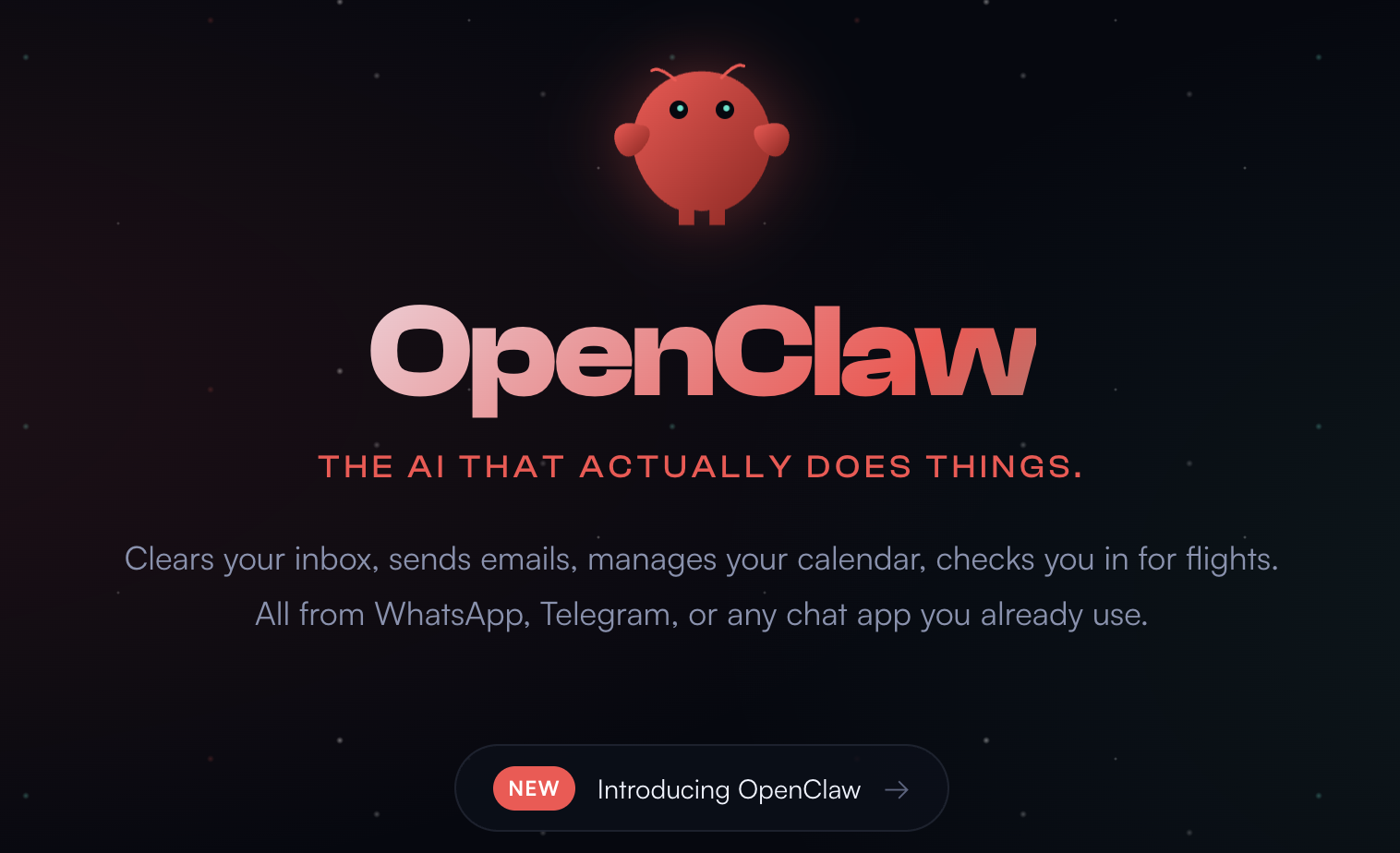
- Receives messages from Telegram, WhatsApp, Discord, and similar channels
- Forwards them to Claude using your API key
- Sends the model’s replies back to you
Typical benefits: you keep control of your data plane, you can extend behavior with skills, and you get a single gateway across channels. You bring your own key and pay per usage according to your ClaudeAPI account.
2. Prerequisites
| Requirement | Notes |
|---|---|
| OS | macOS / Linux / Windows (WSL2 recommended on Windows) |
| Node.js | Version 22 or newer (required) |
| ClaudeAPI.com API key | Create one in the claudeapi.com dashboard |
| Chat platform bot token | e.g. Telegram BotFather, Discord developer portal (configure at least one) |
Check Node.js
node --version
# Expect v22.x.x or v24.x.x
node --version
# Expect v22.x.x or v24.x.x
If the version is below 22, upgrade—for example with nvm:
nvm install --lts && nvm use --lts
nvm install --lts && nvm use --lts
Get a ClaudeAPI.com API key
- Open claudeapi.com and sign up or sign in.
- Go to the dashboard → API Keys → create a new key.
- Copy and store it securely (keys are often shown with an
sk-ant-style prefix—use whatever format your dashboard displays).
3. Install OpenClaw
macOS / Linux (recommended one-liner)
curl -fsSL https://openclaw.ai/install.sh | bash
curl -fsSL https://openclaw.ai/install.sh | bash
Windows (PowerShell as Administrator)
iwr -useb https://openclaw.ai/install.ps1 | iex
iwr -useb https://openclaw.ai/install.ps1 | iex
Alternative: global npm install
npm install -g openclaw@latest
npm install -g openclaw@latest
Verify
openclaw --version
openclaw --version
If you see a version string, the CLI is installed.
4. Run the onboarding wizard
openclaw onboard --install-daemon
openclaw onboard --install-daemon
--install-daemon registers the OpenClaw gateway as a background service so it can start automatically after reboots—recommended.
Wizard highlights
Step 1: AI provider
You may see a prompt similar to:
Which AI provider do you want to use?
> Anthropic (Claude) — recommended
  OpenAI (ChatGPT)
  Custom provider
Which AI provider do you want to use?
> Anthropic (Claude) — recommended
  OpenAI (ChatGPT)
  Custom provider
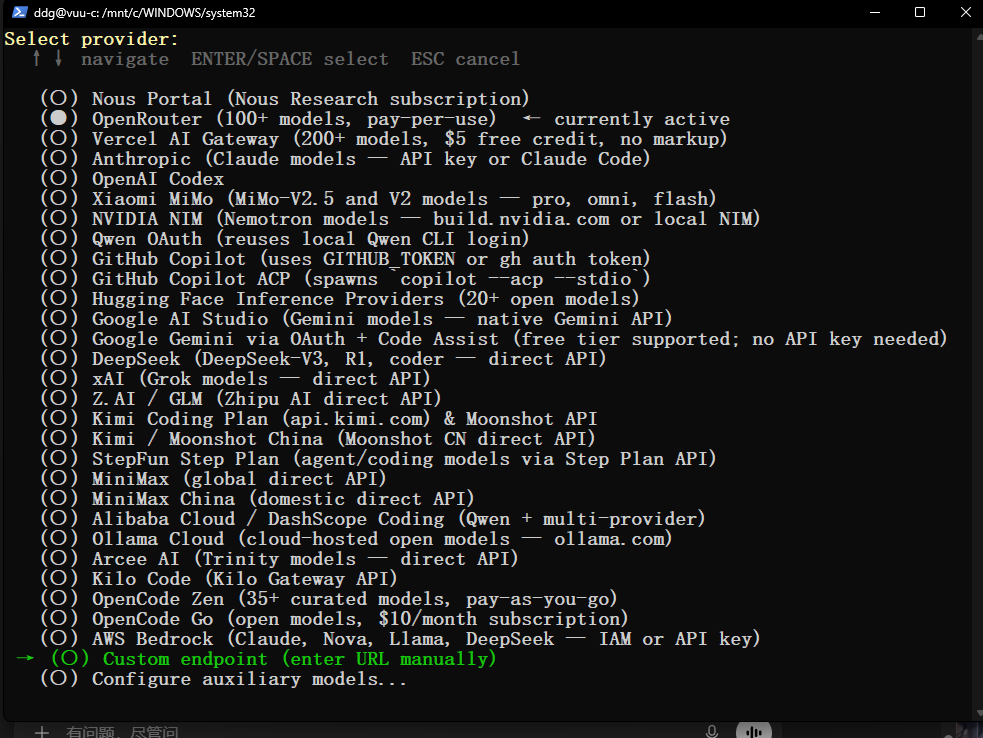
Choose Custom.
Step 2: API key
Paste your ClaudeAPI.com API key when prompted:
Enter your API key:
> (paste your ClaudeAPI.com key, then press Enter)
Enter your API key:
> (paste your ClaudeAPI.com key, then press Enter)
Step 3: Default model
Example list:
Select your default model:
> claude-sonnet-4-6    ← balanced cost/quality
  claude-opus-4-7      ← strongest, heavier tasks
  claude-haiku-4-5     ← fastest, simple Q&A
Select your default model:
> claude-sonnet-4-6    ← balanced cost/quality
  claude-opus-4-7      ← strongest, heavier tasks
  claude-haiku-4-5     ← fastest, simple Q&A
New users often start with claude-sonnet-4-6.
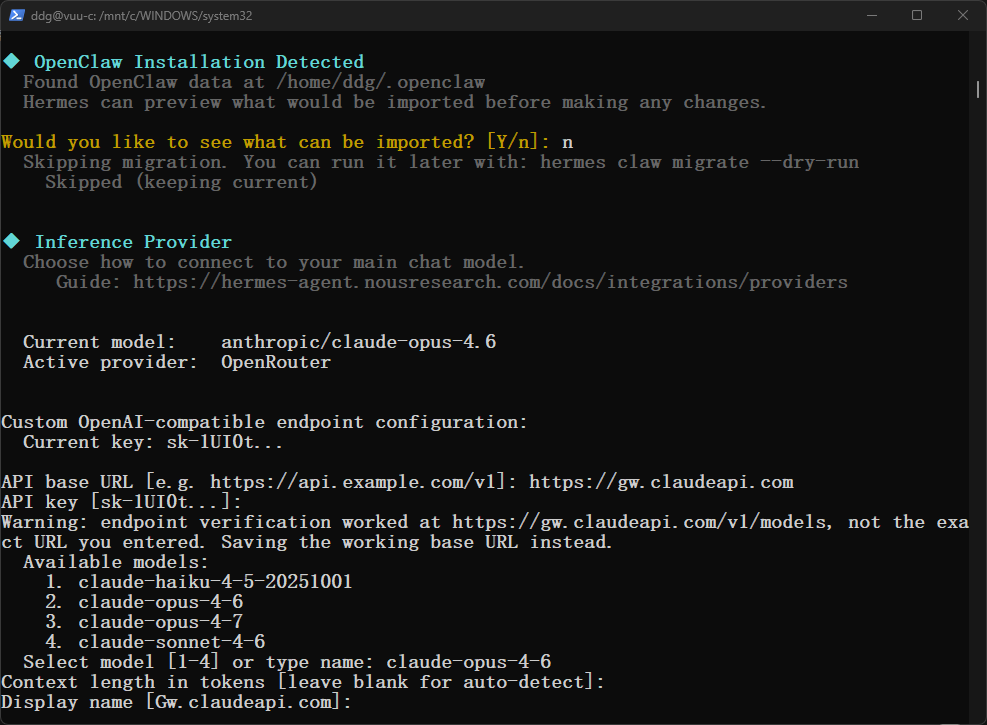
Step 4: Set ClaudeAPI.com baseUrl (critical)
The wizard defaults to sending requests to Anthropic’s official servers. To use ClaudeAPI.com as the forwarder, you must set baseUrl accordingly (in the wizard when offered, or in config afterward).
Important:
baseUrlmust behttps://gw.claudeapi.com—the correct ClaudeAPI.com gateway address (notgw.claudeapi.com).
Per the summary table, you can also confirm this value in ~/.openclaw/openclaw.json after onboarding.
Step 5: Install the daemon
Confirm when the wizard offers to install the background service.
Restart the gateway so config applies
# macOS (launchd)
launchctl stop ai.openclaw.gateway
launchctl start ai.openclaw.gateway

# Linux (systemd user unit)
systemctl --user restart openclaw-gateway

# Or use the CLI
openclaw gateway restart
# macOS (launchd)
launchctl stop ai.openclaw.gateway
launchctl start ai.openclaw.gateway

# Linux (systemd user unit)
systemctl --user restart openclaw-gateway

# Or use the CLI
openclaw gateway restart
5. Verify everything works
Option A: CLI smoke test
openclaw chat "Hello — please introduce yourself briefly."
openclaw chat "Hello — please introduce yourself briefly."
If you get a normal Claude-style reply, routing is working.
Option B: Dashboard
openclaw dashboard
openclaw dashboard
A browser should open the local control panel (commonly http://127.0.0.1:18789). Send a message in the UI; a reply confirms the stack is up.
Option C: Model status
openclaw models status
openclaw models status
You should see the Anthropic-related provider in an active state (exact labels depend on OpenClaw version).
6. Models available via ClaudeAPI.com
In config, agents.defaults.model.primary can reference models with an anthropic/ prefix, for example:
| Model ID | Typical use | Input | Output |
|---|---|---|---|
anthropic/claude-opus-4-7 |
Hard reasoning, long documents | $4.000 / 1M | $20.000 / 1M |
anthropic/claude-sonnet-4-6 |
General development (recommended default) | $2.400 / 1M | $12.000 / 1M |
anthropic/claude-haiku-4-5-20251001 |
Fast Q&A | $0.800 / 1M | $4.000 / 1M |
Pricing shown here matches the source article; always confirm current rates in your ClaudeAPI dashboard before budgeting.
7. Troubleshooting
ANTHROPIC_API_KEY not set
The key was not picked up. Check:
# Option A: environment variable
export ANTHROPIC_API_KEY="sk-ant-..."
# Option A: environment variable
export ANTHROPIC_API_KEY="sk-ant-..."
Option B: edit ~/.openclaw/agents/main/agent/auth-profiles.json (path may vary):
{
  "version": 1,
  "profiles": {
    "anthropic:default": {
      "type": "api_key",
      "provider": "anthropic",
      "key": "sk-ant-YOUR_CLAUDEAPI_KEY"
    }
  }
}
{
  "version": 1,
  "profiles": {
    "anthropic:default": {
      "type": "api_key",
      "provider": "anthropic",
      "key": "sk-ant-YOUR_CLAUDEAPI_KEY"
    }
  }
}
HTTP 401 / “Invalid API key”
Double-check baseUrl is exactly https://gw.claudeapi.com and that the key is copied from the ClaudeAPI dashboard without extra spaces.
Windows install issues
Prefer WSL2. In PowerShell: wsl --install, then follow the Linux steps inside WSL.
Gateway exits immediately
Run openclaw doctor --fix and inspect logs. Confirm port 18789 is not already in use by another process.
8. Next step: skills
OpenClaw supports skills (extensions) such as web search, email, or calendar helpers:
openclaw skills list
openclaw skills install web-search
openclaw skills list
openclaw skills install web-search
Summary
| Step | Command / action |
|---|---|
| Install OpenClaw | curl -fsSL https://openclaw.ai/install.sh | bash |
| Run wizard | openclaw onboard --install-daemon |
Set ClaudeAPI baseUrl |
Ensure https://gw.claudeapi.com in ~/.openclaw/openclaw.json (or equivalent) |
| Restart gateway | openclaw gateway restart |
| Verify | openclaw chat "Hello — please introduce yourself briefly." |
After that, you have a locally hosted assistant that reaches Claude through ClaudeAPI.com, ready to wire to Telegram, Discord, and other channels per OpenClaw’s channel docs.
For more guides or account help, see claudeapi.com.
Suggested internal links (for editors)
- ClaudeAPI getting-started / API key documentation (English)
- Model list and pricing page aligned with the IDs in this article
- OpenAI-compatible vs Anthropic-native endpoints (if you maintain a comparison page)
CTA
Create a key in the ClaudeAPI dashboard, set baseUrl to https://gw.claudeapi.com, finish openclaw onboard, then connect your first chat channel using OpenClaw’s channel guides.