Coze 3.0 vs Claude Dynamic Workflows: two takes on multi-agent
TL;DR
- The AI agent race is shifting from “how smart is one model” to “how do multiple agents finish work together.”
- Claude Opus 4.8 ships Dynamic Workflows — model-authored scripts that fan out hundreds of parallel sub-agents.
- ByteDance’s Coze 3.0 takes the opposite route: humans drop Claude Code, Codex CLI, and cloud agents into one project and route work via
@mentions.- Local agents have filesystem and shell access — permission scoping is the part most teams underestimate.
- Code example below shows how to point local agents (Claude Code, Codex) at a single Claude endpoint.
Why this matters
For the last two years, “agent” mostly meant one chat loop with tools. The interesting failure mode now isn’t “the model can’t reason” — it’s “I have five agents running in five terminals and I’m the integration layer.”
Two recent releases frame the two ways the industry is responding:
- Claude Opus 4.8 + Dynamic Workflows — Claude Code can author a workflow script at runtime, then dispatch a large number of parallel sub-agents to decompose, execute, verify, and synthesize. The orchestrator is the model.
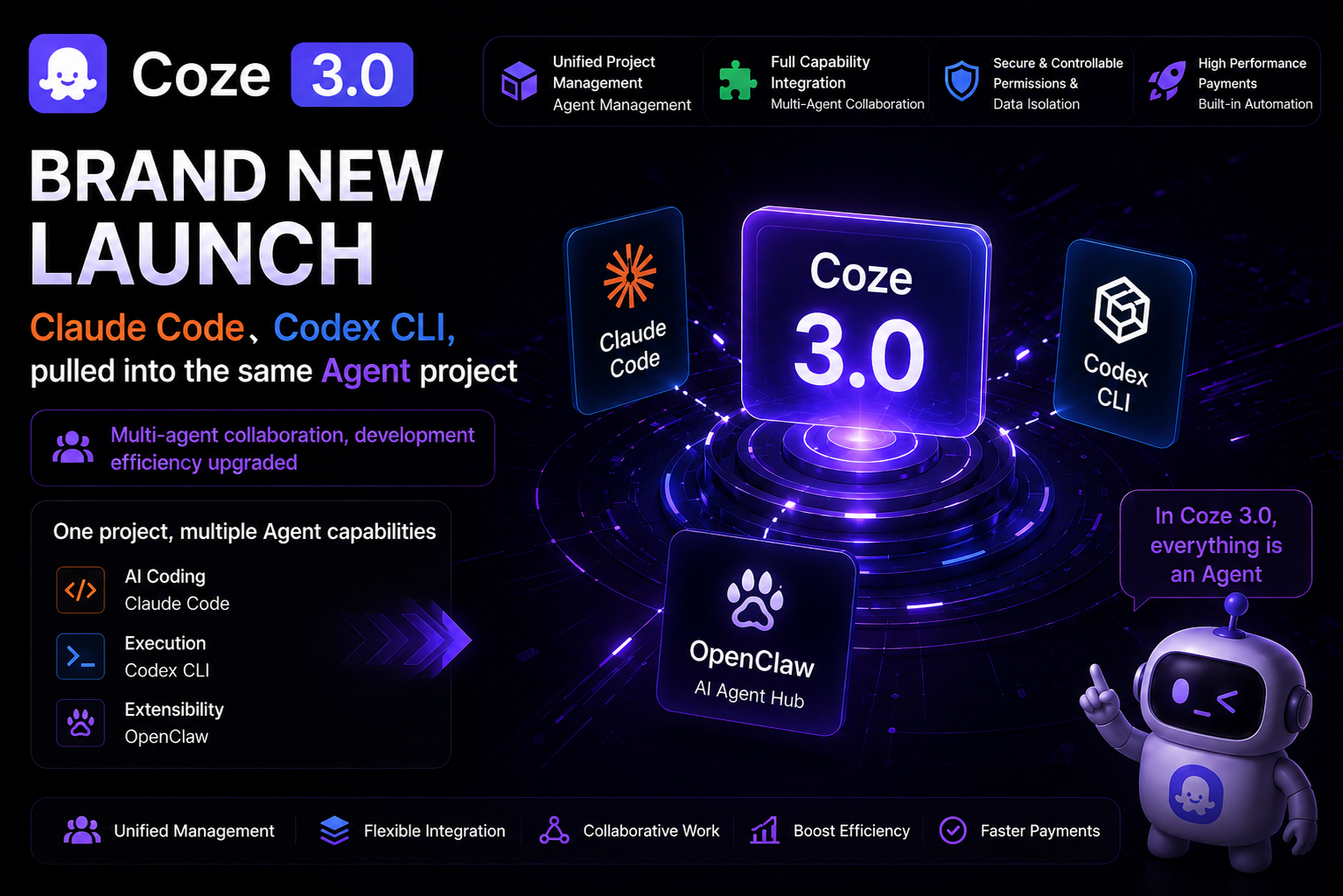
- Coze 3.0 (ByteDance, released June 1, 2026) — pulls humans, cloud agents, and local CLI agents (Claude Code, Codex CLI, OpenClaw) into a shared project workspace. The orchestrator is you, via
@mentions.
Same underlying problem, two opposite philosophies. Both are worth understanding before you commit to an agent architecture.
What Coze 3.0 actually shipped
| Capability | What it means |
|---|---|
| Multi-human + multi-agent projects | 1 user + N agents, or N users + N agents in the same workspace |
| Project-scoped state | Each project has isolated context and persistent assets |
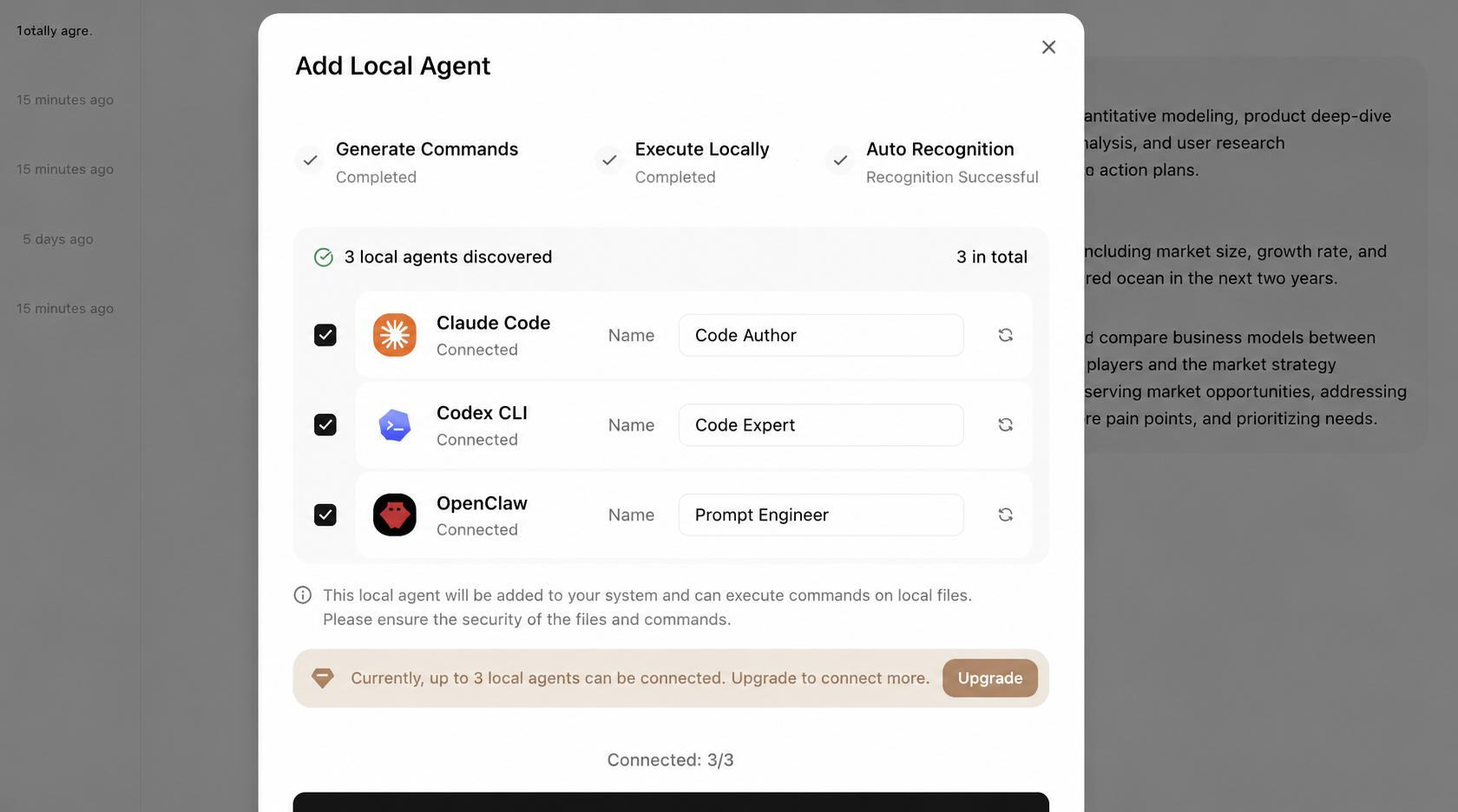
| Local agent connectors | Plug in Claude Code, Codex CLI, OpenClaw running on your own machine |
| Industry templates | Pre-built skill packs for media, legal, finance, healthcare |
| Mobile ⇄ desktop handoff | Resume a project from phone; authorize agents to touch local files |
The headline for developers isn’t the templates. It’s the third row: local CLI agents that previously lived in isolated terminal windows can now share a project context with cloud agents.
Why local agent integration is the interesting part
A local agent isn’t a chatbot. It actually mutates your environment:
- Reads project files
- Edits code and docs
- Runs shell commands
- Generates reports, slides, scripts
- Carries state forward across multiple turns inside a local working directory
That’s a lot of power. The historical pain point was coordination:
| Old workflow | Problem |
|---|---|
| Claude Code in one terminal | Output has to be copy-pasted to other agents manually |
| Codex CLI in another terminal | No shared context — you re-explain the task every time |
| Cloud writing agent in a browser tab | Can’t see your local code or files |
| Phone-initiated task | No clean path to trigger an agent on your home or office machine |
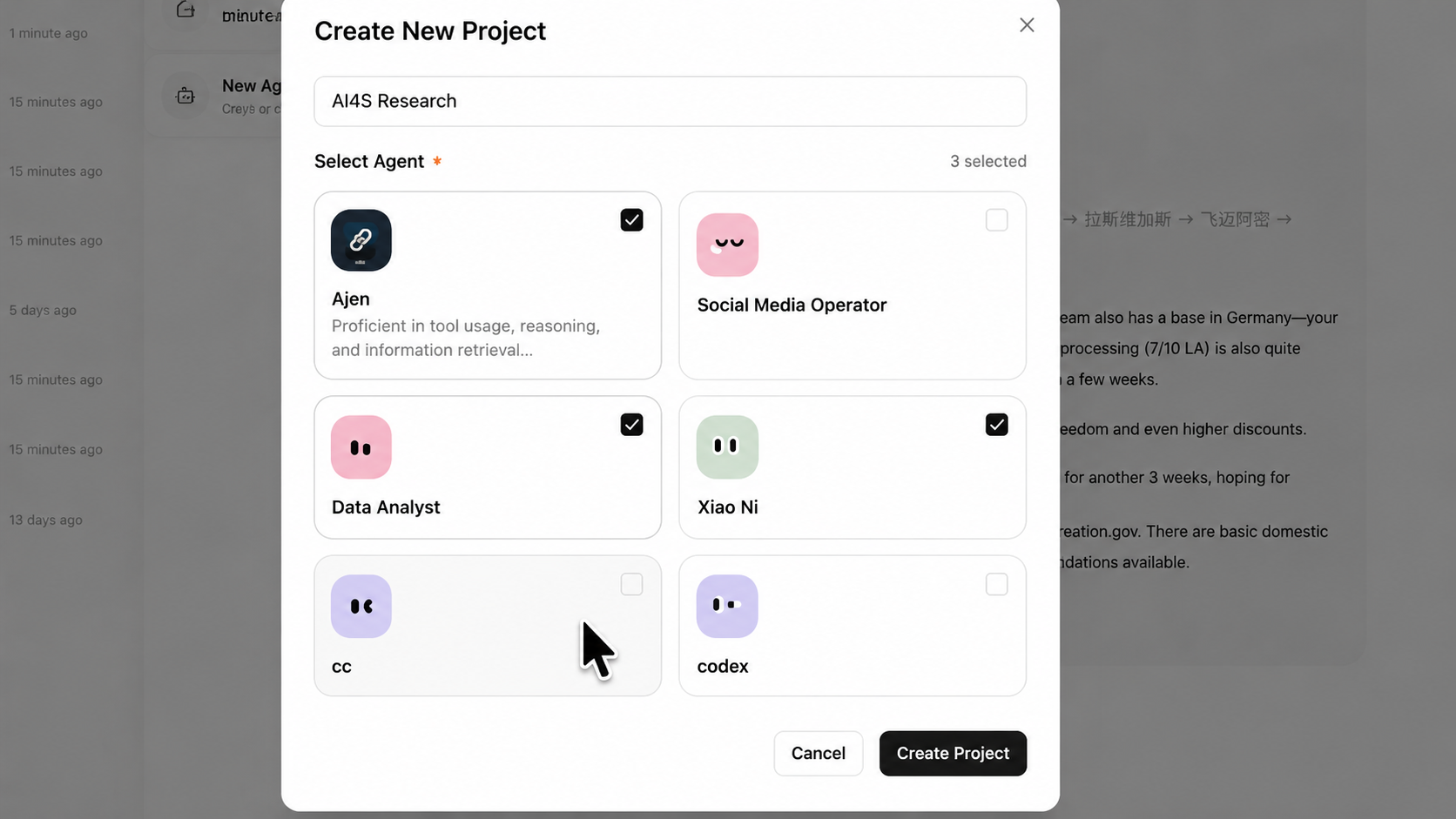 |
Coze 3.0’s bet: keep the agents but move the context into the project. You stay in the loop and route handoffs explicitly, but you stop being a human clipboard.
It’s not full automated orchestration. Think of it more like a project group chat where some of the participants happen to be CLI agents.
Two routes: model-driven vs human-driven orchestration
Claude’s Dynamic Workflows lean model-driven. You describe a goal, Claude Code writes a workflow script, the script fans out sub-agents in parallel, and results get verified before synthesis. Tom’s Guide reported Claude can launch hundreds of parallel sub-agents within a single task and validate results before merging them.
Coze 3.0 leans human-driven. You add multiple agents to a project and route work with @mentions. For example:
| Stage | Who you’d @ |
|---|---|
| Background research | Research agent / Codex |
| Long-form draft | Writing agent |
| Social copy variants | Marketing/social agent |
| Slide deck | Codex / local-file agent |
| Local contract review | Local CLI agent on your machine |
The trade-off, side by side:
| Dimension | Claude Dynamic Workflows | Coze 3.0 project collaboration |
|---|---|---|
| Control | Model-authored workflow script | Human @mention dispatch |
| Best fit | Large-scale parallelism, code migration, batch verification | Sequential research → write → ship handoffs |
| Context carrier | Claude Code workflow + sub-agents | Project workspace |
| User role | Set goal, review output | Project manager assigning tasks |
| Main risk | Hard to debug at scale | Local agents hold broad permissions |
Neither is universally correct. One automates the dispatch; the other automates the context plumbing. For exploratory or creative work where the next step depends on what the last agent produced, the human-routed version is often easier to steer. For well-defined batch jobs, model orchestration wins on throughput.
The real developer concern: permissions and auditability
Pulling local agents into a shared project is a productivity win. It’s also a security surface area that most teams haven’t priced in yet.
Three things to think about before you connect an agent that can read files and run commands:
1. Minimize filesystem scope. Don’t grant the agent access to your whole disk. Authorize one project directory at a time, scoped to the task in front of you. A “research the codebase” task does not need read access to ~/.ssh or your password manager exports.
2. Log who did what. If a project has multiple humans and multiple agents, you want a record of which user asked which agent to modify which file or run which command. Without this, blast-radius investigations are guesswork.
3. Don’t hand sensitive files to fuzzy prompts. Contracts, financial records, customer PII, source-code secrets — none of these should be in scope for “hey, find that thing for me” sent to a high-permission agent. Use explicit file paths or move the data out of scope entirely.
The shorter version: the more an agent behaves like a coworker, the less you can govern it with chatbot-grade safety rails. Treat it like you’d treat a dev tool, a remote shell, or a CI script — with the same scoping, logging, and least-privilege defaults.
Wiring local agents to a single Claude endpoint
Coze 3.0 solves the “agents share a project” problem. It doesn’t solve the “your local agents need a reliable Claude endpoint” problem, especially from regions where api.anthropic.com is geo-blocked or rate-limited.
If you’re routing Claude Code, Codex CLI, or similar local agents through a proxy gateway (we run one at claudeapi.com), here are the relevant base URLs:
| Client type | Base URL | Notes |
|---|---|---|
| Anthropic SDK / Claude Code-style tools | https://gw.claudeapi.com |
Root path, no /v1 suffix |
| OpenAI-compatible clients | https://gw.claudeapi.com/v1 |
Standard OpenAI SDK path |
Minimal Python example using the official anthropic SDK:
import anthropic

client = anthropic.Anthropic(
    api_key="sk-your-claudeapi-key",
    base_url="https://gw.claudeapi.com",
)

response = client.messages.create(
    model="claude-opus-4-7",
    max_tokens=1024,
    messages=[
        {
            "role": "user",
            "content": (
                "Break this multi-agent project into three subtasks: "
                "research, drafting, and slide generation."
            ),
        }
    ],
)

print(response.content[0].text)
import anthropic

client = anthropic.Anthropic(
    api_key="sk-your-claudeapi-key",
    base_url="https://gw.claudeapi.com",
)

response = client.messages.create(
    model="claude-opus-4-7",
    max_tokens=1024,
    messages=[
        {
            "role": "user",
            "content": (
                "Break this multi-agent project into three subtasks: "
                "research, drafting, and slide generation."
            ),
        }
    ],
)

print(response.content[0].text)
Same client, different base URL — that’s the whole integration. The gateway accepts both the native Anthropic format and the OpenAI-compatible format, so a Coze project mixing Claude-native and OpenAI-style clients can target one endpoint.
Model selection by workload intensity:
| Use case | Recommended model | Why |
|---|---|---|
| Complex code, architecture design, long-running orchestrator agents | claude-opus-4-8 / claude-opus-4-7 |
Strongest reasoning — fits the “main agent” role |
| Day-to-day writing, research, code edits | claude-sonnet-4-6 |
Best cost/quality balance |
| Classification, summarization, lightweight extraction | claude-haiku-4-5-20251001 |
Fast, cheap, good for fan-out |
What’s actually new here
Coze 3.0 isn’t valuable because it’s “another agent platform.” It’s valuable because it moves the work entry point.
Plenty of developers already run Claude Code, Codex CLI, and OpenClaw locally. The problem was that those tools acted like remote employees who each kept their own private notebook — fine individually, but the integration tax fell on the user.
The direction now: pull those agents into a shared project, keep the context in the workspace, and let them hand work to each other instead of routing through the human.
Cross-device handoff (kick off a task from your phone that runs against your office machine’s filesystem) is the part that starts to look like an actual remote AI assistant rather than a chat UI.
Closing thoughts
Looking at Coze 3.0 and Claude Dynamic Workflows together, the trend is clear: multi-agent collaboration is becoming the main axis of AI tooling.
Model quality still matters. But the things that actually decide whether your agents are useful are:
- Can each agent reach the real work environment (files, shells, browsers)?
- Can multiple agents share context without you manually relaying messages?
- Can you scope permissions, log execution, and verify results?
For most teams, waiting for one omniscient model is the wrong move. Building a workflow of specialized agents with shared context and tight permission boundaries is the move that works today.
What’s next
- Coze 3.0 announcement (IT之家, June 1, 2026)
- Anthropic docs: Claude API reference
- If you need a single Claude endpoint for Claude Code, Codex CLI, or a Coze project from regions where direct access is blocked or unreliable, we run a hosted gateway with Stripe billing at claudeapi.com.