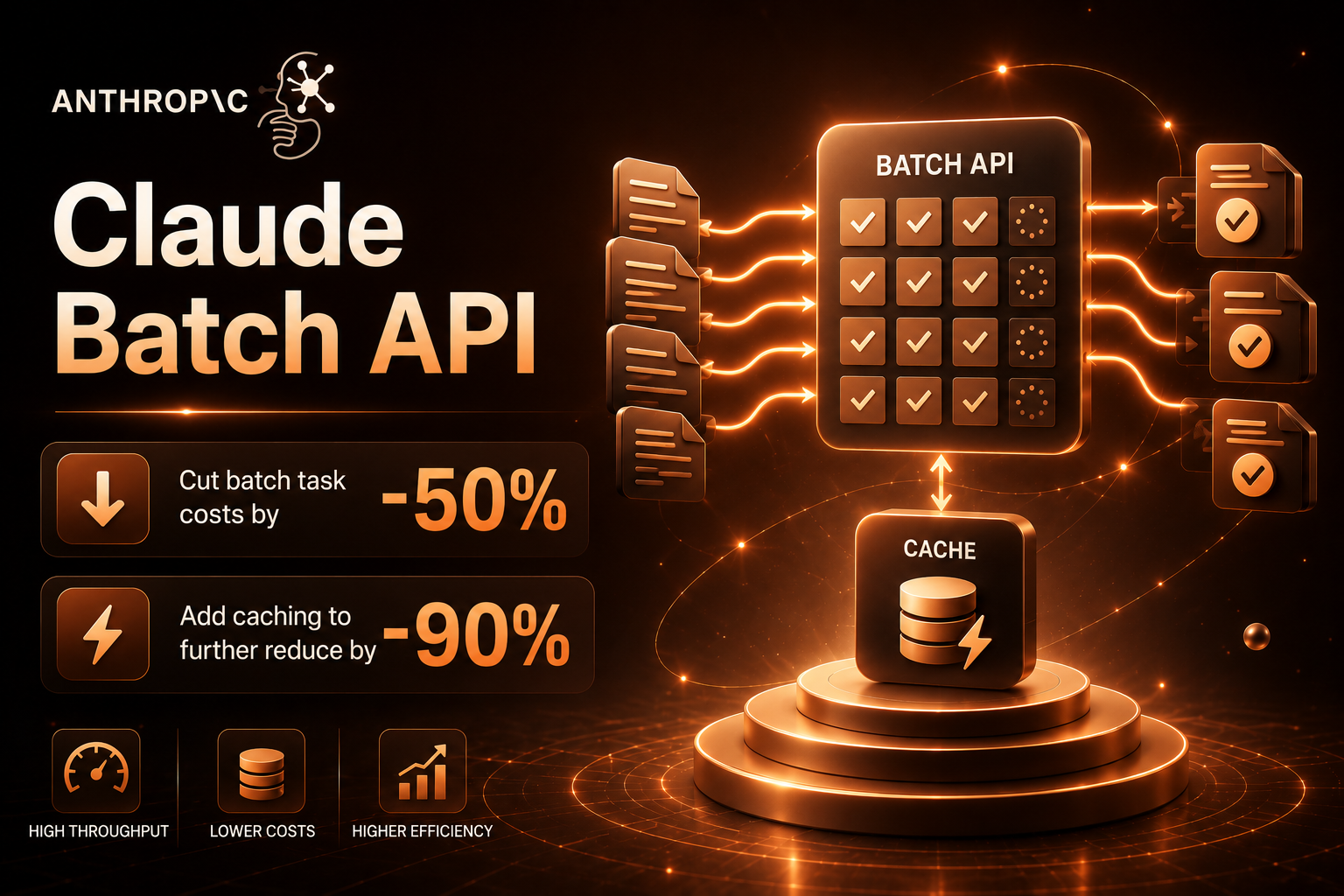
If any of your Claude API calls fall into the category of “doesn’t need an immediate response, can tolerate minutes to hours of delay” — bulk data cleaning, document structuring, user review classification, historical log summarization, A/B test result generation — you’re paying double what you need to.
The Message Batches API is Anthropic’s official 50%-off channel for offline workloads. Stack prompt caching on top, and you can push total costs down to one-tenth of the non-cached price. This guide walks through the complete engineering approach.
1. What Is the Batch API?

In short: you bundle hundreds or thousands of Messages requests into a single JSONL payload and submit it. Anthropic processes them asynchronously within 24 hours and returns results — with all tokens billed at 50% of the standard price.
| Dimension | Standard Messages API | Batch API |
|---|---|---|
| Call pattern | Synchronous, one request at a time | Asynchronous, thousands of requests at once |
| Response time | Seconds | 5 minutes – 24 hours |
| Pricing | Standard rate | 50% off |
| Per-batch limit | — | 100,000 requests / 256 MB |
| Best for | Real-time user interactions | Offline batch processing |
The 50% discount is unconditional — there’s no “reach X volume to unlock the discount” threshold. Even a batch with only 10 requests gets half-price billing.
2. When Should You Use the Batch API?

Use this quick-reference table:
| Scenario | Use Batch? | Why |
|---|---|---|
| User-facing chatbot | ❌ | Requires real-time response |
| Website live chat support | ❌ | Requires real-time response |
| One-time import of 500k historical reviews for sentiment classification | ✅ | Offline, high volume, can wait |
| Nightly cron job: SQL → natural language summary | ✅ | Periodic, can wait |
| User uploads a PDF, async summary generation | ✅ | You can notify the user “results ready in a few minutes” |
| Real-time translation | ❌ | Requires real-time response |
| Synthetic data generation for A/B tests (10k prompts) | ✅ | Offline |
| Training data labeling (millions of rows) | ✅ | Offline, massive volume |
| Internal RAG knowledge base initialization (vectors + summaries) | ✅ | One-time job, can wait |
| Post-hoc attribution analysis of Agent decision logs | ✅ | Offline |
The rule of thumb: User staring at the screen waiting for a result → don’t use Batch. User submits the task and moves on to something else → use Batch.
3. Minimal Submission Example
Here’s what a Batch API request looks like:
import anthropic

client = anthropic.Anthropic(
    api_key="sk-yourClaudeAPIkey",
    base_url="https://gw.claudeapi.com"
)

batch = client.messages.batches.create(
    requests=[
        {
            "custom_id": "task-001",
            "params": {
                "model": "claude-sonnet-4-6",
                "max_tokens": 1024,
                "messages": [
                    {"role": "user", "content": "Classify this review: 'Shipping was way too slow'"}
                ]
            }
        },
        {
            "custom_id": "task-002",
            "params": {
                "model": "claude-sonnet-4-6",
                "max_tokens": 1024,
                "messages": [
                    {"role": "user", "content": "Classify this review: 'Quality exceeded expectations'"}
                ]
            }
        },
    ]
)

print(f"Batch ID: {batch.id}")
print(f"Status: {batch.processing_status}")
import anthropic

client = anthropic.Anthropic(
    api_key="sk-yourClaudeAPIkey",
    base_url="https://gw.claudeapi.com"
)

batch = client.messages.batches.create(
    requests=[
        {
            "custom_id": "task-001",
            "params": {
                "model": "claude-sonnet-4-6",
                "max_tokens": 1024,
                "messages": [
                    {"role": "user", "content": "Classify this review: 'Shipping was way too slow'"}
                ]
            }
        },
        {
            "custom_id": "task-002",
            "params": {
                "model": "claude-sonnet-4-6",
                "max_tokens": 1024,
                "messages": [
                    {"role": "user", "content": "Classify this review: 'Quality exceeded expectations'"}
                ]
            }
        },
    ]
)

print(f"Batch ID: {batch.id}")
print(f"Status: {batch.processing_status}")
Key fields:
| Field | Description |
|---|---|
custom_id |
Your own request identifier — returned in the results so you can map back to original data. Must be unique within the batch |
params |
A complete Messages.create parameter object — model, max_tokens, messages, etc., same as you’d normally write |
processing_status |
One of three values: in_progress / canceling / ended |
batch.id is returned immediately after submission, but actual processing happens asynchronously.
4. Polling and Retrieving Results
Don’t just sit and wait after submitting — set up a polling loop:
import time

batch_id = batch.id

while True:
    status = client.messages.batches.retrieve(batch_id)
    counts = status.request_counts
    print(f"[{status.processing_status}] "
          f"completed {counts.succeeded}/{counts.processing + counts.succeeded + counts.errored} "
          f"failed {counts.errored}")

    if status.processing_status == "ended":
        break

    time.sleep(30)

results_url = status.results_url
print(f"Results URL: {results_url}")
import time

batch_id = batch.id

while True:
    status = client.messages.batches.retrieve(batch_id)
    counts = status.request_counts
    print(f"[{status.processing_status}] "
          f"completed {counts.succeeded}/{counts.processing + counts.succeeded + counts.errored} "
          f"failed {counts.errored}")

    if status.processing_status == "ended":
        break

    time.sleep(30)

results_url = status.results_url
print(f"Results URL: {results_url}")
The request_counts field breaks down the count by status:
| Field | Meaning |
|---|---|
processing |
Still in progress |
succeeded |
Completed successfully |
errored |
Failed |
canceled |
Canceled |
expired |
Did not complete within 24 hours (extremely rare) |
Results come back as streaming JSONL:
for line in client.messages.batches.results(batch_id):
    if line.result.type == "succeeded":
        custom_id = line.custom_id
        text = line.result.message.content[0].text
        print(f"{custom_id} → {text}")
    elif line.result.type == "errored":
        print(f"{line.custom_id} failed: {line.result.error}")
for line in client.messages.batches.results(batch_id):
    if line.result.type == "succeeded":
        custom_id = line.custom_id
        text = line.result.message.content[0].text
        print(f"{custom_id} → {text}")
    elif line.result.type == "errored":
        print(f"{line.custom_id} failed: {line.result.error}")
custom_id is the identifier you provided at submission — use it to map results back to your original data rows.
5. Stacking Prompt Caching: Cut Costs by Another 90%

On top of Batch API’s half-price billing, prompt caching works exactly the same inside batches. A cache hit reads at 10% of the standard price. Stacked with batch’s 50% discount, cached portions effectively cost 5% of the original price.
The ideal pattern: thousands of requests sharing the same long system prompt.
LONG_SYSTEM = """
You are a senior e-commerce customer service analyst specializing in user review classification.
Each review must be assigned to one of the following 12 categories:
1. Shipping speed (includes too slow, on time, faster than expected, etc.)
2. Product quality (includes positive, negative, doesn't match description, etc.)
3. Customer service attitude
... (assume several thousand characters of classification rules, examples, and edge case explanations here)
"""

requests = []
for i, comment in enumerate(comments):
    requests.append({
        "custom_id": f"review-{i:06d}",
        "params": {
            "model": "claude-sonnet-4-6",
            "max_tokens": 256,
            "system": [
                {
                    "type": "text",
                    "text": LONG_SYSTEM,
                    "cache_control": {"type": "ephemeral"}
                }
            ],
            "messages": [
                {"role": "user", "content": f"Classify this review: {comment}"}
            ]
        }
    })

batch = client.messages.batches.create(requests=requests)
LONG_SYSTEM = """
You are a senior e-commerce customer service analyst specializing in user review classification.
Each review must be assigned to one of the following 12 categories:
1. Shipping speed (includes too slow, on time, faster than expected, etc.)
2. Product quality (includes positive, negative, doesn't match description, etc.)
3. Customer service attitude
... (assume several thousand characters of classification rules, examples, and edge case explanations here)
"""

requests = []
for i, comment in enumerate(comments):
    requests.append({
        "custom_id": f"review-{i:06d}",
        "params": {
            "model": "claude-sonnet-4-6",
            "max_tokens": 256,
            "system": [
                {
                    "type": "text",
                    "text": LONG_SYSTEM,
                    "cache_control": {"type": "ephemeral"}
                }
            ],
            "messages": [
                {"role": "user", "content": f"Classify this review: {comment}"}
            ]
        }
    })

batch = client.messages.batches.create(requests=requests)
The first request writes to cache (billed at standard price). All subsequent cache-hit requests bill the system portion at just 10% of standard — stacked with Batch’s 50% discount, the system portion effectively costs 5% of the original price.
Simplified cost breakdown (estimated at Sonnet 4.6 input price of $3/M tokens):
| Approach | 5,000 requests × avg. 3k token system | Effective Cost |
|---|---|---|
| No Batch, no Caching | $3 × 15 = $45 | $45 |
| Batch only | $1.5 × 15 = $22.5 | $22.5 |
| Caching only | $3 × 1.5 + $0.3 × 13.5 = $8.55 | $8.55 |
| Batch + Caching | $1.5 × 1.5 + $0.15 × 13.5 = $4.28 | $4.28 |
5,000 reviews drop from $45 to $4.28 — a 91% reduction. The larger your dataset, the more dramatic the absolute savings.
Note: Cache TTL is 5 minutes. Batch jobs typically complete within minutes to tens of minutes, so cache hits are almost always achieved. If you want extra assurance, fire the first request as a synchronous Messages API call to “warm” the cache before submitting the batch.
6. Production-Ready Wrapper
Here’s everything above packaged into a reusable utility class:
import anthropic
import json
import time
from typing import List, Dict, Callable

class BatchRunner:
    def __init__(self, api_key: str, base_url: str = "https://gw.claudeapi.com"):
        self.client = anthropic.Anthropic(api_key=api_key, base_url=base_url)

    def run(self,
            items: List[Dict],
            build_request: Callable[[Dict], Dict],
            poll_interval: int = 30) -> Dict[str, str]:
        """
        items: list of raw data items
        build_request: function that converts each item into a batch request dict (must return custom_id + params)
        returns: {custom_id: output_text}
        """
        requests = [build_request(item) for item in items]
        batch = self.client.messages.batches.create(requests=requests)
        print(f"Submitted batch {batch.id} with {len(requests)} requests")

        while True:
            status = self.client.messages.batches.retrieve(batch.id)
            print(f"  status={status.processing_status} "
                  f"succeeded={status.request_counts.succeeded} "
                  f"errored={status.request_counts.errored}")
            if status.processing_status == "ended":
                break
            time.sleep(poll_interval)

        results = {}
        for line in self.client.messages.batches.results(batch.id):
            if line.result.type == "succeeded":
                results[line.custom_id] = line.result.message.content[0].text
            else:
                results[line.custom_id] = None
        return results


# Usage example
runner = BatchRunner(api_key="sk-yourClaudeAPIkey")

comments = [
    {"id": 1, "text": "Shipping was way too slow"},
    {"id": 2, "text": "Quality exceeded expectations"},
]

def build(item):
    return {
        "custom_id": f"c-{item['id']}",
        "params": {
            "model": "claude-sonnet-4-6",
            "max_tokens": 256,
            "system": [{
                "type": "text",
                "text": LONG_SYSTEM,
                "cache_control": {"type": "ephemeral"}
            }],
            "messages": [{"role": "user", "content": item["text"]}]
        }
    }

outputs = runner.run(comments, build)
import anthropic
import json
import time
from typing import List, Dict, Callable

class BatchRunner:
    def __init__(self, api_key: str, base_url: str = "https://gw.claudeapi.com"):
        self.client = anthropic.Anthropic(api_key=api_key, base_url=base_url)

    def run(self,
            items: List[Dict],
            build_request: Callable[[Dict], Dict],
            poll_interval: int = 30) -> Dict[str, str]:
        """
        items: list of raw data items
        build_request: function that converts each item into a batch request dict (must return custom_id + params)
        returns: {custom_id: output_text}
        """
        requests = [build_request(item) for item in items]
        batch = self.client.messages.batches.create(requests=requests)
        print(f"Submitted batch {batch.id} with {len(requests)} requests")

        while True:
            status = self.client.messages.batches.retrieve(batch.id)
            print(f"  status={status.processing_status} "
                  f"succeeded={status.request_counts.succeeded} "
                  f"errored={status.request_counts.errored}")
            if status.processing_status == "ended":
                break
            time.sleep(poll_interval)

        results = {}
        for line in self.client.messages.batches.results(batch.id):
            if line.result.type == "succeeded":
                results[line.custom_id] = line.result.message.content[0].text
            else:
                results[line.custom_id] = None
        return results


# Usage example
runner = BatchRunner(api_key="sk-yourClaudeAPIkey")

comments = [
    {"id": 1, "text": "Shipping was way too slow"},
    {"id": 2, "text": "Quality exceeded expectations"},
]

def build(item):
    return {
        "custom_id": f"c-{item['id']}",
        "params": {
            "model": "claude-sonnet-4-6",
            "max_tokens": 256,
            "system": [{
                "type": "text",
                "text": LONG_SYSTEM,
                "cache_control": {"type": "ephemeral"}
            }],
            "messages": [{"role": "user", "content": item["text"]}]
        }
    }

outputs = runner.run(comments, build)
7. Gotchas and Best Practices
Gotcha 1: custom_id must be unique within the entire batch. Use formatted numbers like f"task-{i:08d}" for safety — don’t use raw business IDs as custom_ids, since they may contain duplicates or illegal characters.
Gotcha 2: A single batch cannot exceed 100,000 requests / 256 MB. Exceeding this limit results in an immediate rejection. We recommend 5k–20k requests per batch for easier debugging.
Gotcha 3: Don’t use the Batch API as a “fake synchronous” call for real-time scenarios. Even if you submit a single request, it may take anywhere from 10 seconds to several minutes to return. Anthropic makes no guarantee that small batches are fast.
Gotcha 4: Failed requests are not automatically retried. Requests in errored status must be extracted and resubmitted by you. Maintain a custom_id → original data mapping on the client side so you can easily re-run failures.
Gotcha 5: Cache hits in batches require the system / tools blocks to be byte-identical. Even a single extra space creates a new cache key. Extract the cacheable portion into a constant string and keep it strictly frozen.
Gotcha 6: Batch does not support streaming. All results are returned only after full generation. If your prompts tend to produce excessively long outputs, set a sensible max_tokens limit.
Gotcha 7: Model behavior in batch mode may not be perfectly identical to the synchronous API. stop_sequences and temperature all work, but you may occasionally observe subtle differences between batch and synchronous model versions (Anthropic deploys them in sync, but batch jobs may land on different replicas). For critical workflows, run an offline A/B test with a 1k-sample batch first.
8. Model Selection Guide
| Scenario | Recommended Model | Rationale |
|---|---|---|
| High-volume reviews / short text classification | Haiku 4.5 | Pennies per request at 50% off — scale without guilt |
| Long document summarization / RAG initialization | Sonnet 4.6 | Sweet spot of quality + price; best ROI when stacked with caching |
| Complex analysis / reasoning-heavy batch tasks | Opus 4.7 | Use when necessary; keep an eye on budget |
| 1M long-context batch processing | Opus 4.7 / Sonnet 4.6 | Combined with caching, this is the killer combo |
Rule of thumb: If Haiku passes your quality validation, don’t use Sonnet. If Sonnet does the job, don’t use Opus. The multiplicative savings from Batch + Caching make “choosing the right model” twice as impactful.
Summary
The Batch API is Anthropic’s official 50%-off channel for offline workloads. Stack prompt caching on top, and the cost of processing long system prompts across massive datasets drops to 5–10% of the standard price. The decision criterion is simple — is the user staring at the screen waiting for the result? If they can wait, use Batch. If prompts share common content, use Caching. The two stack with virtually no downsides.
Access the Batch API and Caching through claudeapi.com — just set base_url to https://gw.claudeapi.com. The SDK code is fully compatible with the official Anthropic SDK. Direct access from anywhere, no extra configuration needed.