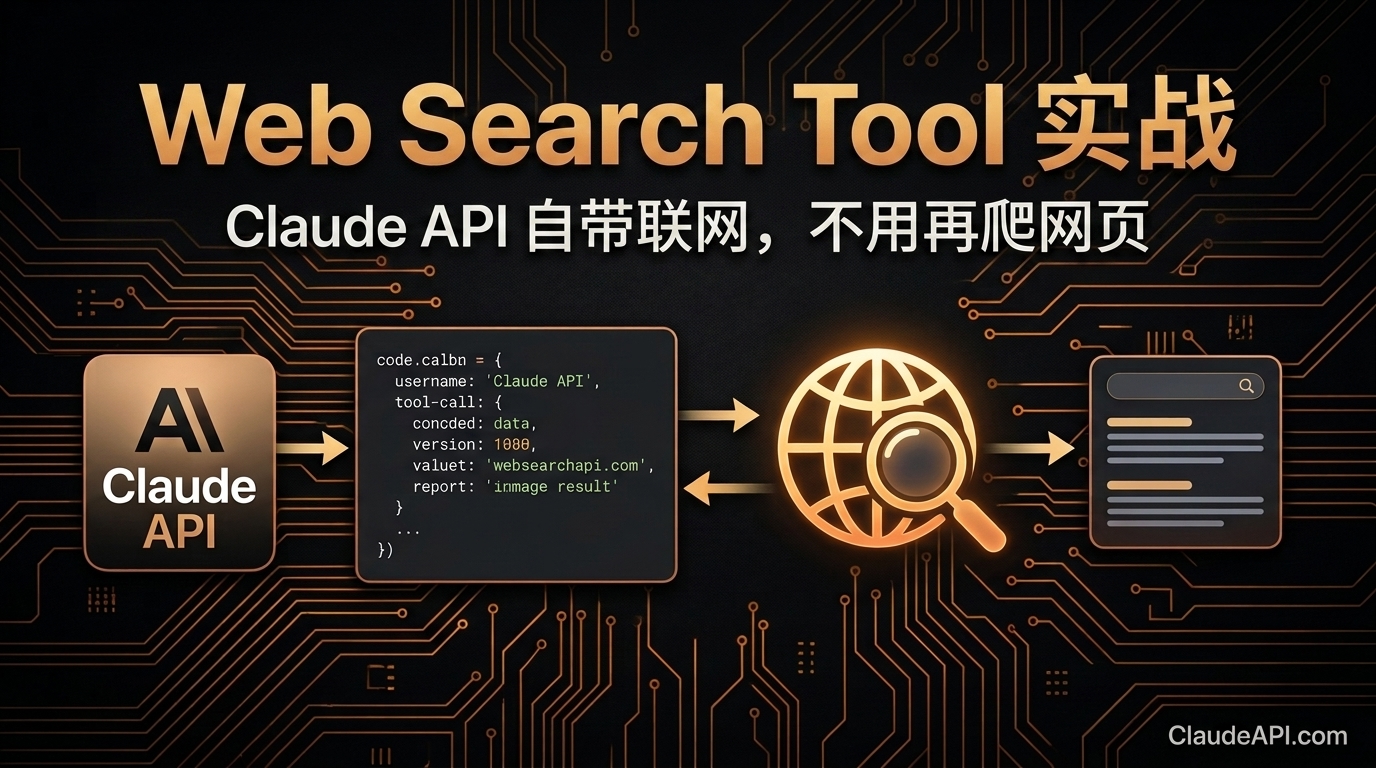
Claude API Web Search Tool 实战:自带联网搜索,不用再爬网页(2026)
2026 年 4 月正式 GA,调用 Claude API 时一个参数即可启用网页搜索, 无需 Beta Header,无需第三方爬虫,ClaudeAPI 用户直接可用。
这意味着什么
以前让 Claude 获取实时信息,你需要:
- 自己写爬虫抓网页
- 接入 Google/Bing 搜索 API
- 用 MCP Server 或 RAG 管道
现在只需要一个参数:
tools=[{"type": "web_search_20250305"}]
tools=[{"type": "web_search_20250305"}]
Claude 会在需要时自动搜索网页,读取内容,引用来源,然后回复你。
快速上手:3 行代码启用搜索
import anthropic

client = anthropic.Anthropic(
    api_key="your-claudeapi-key",
    base_url="https://gw.claudeapi.com",
)

response = client.messages.create(
    model="claude-sonnet-4-6",
    max_tokens=1024,
    tools=[{"type": "web_search_20250305"}],  # 就这一行
    messages=[
        {"role": "user", "content": "今天 A 股大盘走势如何?"}
    ]
)

# 解析回复
for block in response.content:
    if block.type == "text":
        print(block.text)
import anthropic

client = anthropic.Anthropic(
    api_key="your-claudeapi-key",
    base_url="https://gw.claudeapi.com",
)

response = client.messages.create(
    model="claude-sonnet-4-6",
    max_tokens=1024,
    tools=[{"type": "web_search_20250305"}],  # 就这一行
    messages=[
        {"role": "user", "content": "今天 A 股大盘走势如何?"}
    ]
)

# 解析回复
for block in response.content:
    if block.type == "text":
        print(block.text)
就这么简单。Claude 会自动判断是否需要搜索,如果需要,它会:
- 生成搜索关键词
- 搜索网页
- 读取相关内容
- 综合分析后回复
- 自动附带引用来源 URL
返回结构解析
当 Claude 执行搜索时,返回的 content 包含多种 block 类型:
response = client.messages.create(
    model="claude-sonnet-4-6",
    max_tokens=1024,
    tools=[{"type": "web_search_20250305"}],
    messages=[
        {"role": "user", "content": "Anthropic 最近发布了什么新模型?"}
    ]
)

for block in response.content:
    if block.type == "tool_use":
        # Claude 发起了搜索请求
        print(f"🔍 搜索:{block.input}")

    elif block.type == "web_search_tool_result":
        # 搜索结果
        for result in block.content:
            if hasattr(result, "url"):
                print(f"📄 来源:{result.title} - {result.url}")

    elif block.type == "text":
        # Claude 的最终回复
        print(f"\n💬 回复:{block.text}")
response = client.messages.create(
    model="claude-sonnet-4-6",
    max_tokens=1024,
    tools=[{"type": "web_search_20250305"}],
    messages=[
        {"role": "user", "content": "Anthropic 最近发布了什么新模型?"}
    ]
)

for block in response.content:
    if block.type == "tool_use":
        # Claude 发起了搜索请求
        print(f"🔍 搜索:{block.input}")

    elif block.type == "web_search_tool_result":
        # 搜索结果
        for result in block.content:
            if hasattr(result, "url"):
                print(f"📄 来源:{result.title} - {result.url}")

    elif block.type == "text":
        # Claude 的最终回复
        print(f"\n💬 回复:{block.text}")
示例输出:
🔍 搜索:Anthropic new model release 2026

📄 来源:Introducing Claude Opus 4.7 - https://www.anthropic.com/news/claude-opus-4-7
📄 来源:Claude Opus 4.7 is generally available - https://github.blog/changelog/...

💬 回复:Anthropic 于 2026 年 4 月 16 日发布了 Claude Opus 4.7,
这是 Opus 系列的最新版本,在编程能力和视觉分辨率方面有显著提升...
🔍 搜索:Anthropic new model release 2026

📄 来源:Introducing Claude Opus 4.7 - https://www.anthropic.com/news/claude-opus-4-7
📄 来源:Claude Opus 4.7 is generally available - https://github.blog/changelog/...

💬 回复:Anthropic 于 2026 年 4 月 16 日发布了 Claude Opus 4.7,
这是 Opus 系列的最新版本,在编程能力和视觉分辨率方面有显著提升...
实战场景一:实时新闻摘要机器人
import anthropic

client = anthropic.Anthropic(
    api_key="your-claudeapi-key",
    base_url="https://gw.claudeapi.com",
)

def news_briefing(topic: str) -> str:
    """生成某个话题的实时新闻摘要"""
    response = client.messages.create(
        model="claude-sonnet-4-6",
        max_tokens=2048,
        tools=[{"type": "web_search_20250305"}],
        system="""你是一个新闻分析师。搜索最新信息后,用以下格式输出:

## 📰 {话题} 最新动态

### 要点
- 要点1
- 要点2
- 要点3

### 详细分析
(200字以内)

### 来源
列出所有引用的 URL""",
        messages=[
            {"role": "user", "content": f"搜索并总结:{topic} 的最新消息"}
        ]
    )

    for block in response.content:
        if block.type == "text":
            return block.text
    return "未获取到信息"

# 使用示例
print(news_briefing("AI 编程工具"))
print(news_briefing("Claude Opus 4.7"))
import anthropic

client = anthropic.Anthropic(
    api_key="your-claudeapi-key",
    base_url="https://gw.claudeapi.com",
)

def news_briefing(topic: str) -> str:
    """生成某个话题的实时新闻摘要"""
    response = client.messages.create(
        model="claude-sonnet-4-6",
        max_tokens=2048,
        tools=[{"type": "web_search_20250305"}],
        system="""你是一个新闻分析师。搜索最新信息后,用以下格式输出:

## 📰 {话题} 最新动态

### 要点
- 要点1
- 要点2
- 要点3

### 详细分析
(200字以内)

### 来源
列出所有引用的 URL""",
        messages=[
            {"role": "user", "content": f"搜索并总结:{topic} 的最新消息"}
        ]
    )

    for block in response.content:
        if block.type == "text":
            return block.text
    return "未获取到信息"

# 使用示例
print(news_briefing("AI 编程工具"))
print(news_briefing("Claude Opus 4.7"))
实战场景二:竞品价格监控
def compare_prices(product: str) -> str:
    """搜索并对比产品价格"""
    response = client.messages.create(
        model="claude-sonnet-4-6",
        max_tokens=2048,
        tools=[{"type": "web_search_20250305"}],
        system="你是一个价格分析师,搜索后输出 Markdown 表格对比各平台价格。",
        messages=[
            {"role": "user", "content": f"搜索 {product} 在各平台的最新价格,输出对比表"}
        ]
    )

    for block in response.content:
        if block.type == "text":
            return block.text

print(compare_prices("Claude API vs GPT API 定价"))
def compare_prices(product: str) -> str:
    """搜索并对比产品价格"""
    response = client.messages.create(
        model="claude-sonnet-4-6",
        max_tokens=2048,
        tools=[{"type": "web_search_20250305"}],
        system="你是一个价格分析师,搜索后输出 Markdown 表格对比各平台价格。",
        messages=[
            {"role": "user", "content": f"搜索 {product} 在各平台的最新价格,输出对比表"}
        ]
    )

    for block in response.content:
        if block.type == "text":
            return block.text

print(compare_prices("Claude API vs GPT API 定价"))
实战场景三:技术文档自动查询
def search_docs(question: str) -> str:
    """搜索技术文档回答问题"""
    response = client.messages.create(
        model="claude-sonnet-4-6",
        max_tokens=2048,
        tools=[{"type": "web_search_20250305"}],
        system="""你是一个技术顾问。回答问题时:
1. 先搜索官方文档和技术博客
2. 给出准确答案,附代码示例
3. 标注信息来源 URL
4. 如果信息可能过时,明确提醒""",
        messages=[
            {"role": "user", "content": question}
        ]
    )

    for block in response.content:
        if block.type == "text":
            return block.text

# 示例
print(search_docs("Python anthropic SDK 最新版本是多少?怎么安装?"))
print(search_docs("Claude 的 max_tokens 上限是多少?"))
def search_docs(question: str) -> str:
    """搜索技术文档回答问题"""
    response = client.messages.create(
        model="claude-sonnet-4-6",
        max_tokens=2048,
        tools=[{"type": "web_search_20250305"}],
        system="""你是一个技术顾问。回答问题时:
1. 先搜索官方文档和技术博客
2. 给出准确答案,附代码示例
3. 标注信息来源 URL
4. 如果信息可能过时,明确提醒""",
        messages=[
            {"role": "user", "content": question}
        ]
    )

    for block in response.content:
        if block.type == "text":
            return block.text

# 示例
print(search_docs("Python anthropic SDK 最新版本是多少?怎么安装?"))
print(search_docs("Claude 的 max_tokens 上限是多少?"))
实战场景四:搜索 + 多轮对话
def chat_with_search():
    """带搜索能力的多轮对话"""
    messages = []

    while True:
        user_input = input("\n你:")
        if user_input.lower() in ("quit", "exit", "退出"):
            break

        messages.append({"role": "user", "content": user_input})

        response = client.messages.create(
            model="claude-sonnet-4-6",
            max_tokens=2048,
            tools=[{"type": "web_search_20250305"}],
            messages=messages
        )

        assistant_text = ""
        for block in response.content:
            if block.type == "text":
                assistant_text += block.text

        print(f"\nClaude:{assistant_text}")
        messages.append({"role": "assistant", "content": response.content})

chat_with_search()
def chat_with_search():
    """带搜索能力的多轮对话"""
    messages = []

    while True:
        user_input = input("\n你:")
        if user_input.lower() in ("quit", "exit", "退出"):
            break

        messages.append({"role": "user", "content": user_input})

        response = client.messages.create(
            model="claude-sonnet-4-6",
            max_tokens=2048,
            tools=[{"type": "web_search_20250305"}],
            messages=messages
        )

        assistant_text = ""
        for block in response.content:
            if block.type == "text":
                assistant_text += block.text

        print(f"\nClaude:{assistant_text}")
        messages.append({"role": "assistant", "content": response.content})

chat_with_search()
高级配置
控制搜索行为
tools=[
    {
        "type": "web_search_20250305",
        "max_uses": 3,  # 单次对话最多搜索 3 次
    }
]
tools=[
    {
        "type": "web_search_20250305",
        "max_uses": 3,  # 单次对话最多搜索 3 次
    }
]
限定搜索域名
tools=[
    {
        "type": "web_search_20250305",
        "allowed_domains": [
            "anthropic.com",
            "github.com",
            "stackoverflow.com"
        ]
    }
]
tools=[
    {
        "type": "web_search_20250305",
        "allowed_domains": [
            "anthropic.com",
            "github.com",
            "stackoverflow.com"
        ]
    }
]
排除特定域名
tools=[
    {
        "type": "web_search_20250305",
        "blocked_domains": [
            "reddit.com",
            "quora.com"
        ]
    }
]
tools=[
    {
        "type": "web_search_20250305",
        "blocked_domains": [
            "reddit.com",
            "quora.com"
        ]
    }
]
强制搜索 vs 自动判断
# 默认:Claude 自动判断是否需要搜索
tools=[{"type": "web_search_20250305"}]

# 强制要求搜索(通过 prompt 引导)
messages=[
    {"role": "user", "content": "请搜索后回答:今天的 AI 新闻有哪些?"}
]
# 默认:Claude 自动判断是否需要搜索
tools=[{"type": "web_search_20250305"}]

# 强制要求搜索(通过 prompt 引导)
messages=[
    {"role": "user", "content": "请搜索后回答:今天的 AI 新闻有哪些?"}
]
定价说明
| 项目 | 价格 |
|---|---|
| Web Search 工具调用 | 按搜索次数计费 |
| 搜索结果输入 Token | 按标准输入价格 |
| Claude 回复输出 Token | 按标准输出价格 |
在 ClaudeAPI 上使用 Web Search Tool,价格同样享受 8 折优惠。
对比:Web Search Tool vs 传统方案
| 维度 | Web Search Tool | 自建搜索(Google API + 爬虫) |
|---|---|---|
| 代码量 | 1 行参数 | 100+ 行(API 调用 + 解析 + 清洗) |
| 维护成本 | 零 | 爬虫反封、API 限额管理 |
| 结果质量 | Claude 自动筛选相关内容 | 需要自己做相关性排序 |
| 引用来源 | 自动附带 URL | 需要手动拼接 |
| 额外依赖 | 无 | Google API Key / BeautifulSoup / Selenium |
| 成本 | 搜索费用 + Token | 搜索 API 费用 + 服务器 + Token |
常见问题
Q:Web Search Tool 和 MCP 搜索有什么区别?
Web Search Tool 是 Claude API 原生能力,一个参数开启,无需额外服务。MCP 搜索需要单独部署 MCP Server,更灵活但也更复杂。简单场景用 Web Search Tool,复杂场景(如需要搜索特定数据库)用 MCP。
Q:Claude 每次都会搜索吗?
不会。Claude 会自主判断是否需要搜索——如果问题在它的知识范围内,它会直接回答。只有涉及实时信息、最新数据、或超出训练数据的问题时才会触发搜索。
Q:搜索结果的语言能控制吗?
可以通过 prompt 引导,例如在 system prompt 中写「搜索时优先使用中文关键词,引用中文来源」。
Q:一次请求最多搜索几次?
可以通过 max_uses 控制。不设置时默认无硬性限制,但 Claude 通常搜索 1-3 次就能获取足够信息。
Q:通过 ClaudeAPI 调用有什么区别?
没有任何功能差异。ClaudeAPI 完全兼容 Anthropic 原生 API,Web Search Tool 同样可用,且享受 8 折价格。只需将 base_url 设为 https://gw.claudeapi.com。
总结
| 你想做的事 | 以前 | 现在 |
|---|---|---|
| 查实时信息 | 爬虫 + 搜索 API | tools=[{"type": "web_search_20250305"}] |
| 查最新文档 | 手动搜索粘贴 | Claude 自动搜索并引用 |
| 竞品监控 | 定时爬虫脚本 | 一个 API 调用搞定 |
| 新闻摘要 | RSS + 解析 + 总结 | 一个 API 调用搞定 |
Web Search Tool 让 Claude 从「只能用训练数据回答」变成「能查全网再回答」——而你只需要加一行参数。
开始使用
支付宝 / 微信充值,官方 8 折,Web Search Tool 直接可用。